5 incredible mini PC perks I wish I knew before I switched


I bought a mini PC before I knew what to expect. At first I thought it would just do basic tasks, but I quickly discovered just how good these little machines can be. Now, looking back, there are some things I wish I had known sooner. Here are my top five.
1. They are more capable than you think
When I first saw a mini PC, I thought it would only be useful for basic tasks like web browsing, but that was before I discovered how powerful these little machines can be. Today’s mini PCs, especially those with chips like the Intel N97 or N150, perform surprisingly well. Even the smallest machines can support 16GB of RAM, fast SSDs, and multiple 4K displays.
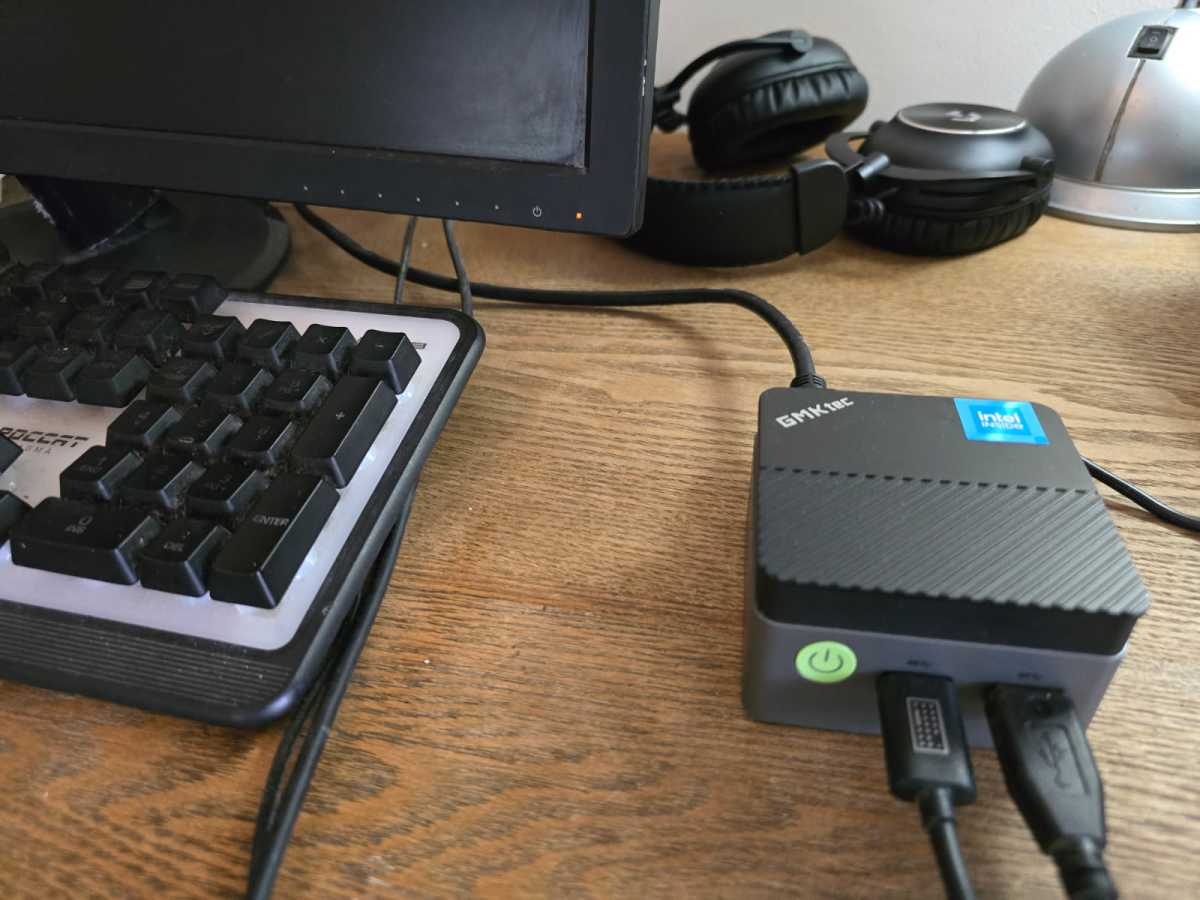
I thought the processing power would only be decent in the larger models, but my little GMKtek G5 has a maximum operating speed of 3.6 GHz, which is very impressive. It runs every app and software I asked of it, just like a larger laptop or desktop would.
2. They are perfect for traveling
I’ve always used my laptop for traveling, but now I stick to my mini PC. My GMKtec G5 is smaller than a pack of Pop-Tarts and much less bulky. It fits easily into a coat pocket or my backpack and takes up much less space than my laptop.
Paired with a foldable keyboard, mouse, and portable monitor, I have a complete mobile workstation at my fingertips. Installation doesn’t take long either, just a few minutes.
3. Power consumption is very low
One thing that isn’t emphasized enough is the impressively low power consumption of most mini PCs. Most idle at between 10 and 15 watts and rarely exceed 25 watts. That’s far less than the average desktop computer, which typically consumes around 60 watts on average.
Low power consumption makes mini PCs ideal for home servers and media centers. You can leave them running all day without worrying about your electricity bill. They also run relatively cool and quiet, making them an easy, low-maintenance computing solution.
Bonnie Bayley
4. Expandability options are very good
There’s a common misconception that mini PCs are locked and you can’t upgrade them, but that’s usually not the case. Most mini PCs come with at least one or two upgradeable slots, usually for RAM or storage. It’s also not uncommon to find spare M.2 or SATA slots inside.
For this reason, you may end up with a very capable small computer after the upgrade. Some even offer NVMe storage, 32GB of RAM, and even a discrete GPU in some cases. The external options are also solid: you can add USB-C docks, Ethernet adapters, and eGPU enclosures for graphics.
If I had known this earlier, I would have considered some of the lower end models that I rejected and budgeted accordingly for later upgrades.
5. Not all ports are the same
You should carefully check the technical data sheets when purchasing a mini PC, because not all ports are equal. For example, some USB-C ports don’t support video output and power delivery, even though they look identical to ports that do, and some HDMI ports are limited to 30Hz in 4K.
A good way to learn more about the I/O capabilities of your mini PC is to read reviews. They are a reliable source of information to guide your purchasing decisions.
Related content:
- I upgraded to a mini PC, but I’m grateful I knew these 5 things first
- I traded in my $1,000 desktop for a $300 mini PC and I have no regrets
- Why you absolutely need a mini PC


