CarPlay is getting even better with these new iOS 26.2 features


Earlier this year, CarPlay – Apple’s infotainment system for cars – received a major update with the first release of iOS 26. Not only did it benefit from the new Liquid Glass interface, but it also received features such as widgets on the home screen, video streaming over AirPlay when the car is parked, live activities and more customizations.
With iOS 26.2 rolling out this week for iPhone users, CarPlay is also getting some exciting upgrades that make the experience even better. Specifically, two new features that CarPlay users have long requested are finally available.
With iOS 26.2, Apple is further refining some of CarPlay’s new features, starting with the Home screen widgets.
Similar to widgets on iPhone, CarPlay widgets allow users to see brief information and even access quick interactions directly from the home screen without having to open an app. This includes options like a calendar widget to display your upcoming appointments, weather forecasts, or even home controls.
Users can currently place up to two widgets on the CarPlay home screen, but this will change with iOS 26.2.
The update brings support for more widgets on the CarPlay home screen. However, there is a catch. The ability to add three or more widgets is limited to vehicles with larger integrated screens. Unfortunately, Apple doesn’t specify which car models support more widgets in CarPlay, but if your car has a large built-in screen, you’ll probably be able to add more widgets to it.
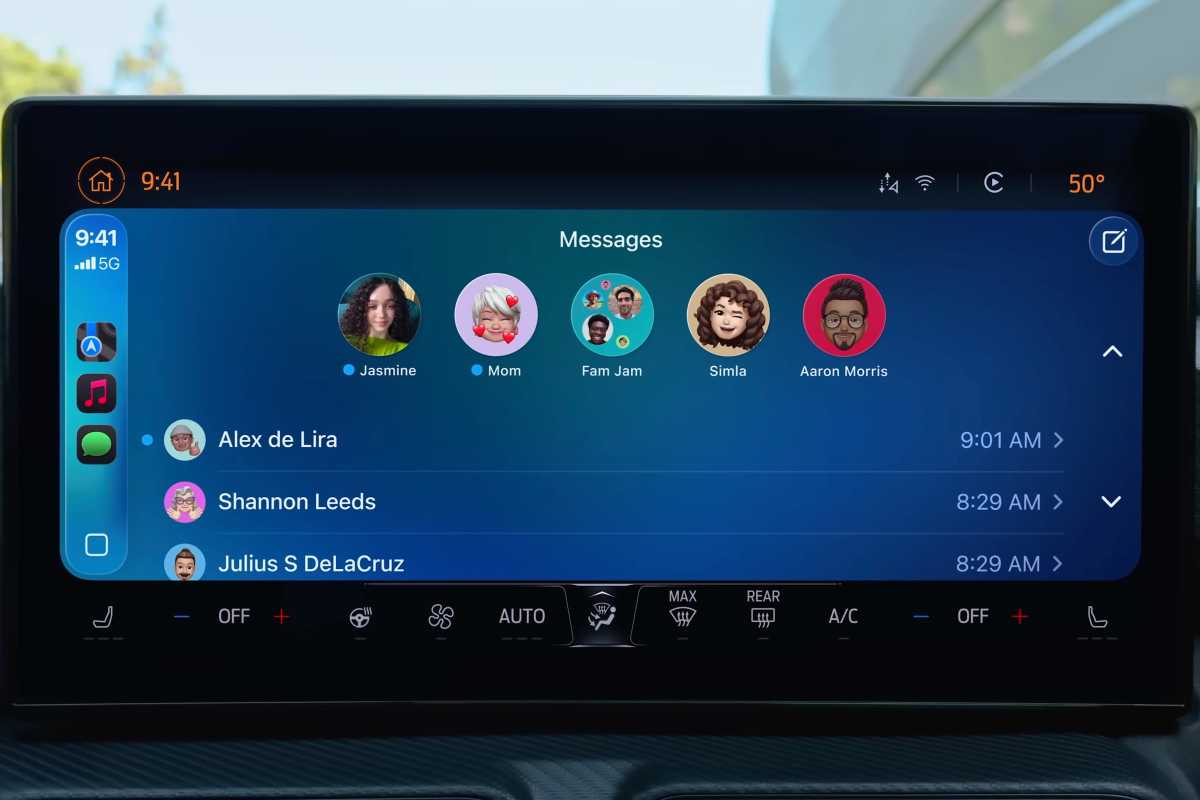
You will be able to unpin CarPlay covers in iOS 26.2.
Foundry
A cleaner interface for the Messages app
Also with iOS 26, CarPlay introduced a new interface for the Messages app that displays pinned chats at the top. For users who prefer a cleaner interface, there is now an option to disable pinned conversations in CarPlay.
In the Settings app, you’ll now find a “Pinned Conversations” toggle. Turn it off and you will no longer see pinned chats in the Messages app, just the usual list of chats. For CarPlay users who don’t like the new interface of the Messages app, the update will definitely help.
The new CarPlay features are automatically enabled after installing iOS 26.2 on your iPhone. Just go to Settings > General > Software update and check for the latest version of the operating system.