What our editor used to build his Plex server


There are many benefits to setting up a NAS network. All your media and files will be saved in one place, making everything easier to access. Of course, this also makes a NAS server an ideal way to use Plex, a service that lets you stream all your own media.
However, setting up a Plex server can be a bit complicated. Luckily, our Discover editor, Andrew Heinzman, can inspire you.

On The Inside is our new series in which we ask our editors what they use every day and love.
“My home media server is relatively simple. I mean, at least that’s what I think,” says Andrew. “A Beelink EQI12 i7-12650H mini PC acts as the brains of the operation: it runs Plex and various other applications, such as Unmanic, a tool I use to reduce the file size of some TV shows. All my media resides on a TerraMaster F4-423 NAS, which the mini PC accesses over the network via NFS.
Andrew originally only used the F4-423, but the mini PC offers more power to the setup. “The Celeron N5095 processor in the TerraMaster F4-423 could only handle a few simultaneous video transcodes. I can do more than 10 simultaneous transcodes from the Beelink EQI12 (most of my files are 1080p), which gives me a lot more headroom.”

- RAM
-
32 GB DDR4
- Processor
-
12th Gen Intel Core i5-1235U
This mini PC can make a great component in a NAS server, and the price is reasonable for someone on a budget.
It really is that simple. Andrew’s main setup is NAS, Mini PC and Unraid, an operating system popular with our staff that makes managing your NAS much easier. This not only meets his needs, but also his friends’ needs for running a Plex server.
Everything works great and the mini PC is powerful enough to handle all of my friends’ remote streaming needs.
That said, Andrew wouldn’t mind rebuilding his NAS setup from scratch (after all, who doesn’t like tweaking and redoing their tech builds). “I could have a much sleeker setup with a mini PC and a DAS case, and I could also buy a collection of large 12TB drives, which would suit my needs much better than the hodgepodge of random drive sizes I currently use.”

Of course, it’s not perfect. Andrew mentions that he “disabled the cache feature on my NAS because its 250GB SSD was becoming oversaturated during downloads and file transfers”, and that he has to “manually remount the NFS network share and restart my Plex container” in the event of a power outage.
However, the fact is that simply worksand there is no reason to spend more money. “My cheap TP-Link network switch works great. And although my media server is connected to an eero mesh node, it’s pretty fast and reliable. I’ve certainly had no issues with remote streaming, even at full quality.” If it ain’t broke, don’t fix it.
All this shows that you don’t need huge installations or complex programming to get a Plex server that works well. All it takes is a NAS (and possibly a mini-PC), some useful software, and a little patience. Then you’ll have all your essential media backed up and ready to play whenever you want.
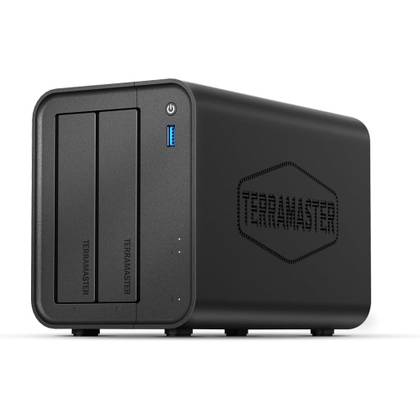
If you want to replicate Andrew’s setup, that’s easy to do too. However, one thing to note is that while you can find a TerraMaster F4-423 NAS available for sale, the model is now discontinued. Instead, you may want to opt for the newer F2-425 or F4-425 model, depending on how many bays you think you’ll need.
-
- Processor
-
Quad-core Intel x86 processor
- Memory
-
4GB
- Drive bays
-
2
- Dimensions
-
8.74″D x 4.69″W x 6.06″H
- Weight
-
1.3 kilograms
The F2-425 makes a fantastic foundation for your NAS and Plex servers, especially if you’re struggling for physical space.
-

- Processor
-
Quad-core Intel x86 processor
- Memory
-
4GB
- Drive bays
-
4
- Dimensions
-
8.74″D x 7.05″W x 6.06″H
- Weight
-
1.9 kilograms
The F4-425 offers four bays that can each support up to 30TB of data, giving you 120TB of storage for everything you have.


Also remember to get an uninterruptible power supply (UPS), so you don’t have to worry about tedious reassembly and resets in the event of a power outage.

- To go out
-
7 amps
- Connection type
-
Type B – 3 pin (North America)
An uninterruptible power supply will prevent devices plugged into it from shutting down in the event of an outage, as well as protect them from power surges or any sudden loss of data due to sudden shutdowns.


