This Google Chrome feature is why I’m never going back to Safari


The browser is one of the most used applications on the Mac and for many users like me, it is a key productivity tool. The majority of what I do at work involves web applications and tools, all accessible through my browser. As I write this article, for example, I’m using a browser connected to Macworld’s content management system. I also have a number of windows open to resources, references, and plenty of sources for the stories I need to write.
I’ve been using Google Chrome for a few years. I left Safari because I was tired of the memory management issues that Apple never seems to fix. A month ago, Google introduced a new feature that I love: I may never go back to Safari on my Mac.
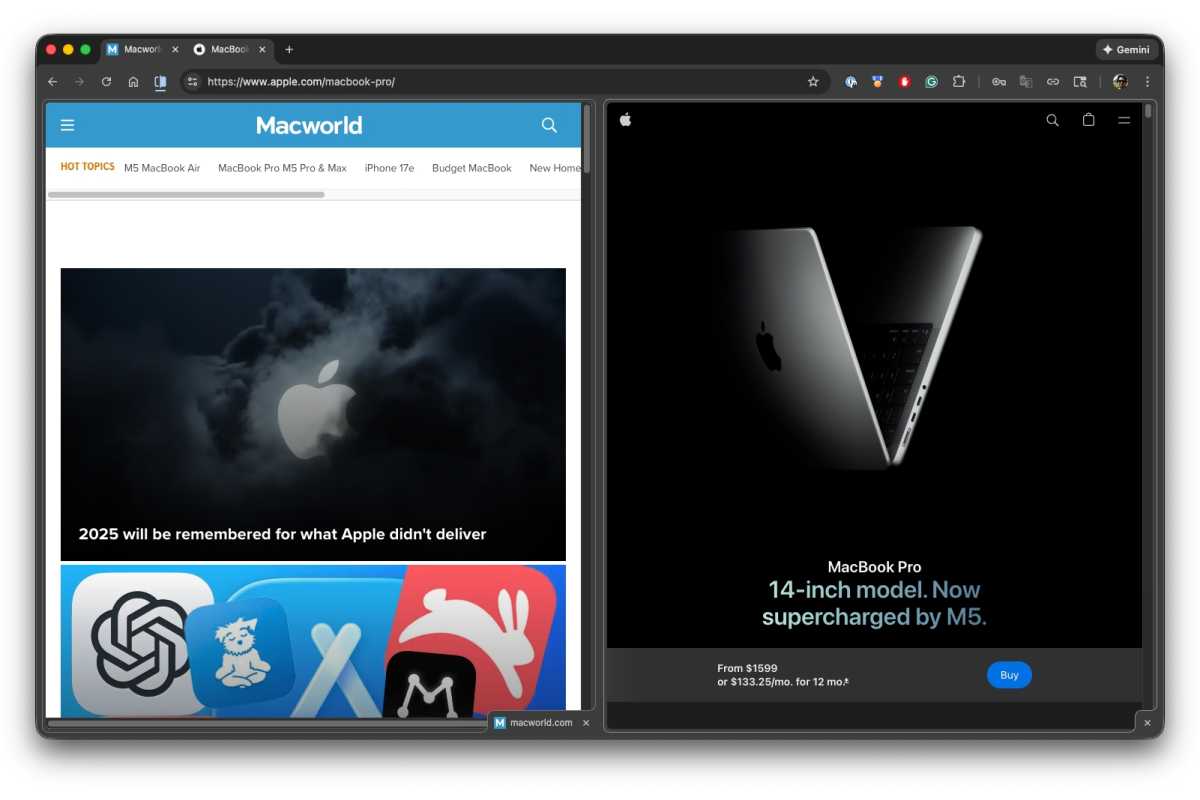
Two different websites appear in a single tab. That’s the beauty of Google Chrome Split View.
Foundry
This Chrome feature is called Split View. It allows you to see two websites in a single tab. It sounds simple, and it is, but it makes the job much more manageable. For example, I might have our CMS with an article I’m working on on one side and a company’s website on the other that I use to fact-check. In the past, I either had separate tabs that I clicked on, or two different browser windows open and neatly placed side by side. The new split view means I no longer have to worry about managing those tabs and windows.
When using Split View, simply move your pointer to the website you want to use and it is immediately active. The tab itself is split, so if you decide to close one of the sites, all you have to do is click the appropriate “x” in the tab. If you press Command+W, the site you are using will close and the other will remain open.
If you use Chrome and want to try it, you must first have the latest version of Chrome. You can do this in Chrome; go to Chromium > Settings > About Chrome, and you can update the app.
How to use split view
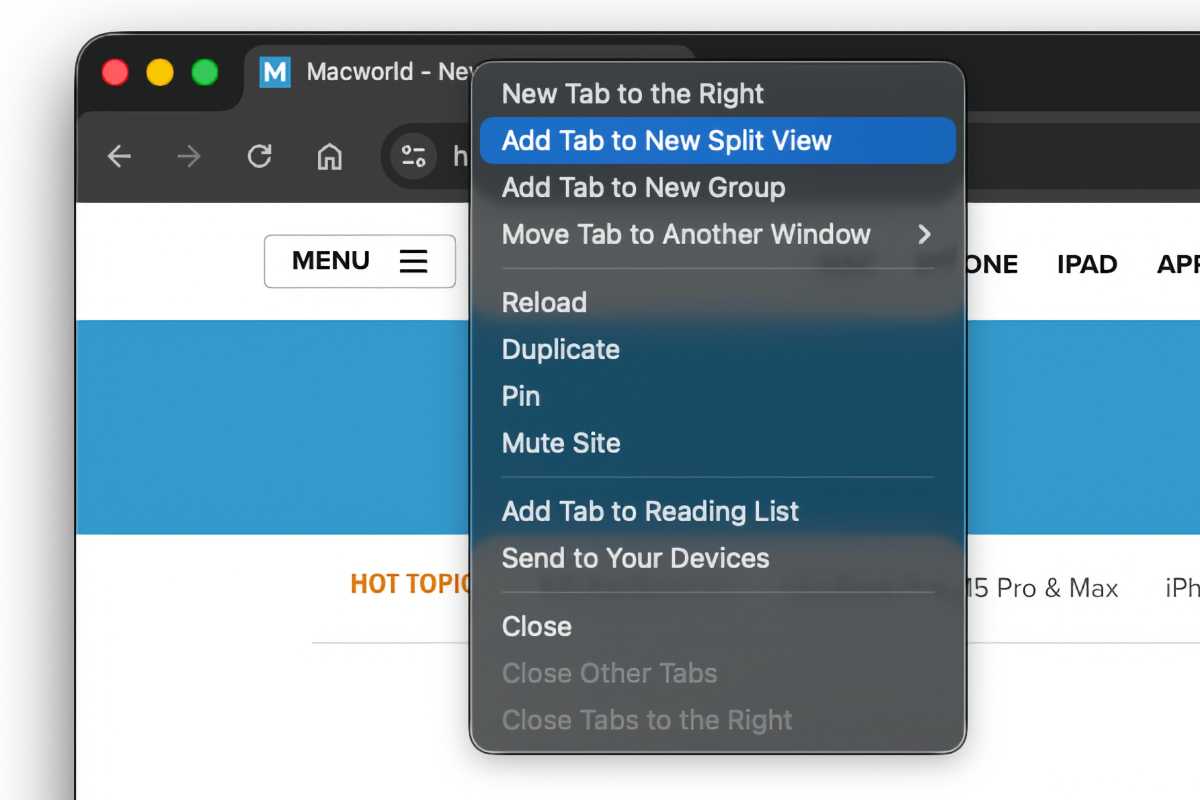
An open tab. When you have a single tab open and want to split it and open a second website. Ctrl-click the tab and select Add a tab to a new split view. The window will be split in two. To open the desired website in the new space, click on it, then enter a URL in the box or select a bookmark.
Foundry
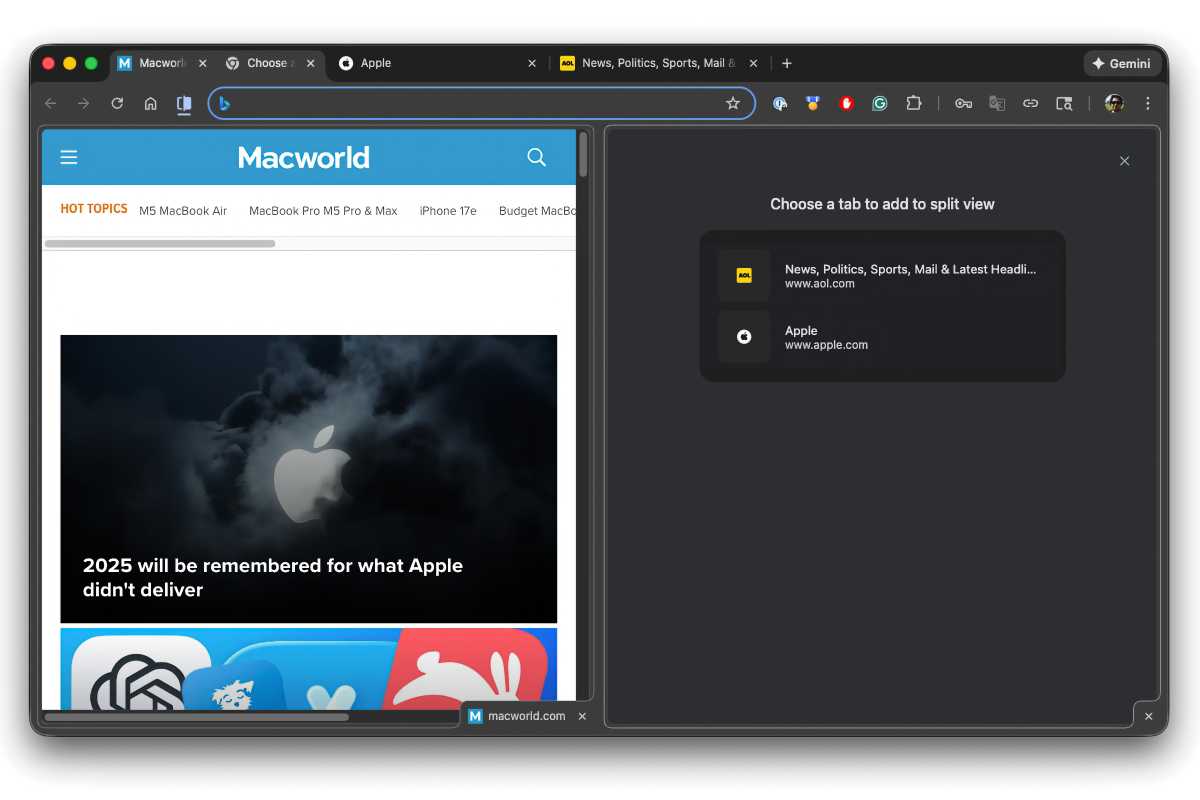
Multiple tabs open when you are on the active tab. If you have multiple tabs open, you can control-click the site tab you are currently on, select Add a tab to a new split view and in the second pane, a list of other open tabs appears. Select the one you want and it will load.
Foundry
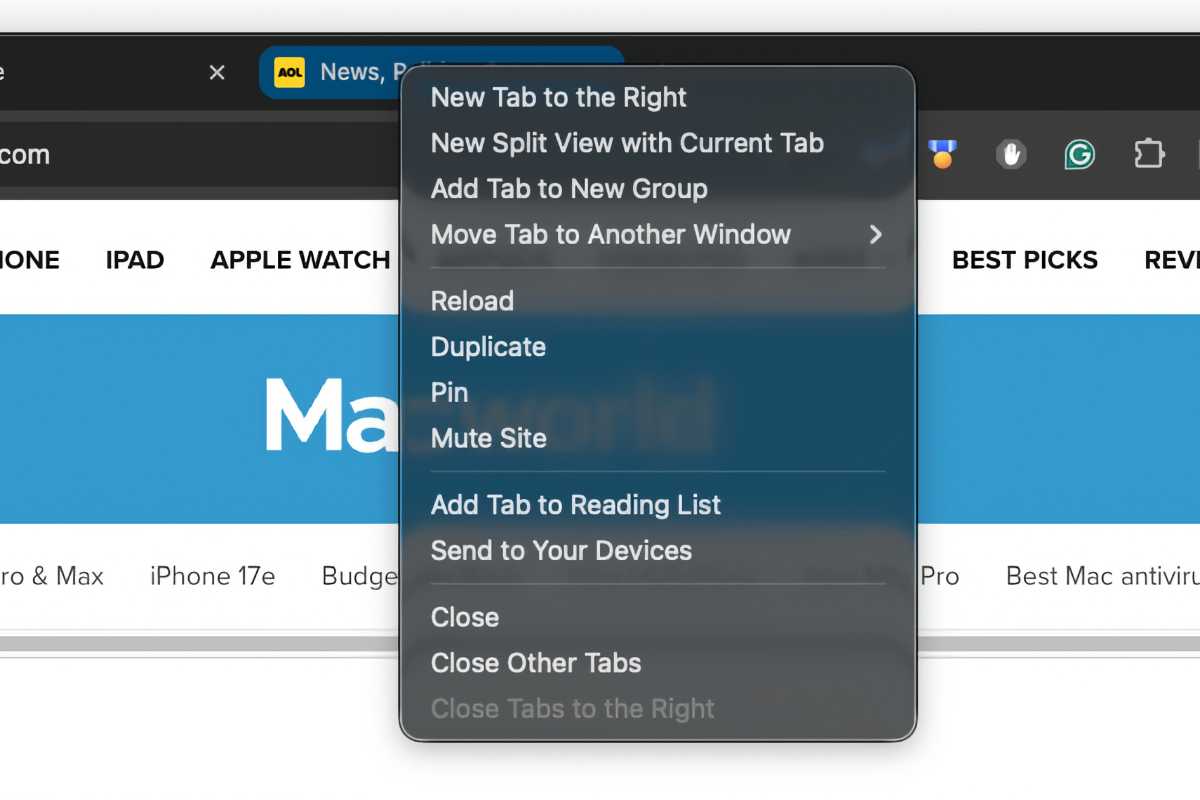
Multiple tabs open on an inactive tab. If you have multiple tabs open and you Ctrl-click an inactive tab, you will find an option to New split view with current tab. When you select this option, the active tab combines with the inactive tab you click.
Foundry


