Google details new 24-hour process to sideload unverified Android apps


The steps required to activate this feature only take a few seconds, but the 24-hour countdown makes it something you can’t do on the spur of the moment. But why 24 hours? According to Samat, this measure aims to combat the growing use of high-pressure social engineering attacks, in which the scammer convinces the victim that they must install an application immediately to avoid serious consequences.
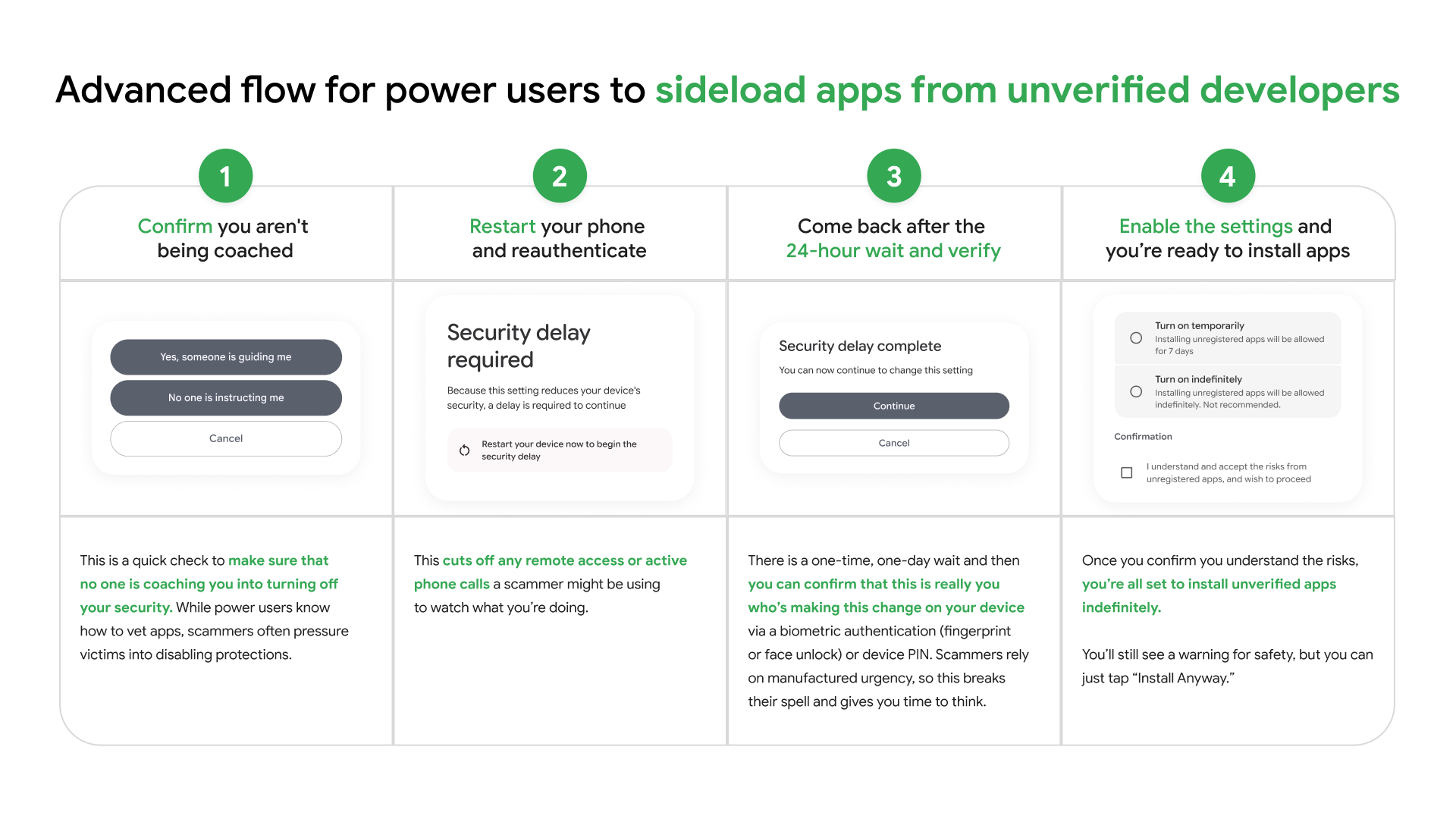
You will have to wait 24 hours to bypass verification.
Credit: Google
You will have to wait 24 hours to bypass verification.
Credit: Google
“During this 24-hour period, we believe it becomes much more difficult for attackers to continue their attack,” Samat said. “Meanwhile, you’ll likely discover that your loved one isn’t really being held in prison or that your bank account isn’t really under attack.”
But for people who are sure they don’t want Google’s verification system to stop them from downloading any old APK they come across, they don’t need to wait until they encounter an unverified app to get started. You just need to select the “indefinitely” option once on a phone, and then you can turn off Developer Options again.
Choice versus security
According to Samat, Google feels a responsibility to Android users around the world, and things are different than they were with more than 3 billion active devices.
“For many people around the world, their phone is their only computer and it stores some of their most private information,” Samat said. “Over the years, we’ve evolved the platform to keep it open while keeping it secure. And I want to emphasize that if the platform isn’t secure, people won’t use it, and it’s a lose-lose situation for everyone, including the developers.”


