High availability is the homelabbing trick everyone should know about


Downtime is the enemy of any home lab, especially mine. So I finally decided to do something and make my homelab highly available. I was only able to do this because I already knew it, so if you’ve never heard of high availability, here’s why you should know about this unique tip.
There is always maintenance to be done in a homelab
And I always postpone maintenance to have as little downtime as possible

When I started homelabbing, I did maintenance on my server quite often. Whether it was RAM changes, fixing OS issues, swapping storage, or installing new hardware, my server was more down than online.
Having my server go down so soon made me hesitant about hosting critical services on my own hardware, so I initially pushed those thoughts aside until things started to stabilize. Eventually I got comfortable with my servers and maintenance became something that didn’t happen as often.
The problem is that there is always something to maintain in a homelab. This could include moving servers, installing a new network card, adding more RAM, installing a graphics card, or simply changing the IP address of your network. Hell, even OS or security updates on the server count as maintenance – and I almost always put off my maintenance as long as possible.
Why should I postpone my maintenance? Because that always means downtime, and I and other members of my family have come to rely on server uptime. So I have to schedule maintenance and downtime when there is no one on the server, and that’s just a hassle. So I finally deployed a high availability cluster in my homelab to solve the problem.
High availability makes maintenance seamless
Services automatically move to the next available node

If you’ve never heard of high availability, this is the trick every hobbyist should at least know. Essentially, you need to have three or more servers (this works best with an odd number of servers) together in a cluster. These servers should have a central storage location that they all share, and a NAS is ideal for this.
It’s best to distribute services you host yourself across all nodes so that no single node is running everything, which defeats the goal of high availability. Whenever a node goes offline, the services that were running on that node are simply launched on another node in the stack.
This happens through a process called quorum. Basically, when one system is offline, the other systems in the cluster “vote” to see who gets the services that still need to be online. Then, this virtual machine or container that is no longer accessible because its host is offline, comes online on the node that won the vote.

You Probably Don’t Need a NAS: Why a DAS is Better for Most People
Not sold on a NAS? Get a DAS instead
Eventually, when the node you are maintaining comes back online, the VMs or containers that were there are migrated and nothing is missing.
Depending on your hardware (and the operating systems or services you use), downtime can range from a few seconds to a minute. Basically, however long it takes for the VM or container to start.
High availability isn’t really useful for simple things like restarting a virtual machine, but it’s perfect when you need to swap hardware or if you’re moving your homelab location from one area to another.
Your homelab acts like one big server, but there’s one big problem
Not all services need to be made highly available
With high availability, your homelab essentially acts like a large system that just circulates virtual machines or containers. However, it is not without its flaws.
I use Plex in my homelab, and it’s a service I won’t make highly available. Although this would be the ideal high availability service, it simply does not work well in a high availability cluster.
Plex relies heavily on metadata and hardware transcoding. As such, it constantly writes or rewrites files and requires dedicated hardware passed to it.
Although it is possible, it can be quite difficult to configure PCIe passthrough from a graphics card (internal or dedicated graphics) to a virtual machine. And that this same material is available on another system.

Are you considering starting a Homelab? You need a NAS
No homelab is complete without one.
Let’s say you have three old desktop PCs that all have slightly different specifications and generations of processors. The relay hardware IDs of the integrated graphics of these PCs will be different, making the Plex and VM configuration difficult to have high availability.
Additionally, setting up Plex Docker can sometimes require hardware UUIDs to be passed from the host to work, or even configured in the Plex Settings UI. These two things make high availability configurations quite difficult to configure.
However, high availability is perfect for services that don’t do it require a hardware relay. Think Audiobookshelf, Pi-hole, FreshRSS, Minecraft servers, websites, etc. : basically anything that doesn’t rely on dedicated hardware passed to a virtual machine and then to a container.
-

- Brand
-
ACEMAGIQUE
- Processor
-
i7-14650HX
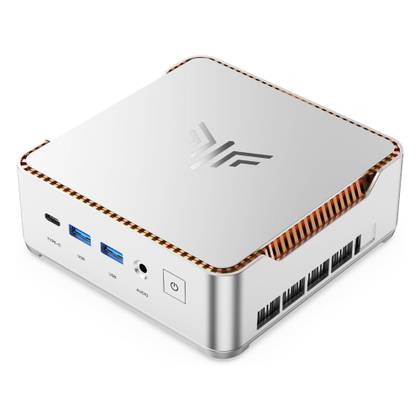
The ACEMAGIC M5 Mini PC is perfect for setups that require a high-performance desktop with a small footprint. It features the 16-core, 24-thread Intel i7-14650HX processor and 32GB of DDR4 RAM (expandable to 64GB). The pre-installed 1TB NVMe drive can be replaced with a larger drive, however, and there is a second NVMe slot for additional storage if needed.
-
- Brand
-
KAMURI
- Processor
-
i5-14450HX
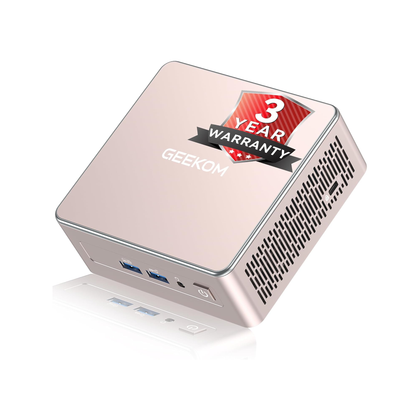
The KAMRUI Hyper H2 Mini PC features a 10-core, 16-thread Intel Core i5-14450HX processor and 16GB DDR4 RAM. The included 512GB NVMe SSD comes with Windows 11 preinstalled so the system is ready to go out of the box.
-
- Brand
-
GEEKOM
- Processor
-
AMD Ryzen 5 7430U
- Chart
-
AMD Vega 7
- Memory
-
16 GB DDR4 SO-DIMM
- Storage
-
512 GB NVMe (expandable)
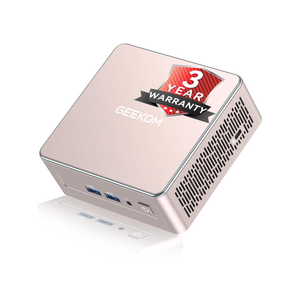
The GEEKOM A5 Mini PC packs 16GB of user-replaceable RAM, a user-swappable NVMe SSD, as well as two other storage slots, giving you plenty of user upgrade possibilities in this compact system. The Ryzen 5 processor offers plenty of power for general tasks, and it’s even great for light gaming and CAD work.


High availability isn’t for everyone, but it’s worth knowing about
Running a highly available setup in a homelab is not for the faint of heart. You really need to have at least three similar computers that you plan to keep 24/7/365 for this to work properly. It’s a little out of reach for those new to homelab, and that’s okay.
I ran my homelab without high availability for over half a decade before I finally had the hardware to bring a three-node cluster online. Even then, I hadn’t configured all the VMs for high availability, only the ones that I really couldn’t stand to fail.
You may not be deploying high availability in your homelab right now, but you should definitely know about it and at least have it in your back pocket when you have a setup that can handle it.


