There are all sorts of ways to share photos and documents between devices, and it’s usually painless when you’re within a single ecosystem. But things get more complicated when sharing between, say, a Windows PC and a MacBook, or between an Android phone and an iPhone.
It’s a lot easier if you use the Pairdrop web app, which makes a breeze of sharing data across different platforms on the same local network. Just open the website on both devices. Pairdrop automatically detects other devices on the same network that also have Pairdrop open, and you’ll see those devices in the web interface.
Each device gets an arbitrary name assignment (which you can change if you want), and all you need to do is tap or click on the target device from the source device, then select the data you want to transfer. Confirm the transfer on the target device by tapping “Accept.” You’re done.
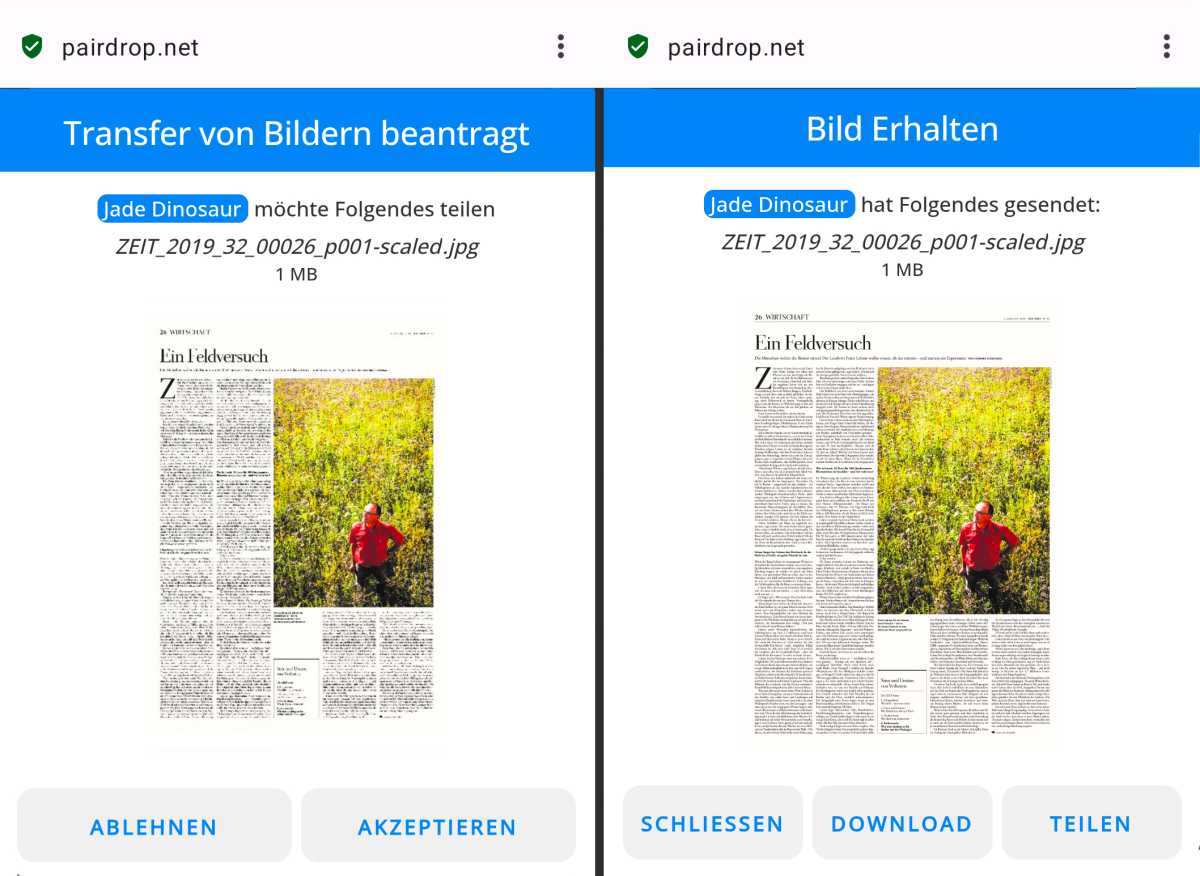
Foundry
To exchange data over the internet rather than across a local network, click on the three-person icon (“Join public room temporarily”) in the top right-hand corner and pair both devices using the provided security code. Individual files are sent directly; if multiple files are selected, the items is first packaged into a ZIP archive.
You can also exchange messages using Pairdrop. To do this, press and hold the recipient icon, then type your message. This feature can be used to securely transfer serial numbers, addresses, and other important details between devices. Pairdrop offers two options for secure data exchange: temporary or permanent pairing of devices.
Further reading: The best ways to transfer files between PC and phone
This article originally appeared on our sister publication PC-WELT and was translated and localized from German.