Geekom IT15 review: Tiny mini PC, mighty Intel Core Ultra 9 inside


At a glance
Expert rating
Benefits
- Powerful Intel processor with AI functions
- Good equipment with many USB ports
- Good expansion options for SSDs
- Up to four 4K monitors can be connected
- Wi-Fi 7 and Bluetooth 5.4
- Low energy consumption
Disadvantages
- No DisplayPort
- The revs rise sharply and become noisy
- No Thunderbolt 4, only USB 4
Our Verdict
The Geekom IT15 is a compact and scalable mini PC with strong computing power, AI support and powerful performance thanks to its Core Ultra 9 285H and Arc 140T GPU.
Price when reviewed
This value will display geotagged pricing text for the undefined product
Best price today
Best prices today: Geekom IT15

$999
See the offer

$1,199
See the offer
The compact body of the Geekom IT15 hides the 2nd generation Intel Core Ultra 9 285H. According to the manufacturer, it offers enough power for everyday tasks and supports Windows 11 AI functions.
With its multitude of connections and its ability to operate up to four monitors simultaneously, the IT15 presents itself as an interesting alternative to classic desktop PCs, which are less and less relevant outside the world of gaming.
We’re particularly interested to see how the Geekom IT15 with Intel processor compares to the Geekom A9 Max with AMD hardware, which we’ve already tested.
Geekom IT15: Specifications
- Dimensions: 117 × 112 × 45.5 mm without rubber feet, 117 × 112 × 49.2 mm with rubber feet (each L × D × H)
- Weight: 1.32 pounds
- CPU: Intel Core Ultra 9 285H processor, maximum operating power 45 watts
- Graphics processor (GPU): Intel Arc 140T GPU for 9,285H
- Memory: Dual-channel SODIMM DDR5-5600, up to 128 GB
- Internal Storage: 1 × M.2 2280 NVMe PCIe Gen4 x4 SSD, Crucial P3 Plus CT2000P3PSSD8 2TB pre-installed
- Expandable: 1 × M.2 2242 SATA III SSD slot, 1 × 2.5″ SATA HDD slot (up to 2 TB each)
- Ports: 1 × USB 3.2 Gen 2 Type-A, 1 × USB 2.0 Type-A (rear), 1 × USB 3.2 Gen 2 Type-A with S5 power delivery, 1 × USB 3.2 Gen 2 Type-A (front), 2 × USB 4.0, one with PD input (rear), 1 × 3.5 mm stereo headphone jack (front), 2 × HDMI 2.0, SD 4.0 card reader
- Connectivity: Bluetooth 5.4, Wi-Fi 7, 1 × 2.5G RJ45
- Extras: Kensington lock, VESA support
- Operating system: Microsoft Windows 11 24H2 (64-bit), pre-installed
- Warranty: 3 years
Overall, the Geekom IT15 is a compact, efficient and powerful mini PC ideal for productive and professional users.
Geekom IT15: Design
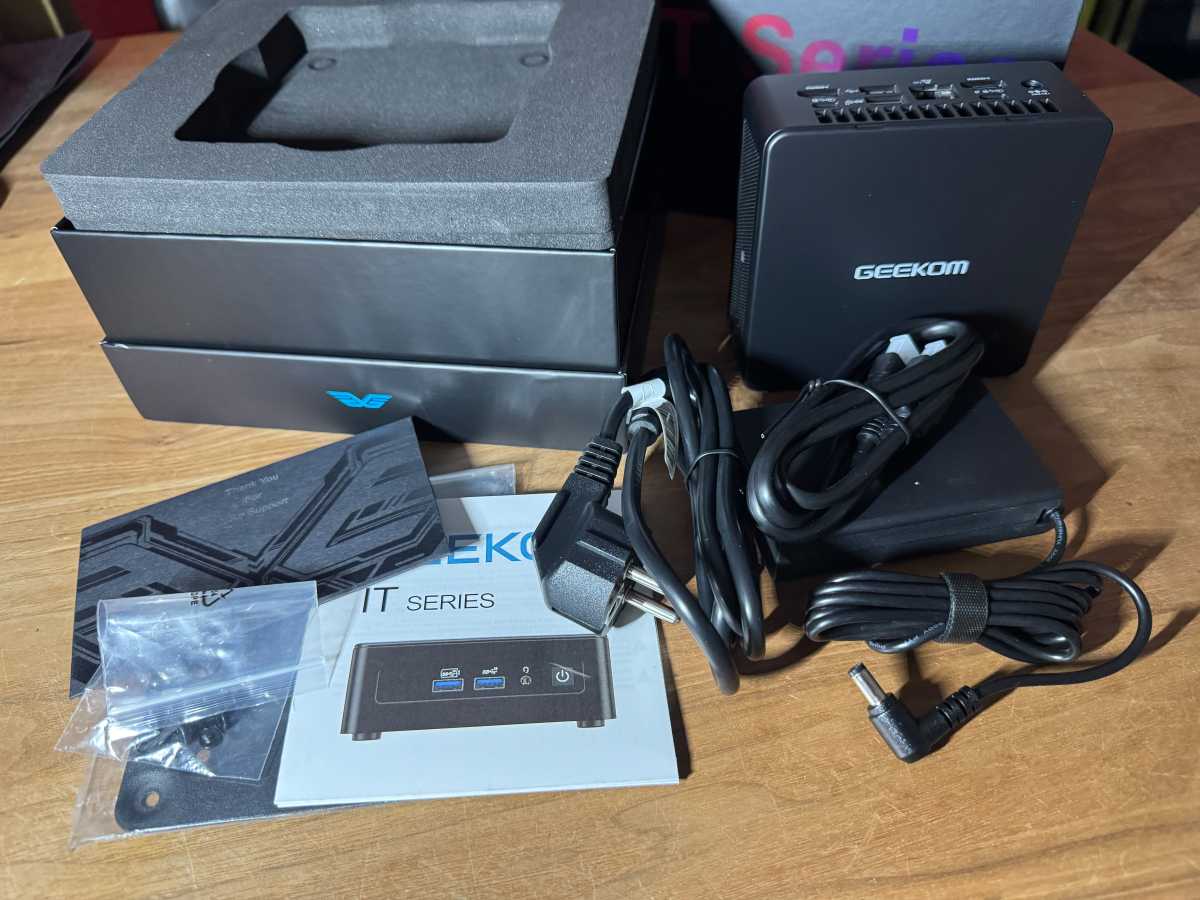
Geekom packages the hardware in a black case that’s less sleek than the A9 Max’s gray metal case. The IT15’s metal base and cover are designed to support up to 200 kilograms, providing solid protection for the components inside.
Measuring 117 × 112 × 45.5 millimeters (A9 Max: 132 × 46.9 mm), the mini PC easily fits on any desk and can also be mounted on the back of a monitor or on a wall using a VESA mount.
Christophe Hoffmann
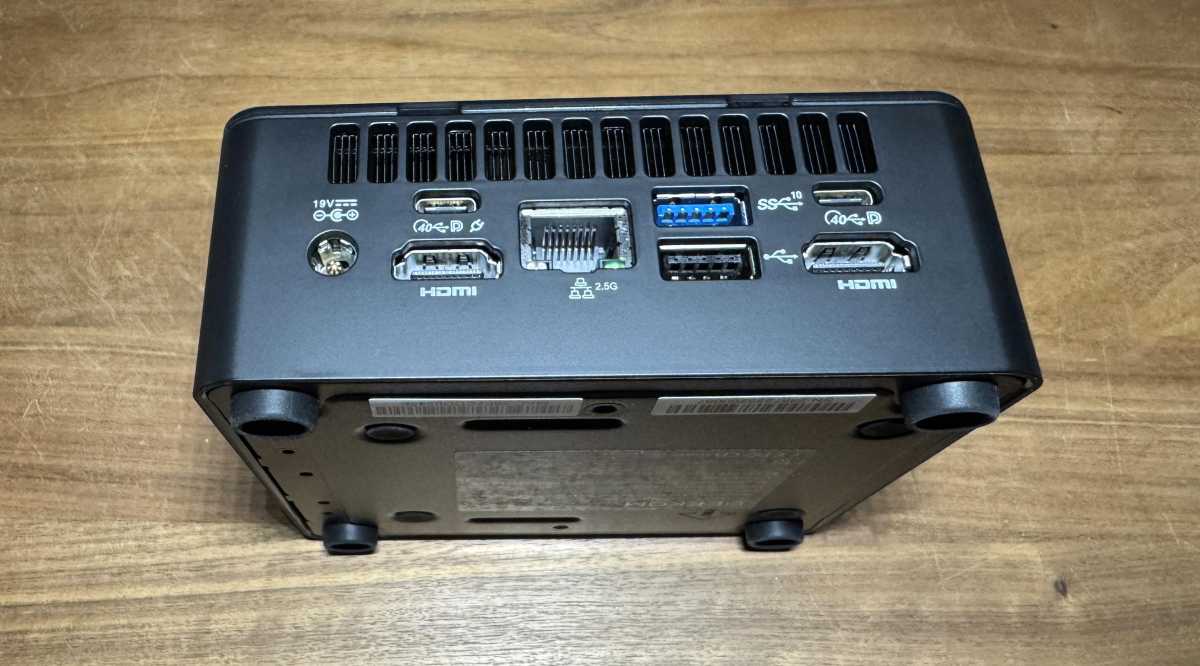
As is typical for mini PCs, the ports are located on the front and back. Regardless of the computer’s position on the desk, the side with the power button is considered the front.
Geekom hasn’t been stingy with connectivity: there are six USB ports in total, ranging from USB 2.0 and USB 3.2 Gen 2 to USB 4.0 Type-C. This allows external drives and peripherals to connect at high speeds, up to 40 Gbps theoretical.
Christophe Hoffmann
There are two USB 4 ports and two HDMI 2.0 ports for up to four 4K monitors. However, there is no DisplayPort.
Other components include 2.5 Gbps Ethernet, Wi-Fi 7 (Intel BE200), Bluetooth 5.4, and a full-fledged SD card reader. The mini PC can be protected against theft with a Kensington lock.
Geekom IT15: Equipment
The centerpiece of the Geekom IT15 is the Intel Core 9 285H. Alternatively, the IT15 is available with an Intel Ultra 5-225H processor and 32GB of RAM, although this model only comes with a 1TB SSD.
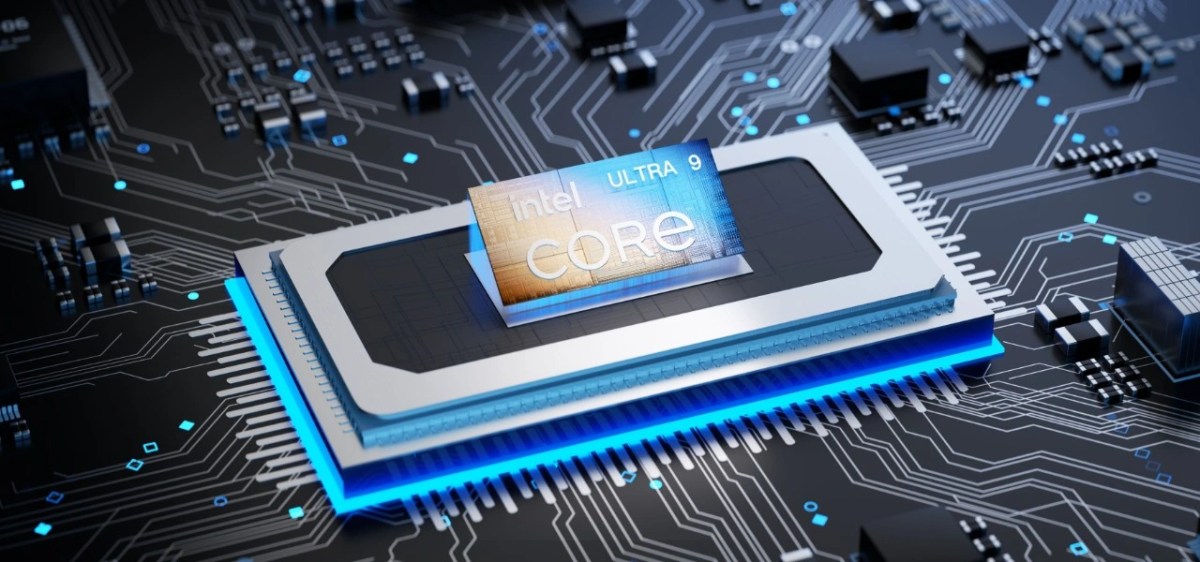
The Intel Core Ultra 9 285H is a modern high-performance processor from Intel’s current “Arrow Lake H” series, developed for high-performance laptops.
It combines six performance cores, eight efficiency cores, and two additional low-power cores, resulting in a total of 16 cores and 16 threads. With a maximum boost clock of up to 5.4 GHz and a 24 MB smart cache, the chip provides a solid foundation for demanding applications.
Geekom
Its typical power consumption is around 45 watts, but can reach up to 115 watts in turbo mode — good cooling is important. Geekom relies on its own “IceBlast 2.0” cooling system with a large heat sink, dual heat pipes and quiet fans.
The Intel Arc 140T is the integrated GPU of the Intel Core Ultra 9 285H and is based on the Xe architecture with eight Xe cores and ray tracing support. It offers solid performance for a GPU and is well suited for everyday use, multimedia, content creation, and light gaming. Its strengths lie in its high efficiency, modern technology and good integration into the CPU system. However, for complex games or professional 3D workloads, it doesn’t reach the power of a dedicated graphics card.
The processor has 32 GB of DDR5 RAM (5,600 MT/s), divided into two 16 GB modules. This is good in functional terms, but it makes it difficult to upgrade to 64 GB later, as both modules would have to be replaced. With a single 32 GB module, expansion would be much simpler and less expensive. However, you won’t benefit from the faster dual-channel mode with just one module.
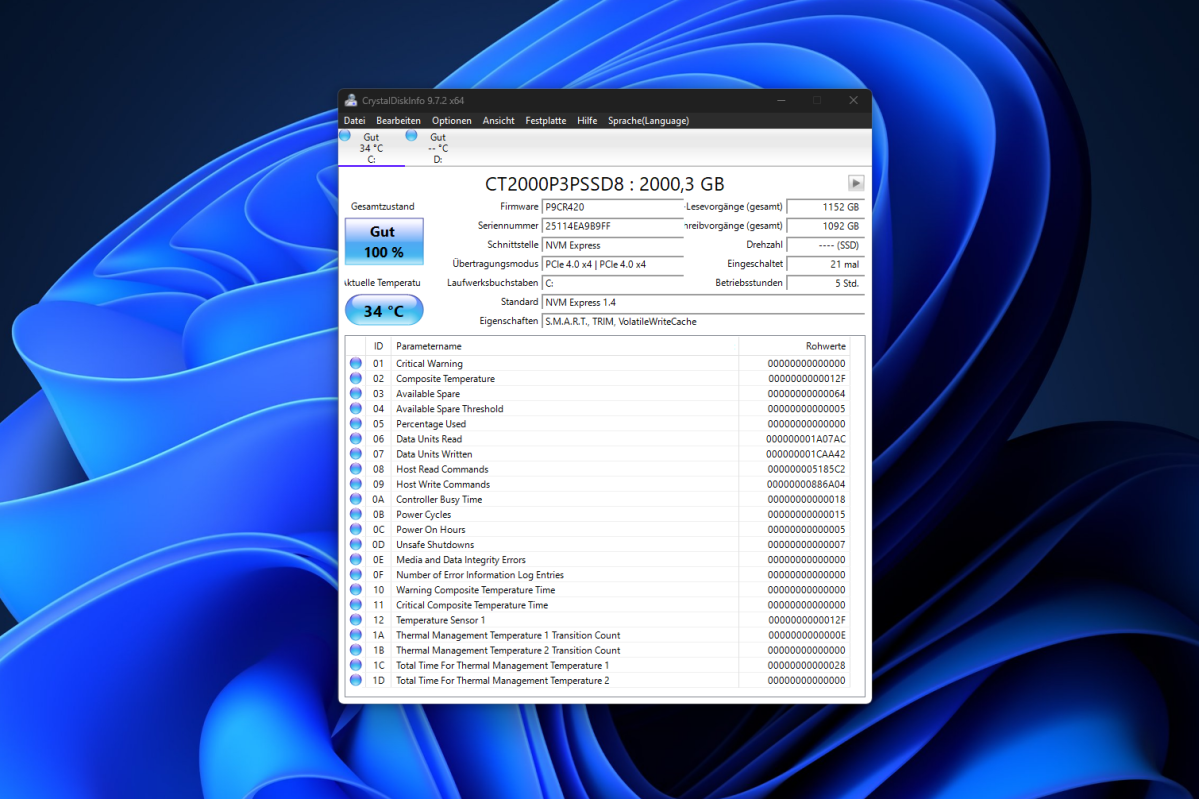
The 2TB NVMe SSD in our IT15 is a Crucial P3 Plus (model CT2000P3PSSD8). Other IT15 units may ship with SSDs from different manufacturers.
Christophe Hoffmann
There are two additional internal storage options: a slot for an M.2 2242 and a slot for a 2.5-inch SSD, each with a capacity of up to 2TB. This gives users much more flexibility than the A9 Max with its M.2 2230 slot.
Geekom IT15: Windows
In our test setup, a 27-inch Dell monitor is connected to the IT15, along with a wired Cherry keyboard and a Microsoft mouse using a dongle. The mini PC connects to the network via Ethernet via a BrosTrend 8X switch at 2.5 Gbps.
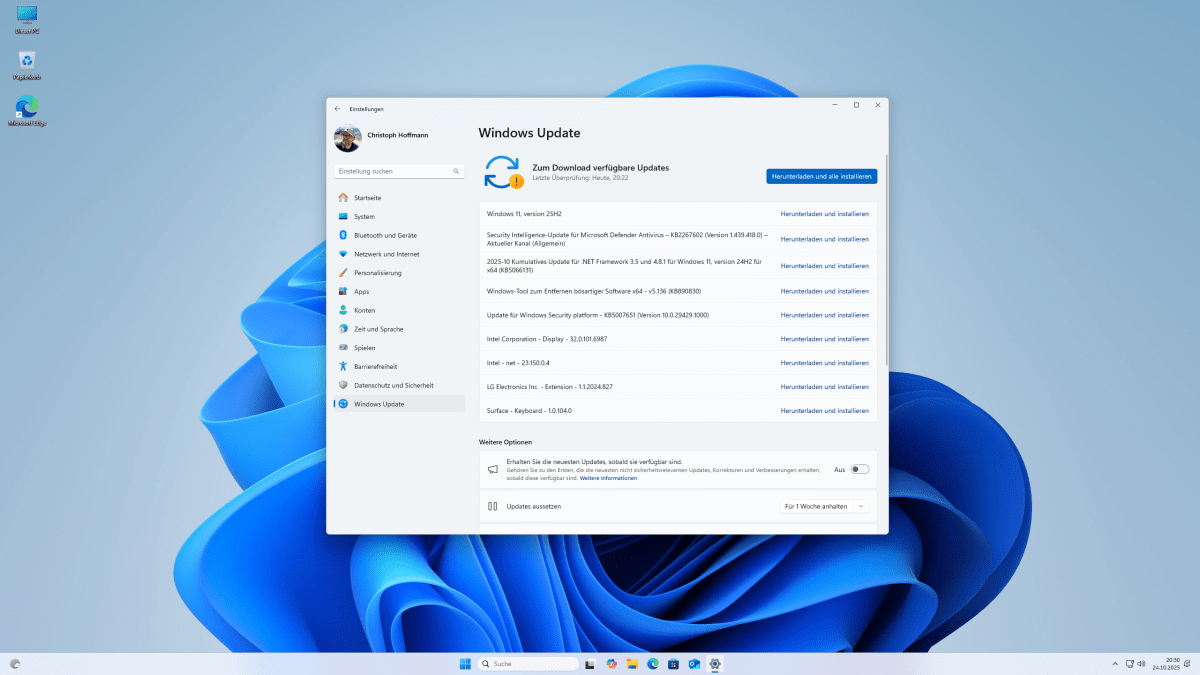
The Geekom IT15 comes with a hardware license for Windows 11 24H2. After starting the mini PC for the first time, the Windows installation begins and completes within a few minutes. Updates install during installation, but Windows offers more updates later. And then a strange problem appears.
Christophe Hoffmann
Windows 11 25H2 update offered by Windows fails with an error message. When performing an alternative in-place upgrade using an ISO file, the Keep personal files and apps the option is grayed out. The problem appears to be caused by incorrect language settings in preinstalled Windows.
We therefore selected Only keep personal fileswhich does not pose a problem on a new installation of Windows. Another solution is in-place upgrade with an English ISO setup. The installation then runs in German and the new Windows 25H2 starts with a German language interface.
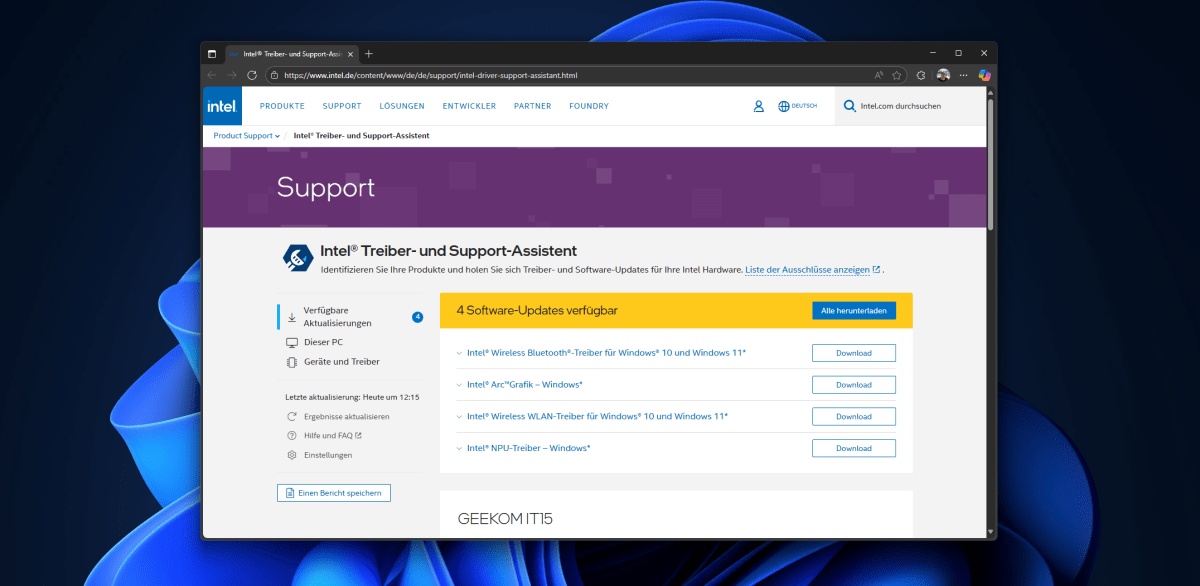
In addition to the built-in Windows updates and bundled drivers, dedicated Intel drivers must also be installed. The easiest way to do this is to use the free Intel Driver and Support Assistant, which installs the latest drivers for Bluetooth, Wi-Fi, Arc Graphics, and NPU.
Christophe Hoffmann
We won’t go further into Windows itself, but we can see in many places that the operating system’s AI features are supported and enabled.
Geekom IT15: performance
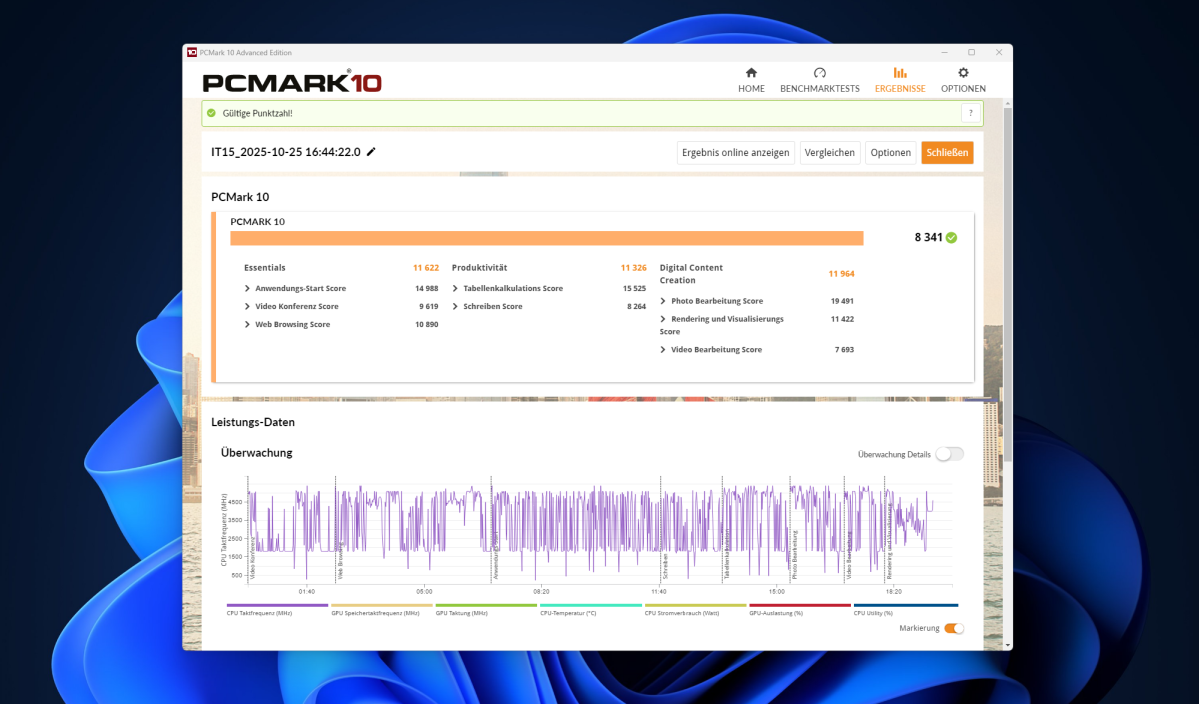
We used the PCMark 10 benchmark to measure desktop performance. This software gives us realistic values when performing daily tasks. With a score of 8,341, the Geekom IT15 with its Intel Core 9 285H ranks in the top third. The Geekom A9 Max that we tested with the AMD Ryzen AI 9 HX 370 scored 7,976 points, only 4% lower.
Christophe Hoffmann
This shows the performance of the Intel Core 9 285H compared to Qualcomm and AMD processors.
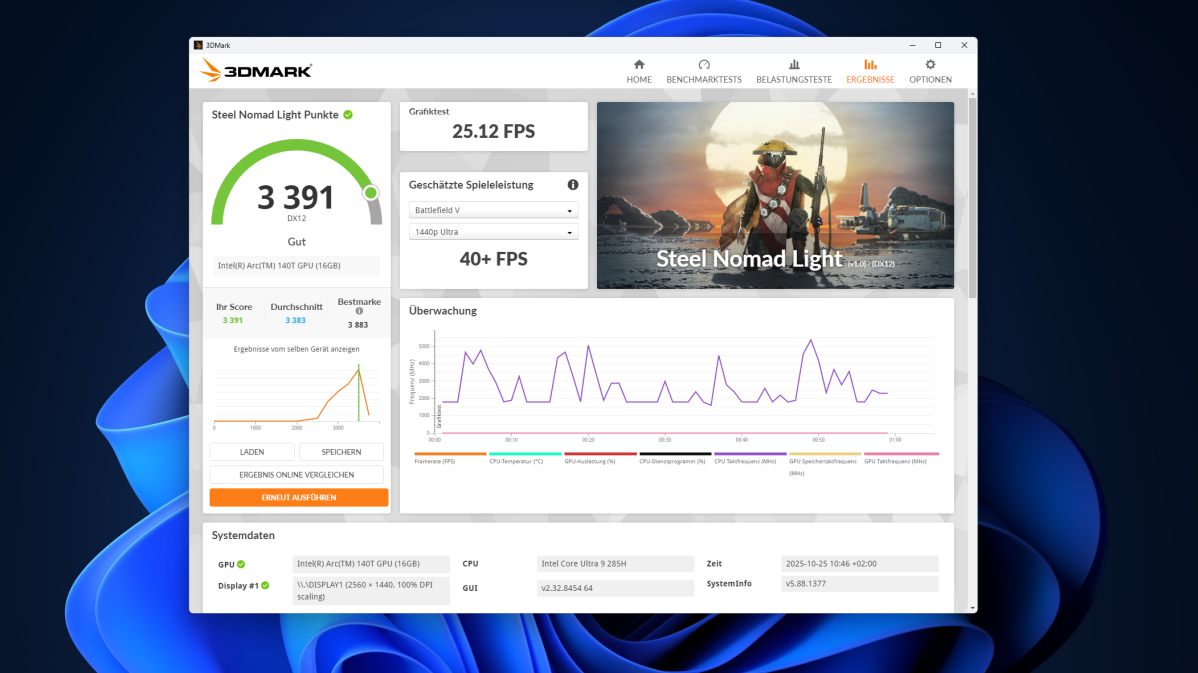
The Geekom IT15’s gaming graphics performance was measured by 3DMark Steel Nomad Light, where it scored 3,393 points (Geekom A9 Max: 3,279 points) – a good result slightly above average. The Time Spy benchmark delivered 4,244 points. This is significantly higher than the A9 Max with its AMD processor, which scored 3,701 points.
Christophe Hoffmann
With a TimeSpy score of 4,244, the IT15 achieved solid CPU performance for a mini PC as well as decent iGPU performance for light gaming applications.

Christophe Hoffmann
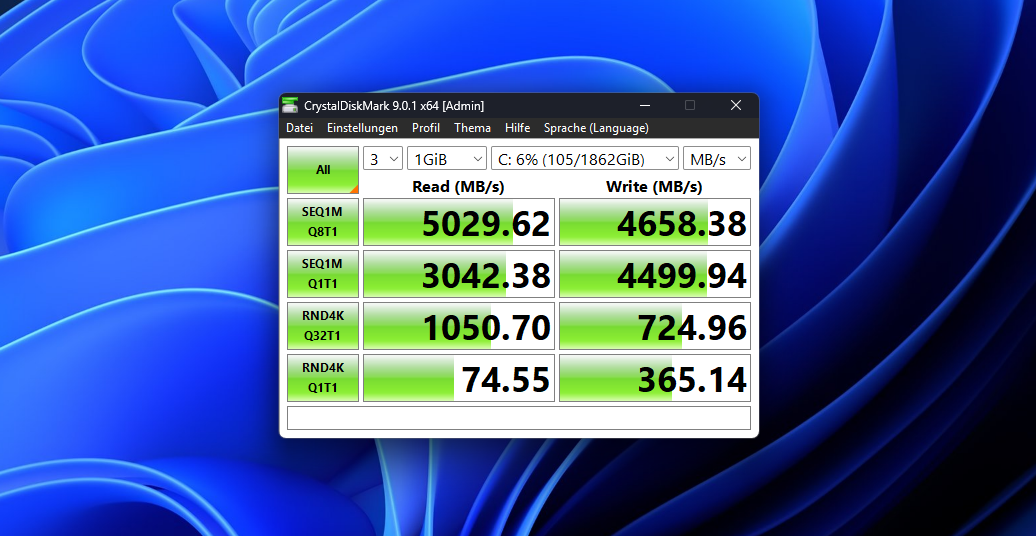
The M.2 NVMe SSD installed in the IT15 comes from Crucial. The P3 Plus CT2000P3PSSD8 model, with a capacity of 2TB, offers read speeds of 5,029 MB/s and write speeds of 4,658 MB/s in CrystalDiskMark. These are decent values, although the A9 Max with its Lexar SSD performs even better, reaching 6,242 MB/s read and 5,423 MB/s write.
Christophe Hoffmann
And what about the system’s AI performance? We ran the Geekbench AI test to find out:
- Unique Accuracy Score: 4,350
- Half-precision score: 1,790
- Quantified score: 8.005
These are typical results for a mid-range system or a system that is not primarily designed for heavy AI workloads.
Compared to the A9 Max (2837/1342/6,496), the IT15 achieves better AI performance and is therefore roughly on par with an Intel Core Ultra or similar laptop SoCs with an integrated NPU.
In combination with its GPU, the processor is suitable for games that benefit from its high single-core performance. At the same time, the large number of cores enables strong multi-core performance. It’s perfect for video editing, 3D rendering, photo editing or music production.
Thanks to its efficient hybrid architecture, the Intel processor handles multitasking, office applications and navigation smoothly.
Geekom IT15: Conclusion
The Geekom IT15 impresses in testing with solid performance from Intel, modern AI support and extensive features. The Intel Core Ultra 9 285H offers plenty of power for light work, multimedia, and creative applications, while the integrated Arc 140T GPU delivers solid graphics performance.
With Wi-Fi 7, Bluetooth 5.4, USB 4, and support for up to four 4K monitors, the mini PC is versatile and expandable. Criticisms include the lack of Thunderbolt 4, noisy fan under load, and limited RAM upgrade options. Overall, the IT15 is a compact, efficient and powerful mini PC ideal for productive and professional users.


