Two years without a laptop taught me what Android can’t do (and Linux can)


Two years ago, I replaced my laptop with an Android-based desktop, and since then, most of the time, I’ve used Samsung DeX whenever I needed to do something that my Galaxy Z Fold 6’s internal screen couldn’t handle. It worked surprisingly well for me, but I’ve since decided to fall back into the familiar arms of Linux anyway, and Samsung isn’t entirely to blame.
The best games don’t come to mobile
Surprisingly, most of them are now playable on Linux.

I was pretty happy to be without a PC, but my brother-in-law recently upgraded his graphics card and was willing to give me his old graphics card for free. An NVIDIA RTX 2070 Super is no longer a high-end card, but it packs more power than I’ve ever had. I’m surprised to see that it can run every game in my Steam library, and it can do so with games running just below 4K. Games look better on this older card than on my Nintendo Switch 2.
To take advantage of this gift, I had to mount a PC around the graphics card. Sure, it wasn’t cheap, but it pained me to see this perfectly good graphics card go to waste. And if I want to build a PC, well, I refuse to use Windows. I’d much rather stick with DeX on a Samsung Galaxy Z Fold.
Some apps don’t have mobile alternatives
I choose to buy MP3s over streaming music through Spotify, and I do the same with books. I prefer to buy eBooks that aren’t locked, but when there’s a book I can’t buy from a DRM-free source, that’s where Caliber comes in. I want to own my books and have the freedom to read them on any device (like a BOOX Go 10.3) or app (like Moon+ Reader) that I want. Likewise, I want to create my own home media library, but I can’t install Handbrake and digitize my DVD collection on an Android phone.
Both Caliber and Handbrake are available for Linux, and have been for years, many years. The last time I scanned this many DVDs, I was using Handbrake in college in 2009. Personally, I found Caliber too dated and was looking to use it as an e-book reader at the time, and it still looks the same, but you’ll be hard-pressed to find a non-skinny, free tutorial for removing DRM from an e-book that doesn’t involve this app.
Android is also not the ideal home server
A phone can be an occasional server, but it is not intended for 24/7 availability.
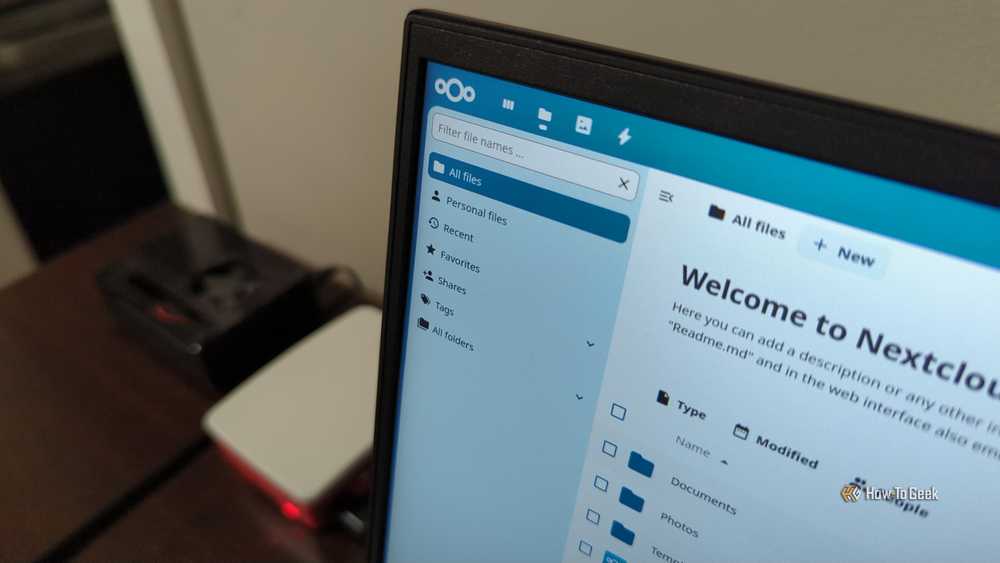
There are ways to turn an old Android phone into a makeshift NAS, but there are many programs you can’t run on Android without some degree of emulation. This is not the intended way to run Nextcloud or replace Google Photos with Immich. This is the kind of software that I was increasingly interested in trying.
Admittedly, hosting all my own data is harder than I thought, even with a dedicated desktop and an additional mini PC. There is so much to learn and buy. If I’m going to put in this much effort, I want to do it on the intended hardware.
My mobile-first workflow is still possible
I can still rely heavily on voice-to-text and handwritten transcription

When I say I did all my work from my phone, many people imagine me typing on a virtual keyboard. Yes, I typed this way in short bursts, but I relied on Samsung’s S Pen more often. I would slide my finger across the keyboard and even occasionally write by hand, then use Galaxy AI to convert it to text.
Sometimes I wrote first drafts while walking around, talking to my phone and allowing it to transcribe my words. I used my phone’s built-in microphone most of the time, but I recently discovered Wispr Flow, and it’s a much better tool for the job.
Although I currently do a lot of my work from a Linux desktop, I still haven’t stopped using Android for the first few releases. I can speak the entire draft on my phone, then use QuickShare to send the text to my PC, where I edit it using Apostrophe. When I don’t feel like talking, I can always use a stylus with a writing tablet, convert those words to text, and share them on my PC the same way.
I miss the amount of freedom and flexibility I had in being able to work from anywhere with my phone, but it also meant I had my phone out all the time, both for leisure and entertainment. I’ve come to appreciate the difference it makes to have different locations and different devices for different types of work.


