How fast is your Internet? Windows 11 will (finally) tell you


A handy little utility should soon be available on your Windows PC: a built-in speed test, compliments of a small feature update that Microsoft should roll out in the coming weeks.
Microsoft has scheduled a “phased” rollout of a number of features as part of its Release Preview builds for Windows 11 25H2 and 24H2, as detailed in the company’s blog post. The new Windows 11 features aren’t revolutionary, but include new emoji, changes to the recovery process, and more.
The speed test, however, is a personal favorite. While there are a few speed tests you can try, including Ookla and Comcast, Microsoft has a built-in speed test that you can simply search for in Edge and Bing, and it appears right in your browser.
A “speed test” simply shows you the download and upload speeds your PC is reaching at that time, along with your ping – and you can compare them to the plan your ISP sells you to assess whether you need to call them or adjust your router settings. One of the fun things you can do if you’re at home during a work day is to compare your download speeds, say at 11 a.m., to what you have when the neighborhood gets home from work at 5 p.m.
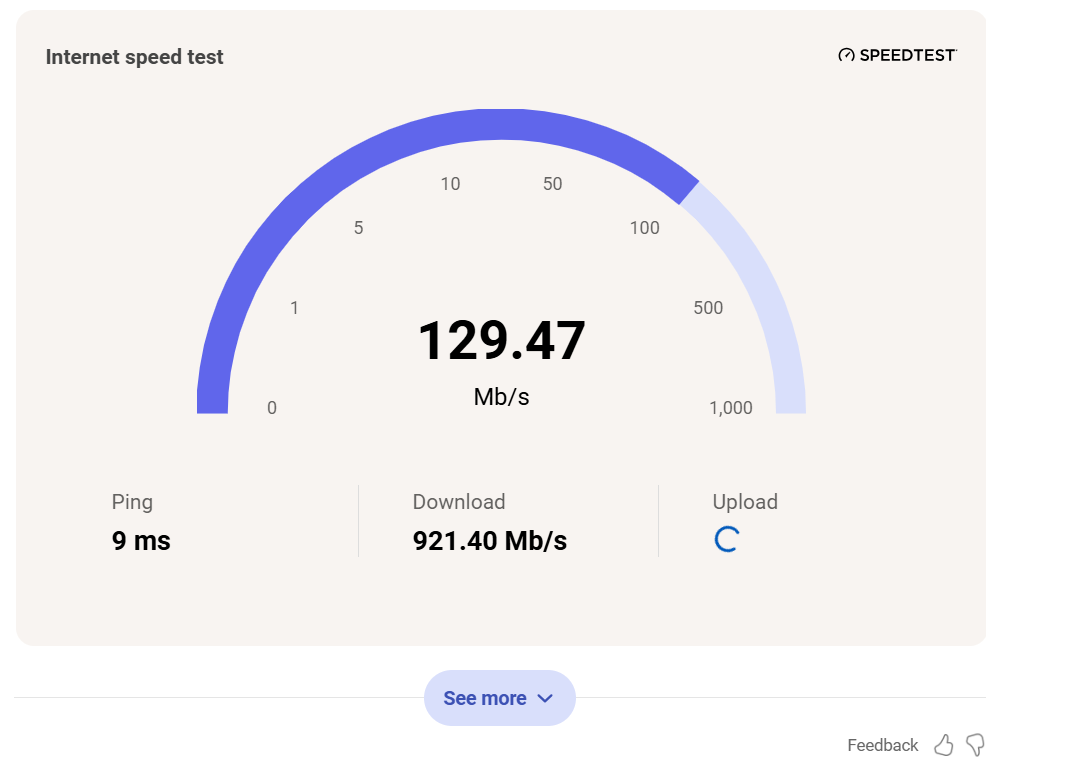
However, Microsoft isn’t making the new speed test easy to find. You can access it either through the Wi-Fi or cellular quick settings, or by simply clicking the network icon in the system tray. At this point, Windows will simply open the default web browser and likely load the same screen you see above.
It’s a handy little feature, even though it’s essentially just an HTML pointer to a web page. (The Xbox also has a built-in speed test, which appears to work natively on the console.) It’s also been quietly worked on for a while, as this new speed test feature was leaked late last year in another earlier preview build.
Note that Windows will not do this automatically. You will need to manually click on the icon and run the test. (Since Microsoft already reports your system specs as “cards” in Windows Settings, should it periodically poll the speed test and report that as well? Remember, there is a Feedback Hub app in Windows to add these kinds of suggestions.)
Since this is rolling out in Release Preview, you’ll likely see it as soon as the next few weeks. Since this is a “phased” rollout, it may take some time. The best thing to do is to click on the network icon in your PC’s taskbar from time to time to see if it installs.


