How to quickly compress image files in Windows 11 before sharing


https://www.profitableratecpm.com/f4ffsdxe?key=39b1ebce72f3758345b2155c98e6709c
Thanks to the latest Windows 11 update, you can now reduce the size of image files before sharing them with one of the exciting new apps on offer. To do this, right-click on the image file and go to “Share with -> Use more options”.
In the next window you will find a small menu under the image file name, which by default displays the “Original” menu item. Click on the small arrow to access the “Low”, “Medium” and “High” compression levels. If you select them, Explorer displays the new compressed file size with which it transmits the file to the desired application.
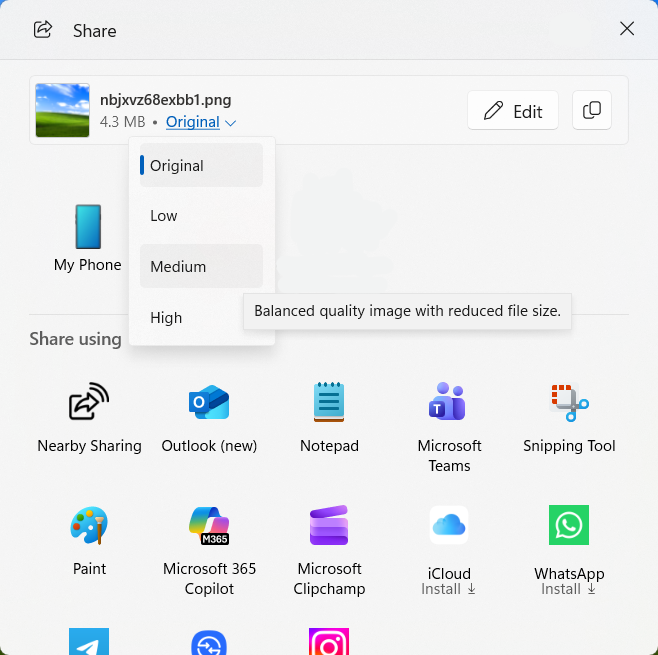
A new feature in the Windows 11 Explorer “Share With” window helps reduce the size of image files before transmitting them to other applications.
Sam Singleton


