One of the coolest new features of iOS 26 is the ability to do live, real-time translation in its most critical communications apps. This new capability runs entirely on-device, so none of your sensitive communications go anywhere. And it works in multiple apps and even on multiple devices.
You don’t need a pair of AirPods to get it to work. While Apple also offer Live Translation on AirPods Pro 2 and 3, and AirPods 4 with ANC, you can also use your iPhone to get live translation in FaceTime and Messages, and during phone calls. Here’s how it works.
Live Translation in phone calls
The most obvious application is in the Phone app. When you call someone speaking a foreign language, your device can translate for you.
Your words are translated on screen in real time, and then spoken with a synthesized voice for the caller. When they talk, you’ll see their words translated on your screen, and a spoken voice saying them in your language.
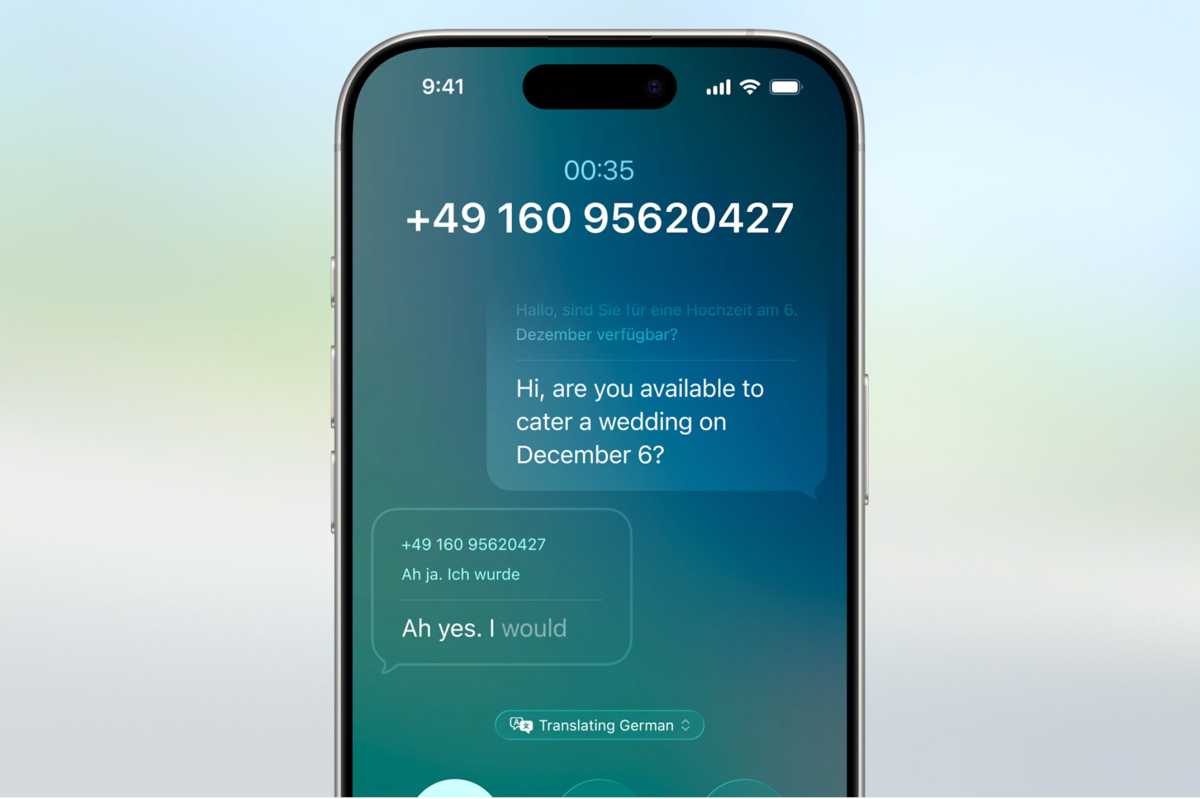
Apple
Since this all happens on your iPhone, the other caller can be on any device, even an old landline. And now that the Phone app has come macOS 26 and iPadOS 26, you get this experience on iPad and Mac, not just on iPhone.
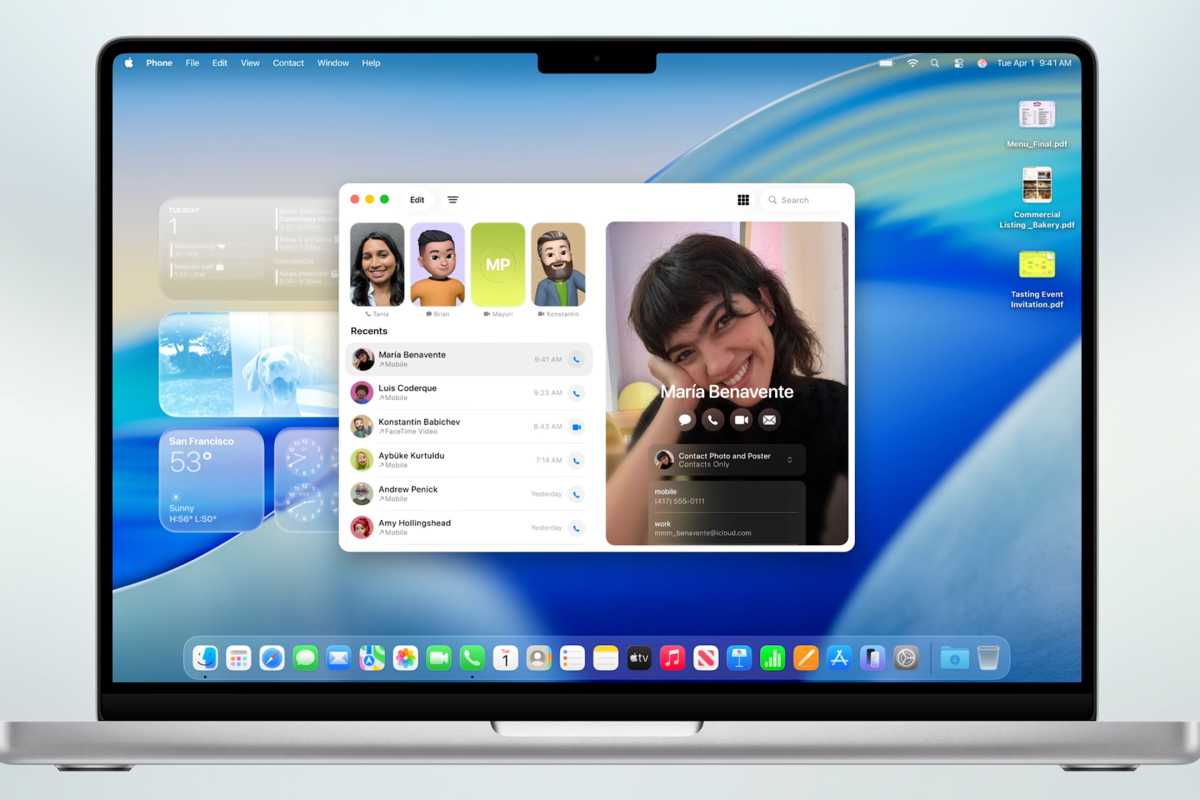
Apple
Live Translation in the Phone app is available only for one-on-one calls in English, French, German, Portuguese, and Spanish.
Live Translation in FaceTime calls
In FaceTime calls, live translation works a little differently—there’s no audio translation for what the other caller says. Since both participants are necessarily using Apple products with a display to look at, you’ll instead just get live captions (already an accessibility feature in FaceTime) that are translated to your language. And the other side will see the things you say, translated for them.
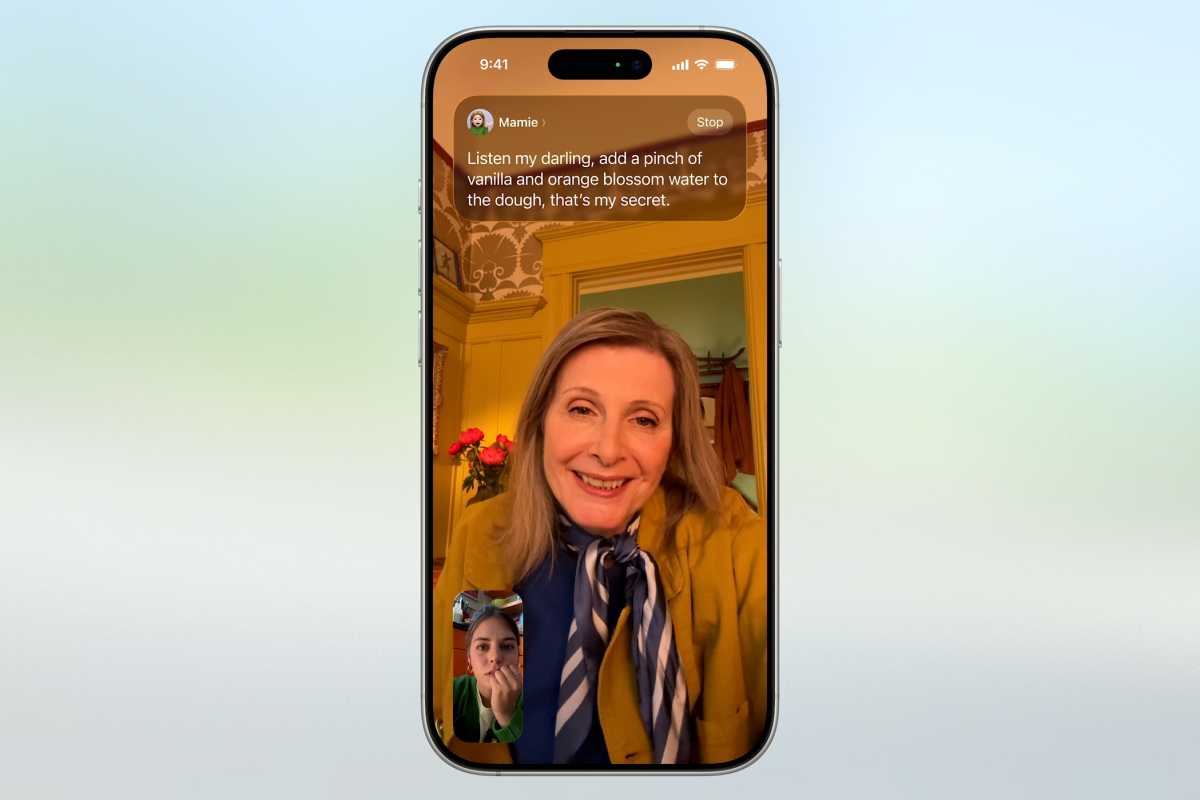
Apple
This works on all devices that can make FaceTime video calls, including iPhone, iPad, and Mac. Live Translation in FaceTime is available only for one-on-one calls in English, French, German, Portuguese, and Spanish.
Live Translation in Messages
Apple has integrated Live Translation into Messages, too. The things you type are instantly translated into the recipients’ preferred language when sent to them, and their responses are translated into yours.
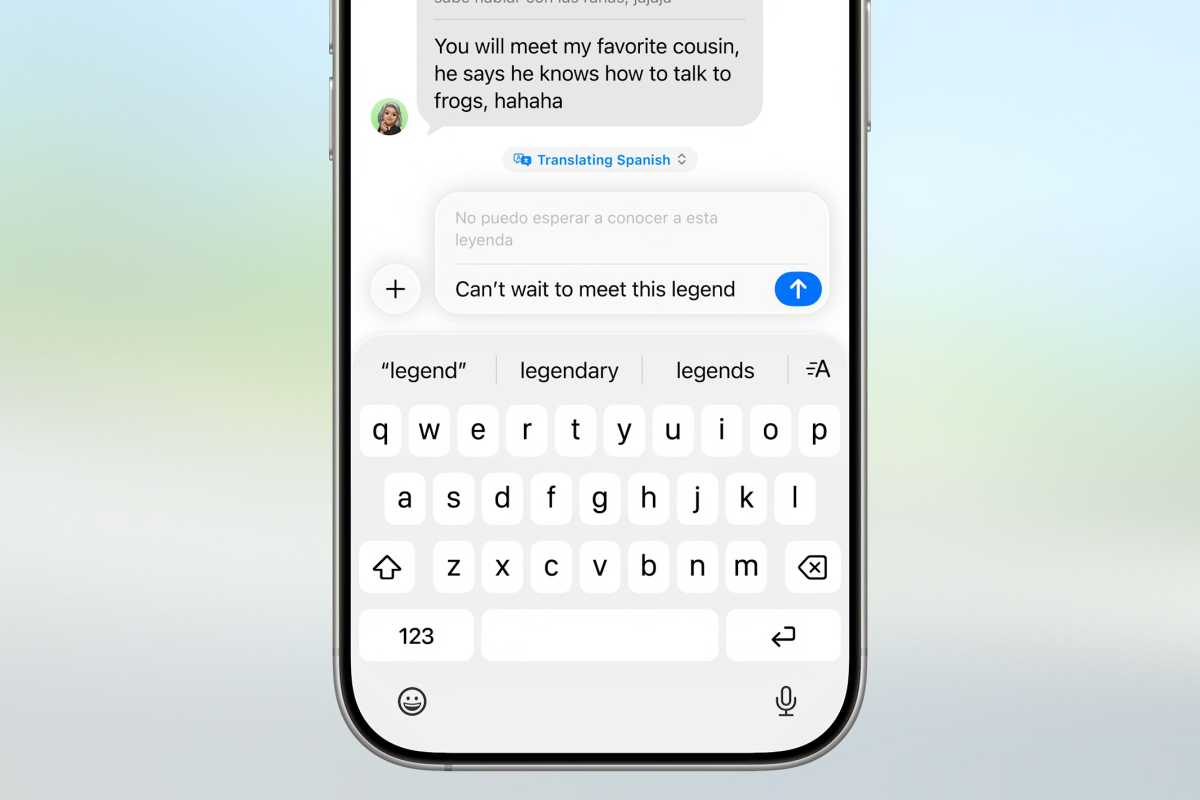
Apple
Live Translation in Messages supports more languages that in Phone or FaceTime:
- English (U.S., UK)
- French (France)
- German
- Italian
- Japanese
- Korean
- Portuguese (Brazil)
- Spanish (Spain)
- Chinese (simplified)
Third-party apps too
Apple has built this technology into its communication apps, but it’s also enabled developers of third-party apps to do the same. A new Call Translation API will let developers tap into this same on-device translation for their calling, video, and messaging apps as well. That way, your WhatsApp messages or Zoom calls could have these same features, while maintaining the superior privacy of doing all the translation on your iPhone, iPad, or Mac.
Developers will need to modify their apps to use this new API of course, and we don’t yet know which popular communications app will do so.