Malicious Chrome extensions steal user data for years undetected from Chrome Web Store


NEWYou can now listen to Fox News articles!
Chrome extensions are supposed to make your browser more useful, but they have quietly become one of the easiest ways for attackers to spy on what you do online. Security researchers recently discovered two Chrome extensions that have been doing just that for years.
These extensions looked like harmless proxy tools, but behind the scenes they were hijacking traffic and stealing sensitive data from users who trusted them. What makes this case worse is where these extensions were found. Both were listed on the official Chrome extensions marketplace.
Sign up for my FREE CyberGuy Report
Get my best tech tips, urgent security alerts and exclusive offers straight to your inbox. Plus, you’ll get instant access to my Ultimate Scam Survival Guide – free when you join my CYBERGUY.COM bulletin.
FALSE AI CHAT RESULTS SPREAD DANGEROUS MAC MALWARE
Security researchers discovered malicious Chrome extensions that stealthily routed users’ web traffic through servers controlled by attackers to steal sensitive data. (Gokhan Balci/Anadolu Agency/Getty Images)
Malicious Chrome Extensions Hidden in Plain Sight
Socket researchers discovered two Chrome extensions with the same name, “Phantom Shuttle,” that posed as proxy routing and network speed testing tools (via Bleeping Computer). According to researchers, the extensions have been active since at least 2017.
Both extensions were released under the same developer name and marketed to foreign trade workers who need to test the Internet connectivity of different regions. They were sold as subscription tools, with prices ranging from approximately $1.40 to $13.60.
At a glance, everything seemed normal. The descriptions matched the functionality. The price seemed reasonable. The problem was what the extensions were doing after installation.
How Phantom Shuttle steals your data
Socket researchers claim that Phantom Shuttle routes all your web traffic through proxy servers controlled by the attacker. These proxies use hardcoded credentials embedded directly in the extension’s code. To avoid detection, the malicious logic is hidden in what appears to be a legitimate jQuery library.
The attackers didn’t just leave the credentials in plain text. Extensions hide them using a custom character index encoding scheme. Once active, the extension listens to web traffic and intercepts HTTP authentication challenges on any site you visit.
To ensure that traffic always flows through their infrastructure, extensions dynamically reconfigure Chrome’s proxy settings using an auto-configuration script. This forces your browser to route requests exactly where the attacker wants them.
In its default “smart” mode, Phantom Shuttle routes traffic from over 170 high-value domains through its proxy network. This list includes developer platforms, cloud service dashboards, social media sites, and adult content portals. Local networks and the attacker’s own command and control domain are excluded, presumably to avoid breaking things or arousing suspicion.
While acting as an intermediary, the extension can capture anything you submit via web forms. This includes usernames, passwords, card details, personal information, HTTP headers session cookies and API tokens extracted directly from network requests.
CyberGuy contacted Google about the extensions and a spokesperson confirmed that both have been removed from the Chrome Web Store.
10 SIMPLE CYBERSECURITY RESOLUTIONS FOR A SECURE 2026
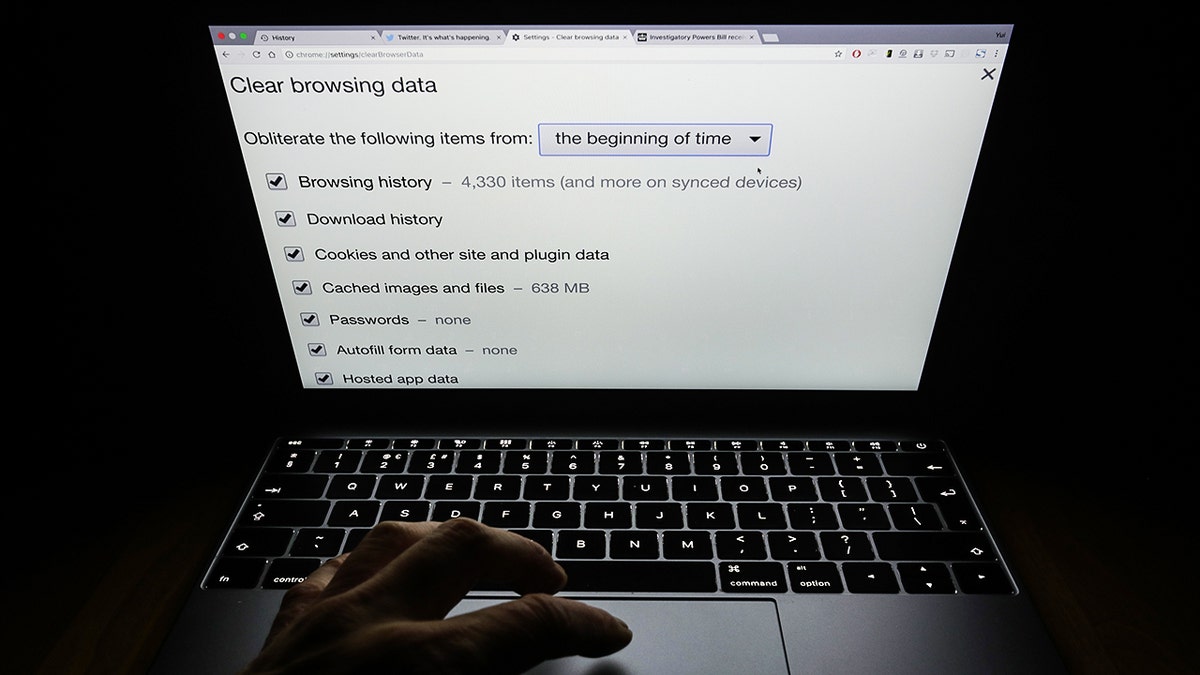
Two Chrome extensions masquerading as proxy tools were discovered spying on users for years while listed on Google’s official Chrome Web Store. (Yui Mok/PA Images via Getty Images)
How to check extensions installed in your browser (Chrome)
The step-by-step instructions below apply to Windows PCs, Macs, and Chromebooks. In other words, desktop Chrome. Chrome extensions cannot be fully reviewed or removed from the mobile app.
Step 1: Open your extensions list
- Open Chromium on your computer.
- Click on the three point menu in the upper right corner.
- Select Extension cords
- Then click Manage extensions.
You can also type it directly into the address bar and press Enter:
chrome://extensions
Step 2: Look for anything you don’t recognize
Go through all the extensions listed and ask yourself:
- Do I remember installing this?
- Do I still use it?
- Do I know what it actually does?
If the answer is no to any of these questions, take a closer look.
Step 3: Check permissions and access
Click Details on any extension you are unsure about. Pay attention to:
- Permissionsespecially anything that can read or modify data from websites you visit
- Access to the sitelike extensions that run on all sites
- Background accesswhich allows the extension to remain active even when not in use
Proxy tools, VPNs, downloaders, and network-related extensions deserve a closer look.
Step 4: Disable Suspicious Extensions First
If something is wrong, activate the extension disabled. This immediately stops it working without deleting it. If everything still works as expected, the expansion probably wasn’t necessary.
Step 5: Remove Extensions You No Longer Need
To completely remove an extension:
- Click Withdraw
- Confirm when prompted
Unused extensions are a common target for abuse and should be cleaned up regularly.
Step 6: Restart Chrome
Close and reopen Chrome after making changes. This ensures that disabled or deleted extensions are no longer active.
MICROSOFT TYPOSQUATTING SCAM EXCHANGES LETTERS TO STEAL CONNECTIONS

Cybersecurity experts warn that trustworthy browser extensions can become powerful surveillance tools once installed. (Gabby Jones/Bloomberg via Getty Images)
6 Steps to Protect Yourself from Malicious Chrome Extensions
You can’t control what goes into App Store reviews, but you can reduce your risks by changing how you install and manage extensions.
1) Install extensions only when absolutely necessary
Each expansion increases your attack surface. If you don’t really need it, don’t install it. Convenient extensions often come with way more permissions than they deserve.
2) Check the publisher carefully
Reputable developers usually have a history, a website, and several well-known extensions. Be careful with tools from unknown vendors, especially those offering network or proxy capabilities.
3) Read multiple user reviews, not just ratings
Star ratings can be faked or manipulated. Look for detailed reviews that mention long-term use. Be wary of sudden waves of generic praise.
4) Check permissions before clicking install
If an extension asks you to “read and modify all data on websites you visit,” take that seriously. Proxy tools and network extensions can see everything you do.
5) Use a password manager
A password manager won’t stop a malicious extension from spying on traffic, but it can limit the damage. Unique passwords mean that stolen credentials cannot unlock multiple accounts. Many managers also refuse to automatically fill suspicious pages.
Next, check to see if your email has been exposed in past breaches. Our #1 choice for password manager (see Cyberguy.com/Passwords) includes a built-in breach scanner that checks if your email address or passwords have appeared in known leaks. If you discover a match, immediately change any reused passwords and secure those accounts with new, unique credentials.
Discover the Best Expert-Rated Password Managers of 2025 at Cyberguy.com.
6) Install powerful antivirus software
Strong antivirus software can report suspicious network activities, proxy abuse, and unauthorized changes to browser settings. This adds a layer of defense beyond Chrome’s own protections.
The best way to protect yourself from malicious links that install malware, potentially accessing your private information, is to install powerful antivirus software on all your devices. This protection can also alert you to phishing emails and ransomware scams, protecting your personal information and digital assets.
Get my picks for the best 2025 antivirus protection winners for your Windows, Mac, Android, and iOS devices at Cyberguy.com.
CLICK HERE TO DOWNLOAD THE FOX NEWS APP
Kurt’s key point
This attack does not rely on phishing emails or fake websites. This works because the extension itself becomes part of your browser. Once installed, it sees almost everything you do online. Extensions like Phantom Shuttle are dangerous because they mix real functionality with malicious behavior. The extensions provide the proxy service they promise, reducing suspicion, while silently routing user data through attacker-controlled servers.
When was the last time you looked at the extensions installed in your browser? Let us know by writing to us at Cyberguy.com.
Sign up for my FREE CyberGuy Report
Get my best tech tips, urgent security alerts and exclusive offers straight to your inbox. Plus, you’ll get instant access to my Ultimate Scam Survival Guide – free when you join my CYBERGUY.COM bulletin.
Copyright 2025 CyberGuy.com. All rights reserved.

:max_bytes(150000):strip_icc()/Health-GettyImages-2195413130-a26da9f994b543ca9ff8c4b7d8a1df3c.jpg?w=390&resize=390,220&ssl=1 "7 Healthiest Meats, Ranked by a Dietitian")


