Microsoft warns Windows 10 users face 90% ransomware risk after support


NEWYou can now listen to Fox News articles!
Microsoft’s blog recently issued a strong warning: unsupported systems are not only outdated, they are unprotected. This post is aimed at anyone still using Windows 10, and it’s serious. In Microsoft’s Digital Defense Report, more than 90% of ransomware attacks hit unsupported PCs. This statistic alone should make every Windows 10 user think twice.
When an operating system no longer receives updates, it becomes an open door for hackers. Security patches dry up and vulnerabilities multiply. So even if your computer seems fine today, it could already be compromised without your knowledge.
Sign up for my FREE CyberGuy Report
Get my best tech tips, urgent security alerts and exclusive offers straight to your inbox. Plus, you’ll get instant access to my Ultimate Scam Survival Guide — free when you join my CYBERGUY.COM newsletter
10 WAYS TO SECURE YOUR OLD MAC FROM THREATS AND MALWARE
Why are unsupported systems dangerous
Unsupported Windows 10 systems no longer receive updates that keep you secure. Without these patches, ransomware and malware have easy access to your files. Once inside, attackers can encrypt your personal data or steal your credentials and banking information.
It’s not just about losing files. Identity theft and financial fraud often start with outdated systems. The older the software, the easier it is for cybercriminals to exploit weaknesses that will never be fixed.
The “just one more year” trap
Many people figure they’ll upgrade later. Microsoft calls this a “just one more year” reflection. The problem is that every delay increases your risk. Expanded security updates only provide limited coverage and do not stop new types of attacks.
Without regular monitoring from Microsoft, new vulnerabilities remain hidden. You could use your computer for months while attackers quietly collect your data. It’s a scary thought, especially when most of these problems can be avoided with an upgrade.
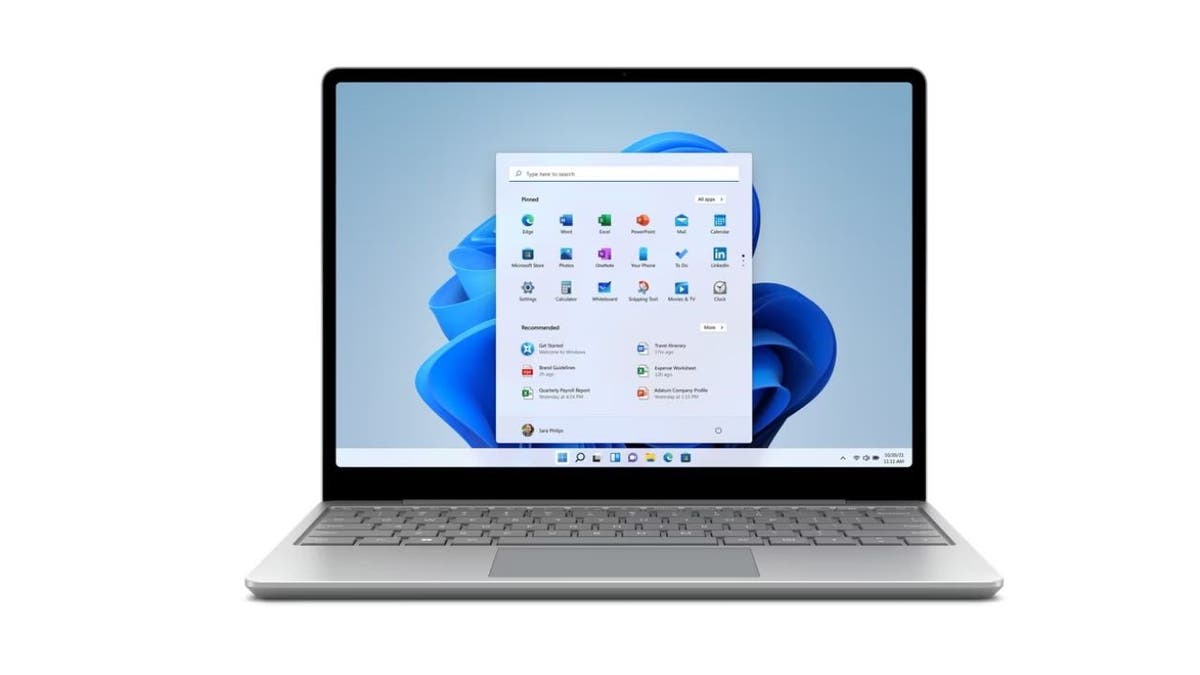
Upgrading to Windows 11 keeps your system protected with continuous security updates. (Microsoft)
MICROSOFT SOUNDS ALARM AS HACKERS TURN TEAMS PLATFORM INTO “REAL DANGERS” FOR USERS
The hidden costs of waiting to upgrade to Windows 11
It’s easy to think that upgrading costs too much. But what about the cost of losing your photos, business files or financial information? Data recovery, fraud resolution, and downtime can cost far more than a new device.
Hackers know that users delay updates and actively look for outdated systems. Even a single unsupported device in a home or office network can create a weak point that exposes everything else.
How to protect yourself from unsupported Windows 10 security risks
You can protect yourself now by taking a few smart steps. These actions reduce your exposure, strengthen your online defenses, and prepare you for a smooth upgrade to Windows 11. The good news is that most of these changes only take a few minutes but make a major difference to your security.
1) Upgrade your system to Windows 11
HACKERS HAVE FOUND A WAY TO DISABLE WINDOWS DEFENDER REMOTELY
Start by checking if your PC can handle Windows 11. Most modern AMD and Intel processors already meet the system requirements. Upgrading protects your computer with continuous updates that fix vulnerabilities and improve overall performance. It’s one of the easiest ways to defend against ransomware and malware before it strikes.
2) Beware of phishing scams and install powerful antivirus software
Be careful with every link and attachment you receive. Cybercriminals love to send fake update notifications that look like official messages from Microsoft. These phishing scams often contain malicious links that install malware in seconds. Before clicking, hover over the links to check their source and only download updates directly from the official Microsoft website. To add an extra layer of protection, install powerful antivirus software that can detect and block malicious files before they infect your system.
The best way to protect yourself from malicious links that install malware, potentially accessing your private information, is to install powerful antivirus software on all your devices. This protection can also alert you to phishing emails and ransomware scams, protecting your personal information and digital assets.
Delaying your upgrade to Windows 11 only gives cybercriminals more time to strike. (Photographer: Chona Kasinger/Bloomberg via Getty Images)
Get my picks for the best 2025 antivirus protection winners for your Windows, Mac, Android, and iOS devices at Cyberguy.com.
3) Use a data deletion service
HOW A SINGLE MACBOOK COMPROMISE SPREAD TO ONE USER’S APPLE DEVICES
Use a personal data removal service to remove your information from people search and data broker websites. These services help remove your name, address, phone number, and other personal information that scammers often use for phishing or social engineering attacks. By limiting what is publicly available about you, you make it more difficult for cybercriminals to target you, especially if your old, unsupported Windows 10 system is exposed online.
Although no service can guarantee the complete removal of your data from the Internet, a data deletion service is definitely a wise choice. They’re not cheap, and neither is your privacy. These services do all the work for you by actively monitoring and systematically deleting your personal information across hundreds of websites. This is what gives me peace of mind and has proven to be the most effective way to erase your personal data from the Internet. By limiting the information available, you reduce the risk of fraudsters cross-referencing data from breaches with information they might find on the dark web, making it harder for them to target you.
Check out my top picks for data deletion services and get a free scan to find out if your personal information is already available on the web by visiting Cyberguy.com.
4) Secure your connections
Strong connections make a huge difference. Enable two-factor authentication (2FA) for your most sensitive accounts, such as banking and email. Also create strong passwords for your accounts and devices, and avoid using the same password for multiple online accounts. Consider using a password manager, which securely stores and generates complex passwords, reducing the risk of password reuse. This extra layer stops hackers, even if they manage to steal a password.
END OF WINDOWS 10 SUPPORT: UPGRADE TO WINDOWS 11 SAFELY
Next, check to see if your email has been exposed in past breaches. Our #1 choice for password manager (see Cyberguy.com) includes a built-in breach scanner that checks if your email address or passwords have appeared in known leaks. If you discover a match, immediately change any reused passwords and secure those accounts with new, unique credentials.

Without Windows updates, hidden vulnerabilities make it easy for hackers to access your data. (Félix Zahn/Photothek via Getty Images)
Discover the Best Expert-Rated Password Managers of 2025 at Cyberguy.com
5) Back up your data regularly
Think of backups as your safety net. Save copies of important files to an external hard drive or trusted cloud service. Schedule automatic backups so you don’t have to remember to do it yourself. If your PC is locked down by ransomware, a clean backup means you can restore everything without paying a cent.
6) Stay informed and proactive
Cyber threats evolve every day and knowledge is your best defense. Keep an eye out for official announcements and alerts from Microsoft. Small changes, like applying updates quickly and reviewing your privacy settings, can put you one step ahead of attackers.
CLICK HERE TO DOWNLOAD THE FOX NEWS APP
Kurt’s Key Takeaways
Unsupported systems may seem harmless, but they create silent risks that increase over time. Every day you stay on Windows 10 after support ends, you rely on luck rather than protection. Upgrading isn’t just about staying current; it’s about keeping your data safe and your privacy intact.
Is keeping Windows 10 worth risking everything stored on your computer? Let us know by writing to us at Cyberguy.com.
Sign up for my FREE CyberGuy Report
Get my best tech tips, urgent security alerts and exclusive offers straight to your inbox. Plus, you’ll get instant access to my Ultimate Scam Survival Guide — free when you join my CYBERGUY.COM bulletin.
Copyright 2025 CyberGuy.com. All rights reserved.


