How to use Instagram anonymously without an account


Under normal circumstances, Instagram requires you to log in to view posts, especially those on private accounts. But there are ways to view content without your account, allowing you to remain anonymous. Here’s how to do it and what the limits are.
Use Instagram without an account
Instagram only works in a web browser without registration. On the official iPhone or Android application, you will be required to register immediately. If you try to use a mobile browser, you won’t get very far because Instagram will redirect you to the app.
The following functions are available in the web browser without an Instagram account:
- Access public profiles: You can directly access celebrity, business, or influencer Instagram pages as long as they are not set to private. To do this, enter
https://www.instagram.com/[profile name]in the address bar. - View articles and comments: Open an article by right-clicking “Open in new tab”. Initially, a login window will appear, but you can close it by clicking on the small X at the top. The prompt will then disappear, allowing you to read the post and comments normally.
- Recovering stories (with a twist): Instagram blocks Stories if you don’t have an account, but you can view them anonymously through third-party websites or specialized viewers.
Impossible without an account:
- Upload your own content
- Like or comment on the content
- Search hashtags
- Send direct messages
- Follow private profiles
View Instagram Stories Anonymously
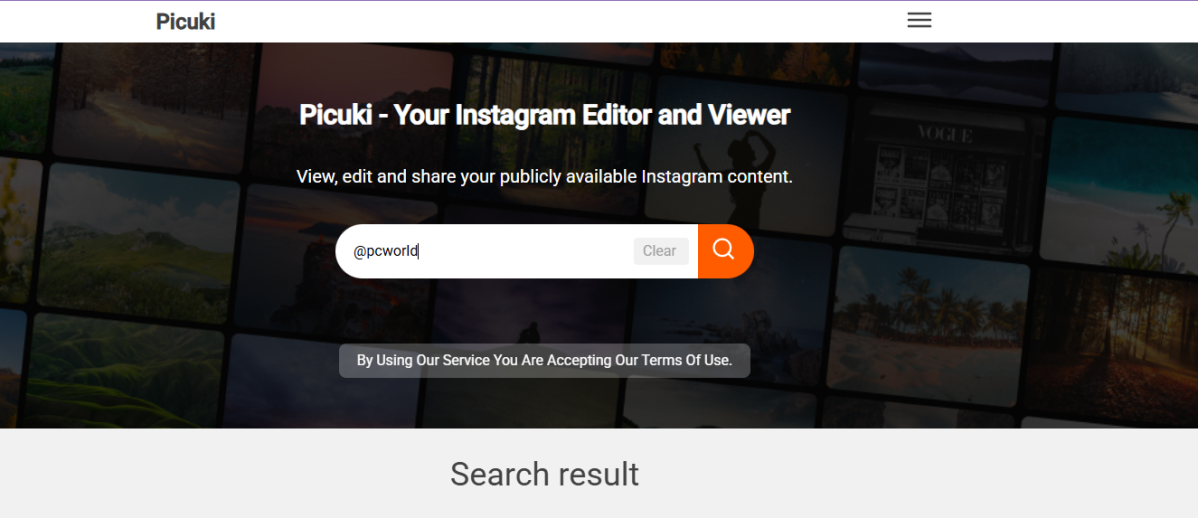
Picuki
Instagram Stories cannot be viewed directly without an account. If you want to remain anonymous, you will need to switch to Instagram story viewers. These websites access public profiles through the Instagram interface and display story content, usually free, without registration and directly in your browser.
Popular services include Dumpor, Picuki and StoriesDown.
Important: the tools only work with public profiles. Stories from private accounts remain inaccessible, even through external viewers. Additionally, copyright always remains the property of the respective accounts.
You need an Instagram account to use features like posting, liking, or messaging. However, this does not mean that you have to reveal your identity. You can still remain anonymous with the following measures:
- Set your account to private: Only verified followers will see your posts and stories. This gives you complete control over who has access.
- Do not upload your own photos: Avoid photos in which you or those around you are recognizable. Instead, use neutral symbols, landscapes or patterns.
- Choose a neutral username: No real names, no initials, no birth dates. A discreet nickname protects against deductions.
- Use an anonymous email address: It is best to create a new registration address that is not linked to private or business data.
- No links to other accounts: Do not link Instagram account to Facebook, WhatsApp or other platforms. Otherwise, cross connections will become immediately visible.
- Disable all synchronizations: Do not grant access to contacts or an address book during setup. This keeps the account separate from your personal network.
With these steps, you can use a full Instagram account without others immediately knowing who is behind it.
This article was originally published on our sister publication PC-WELT and has been translated and localized from German.


