Netgear Nighthawk 5G M7 review: A more affordable Wi-Fi 7 mobile hotspot


At a glance
Expert rating
Benefits
- Rugged, portable design
- Supports SIM, eSIM and Wi-Fi connections
- Easy to use app
- Works in 140 countries
Disadvantages
- Dear
- A little bulky
- Requires Ethernet adapter for wired networks
Our Verdict
The Nighthawk 5G M7 is one of the most affordable mobile hotspots currently available, so it’s a good option for anyone who needs secure internet access when traveling. Its versatile connectivity features include support for SIM, eSIM, or public Wi-Fi, and you can share your internet connection with up to 32 devices.
Price when reviewed
This value will display geotagged pricing text for the undefined product
Best price today
Best prices today: Netgear Nighthawk 5G M7 (MH7150)

$499.99
- Support for 5G + 4G SIM and eSIM cards
- Wi-Fi 7, up to 3.6 Gbps
- Up to 32 connected devices
- Battery life of approximately 10 hours
Mobile hotspots are portable routers that allow you to create a secure Wi-Fi network when you’re away from your home or office. They’re typically expensive and aimed at business users, but Netgear’s Nighthawk 5G M7 is designed to be a slightly more affordable option for frequent travelers and mobile workers.
Netgear’s Nighthawk line includes a number of mobile hotspots, but its latest release is the 5G M7 (model number MH7150), designed to offer a slightly more affordable option compared to competing 5G hotpots. It’s still not exactly cheap – especially in the UK, where it costs £529.99 compared to $499.99 in the US – but Netgear hopes it will appeal to a wider range of users, including people who travel a lot with family and friends, as well as mobile workers who don’t trust unsecured public Wi-Fi networks.
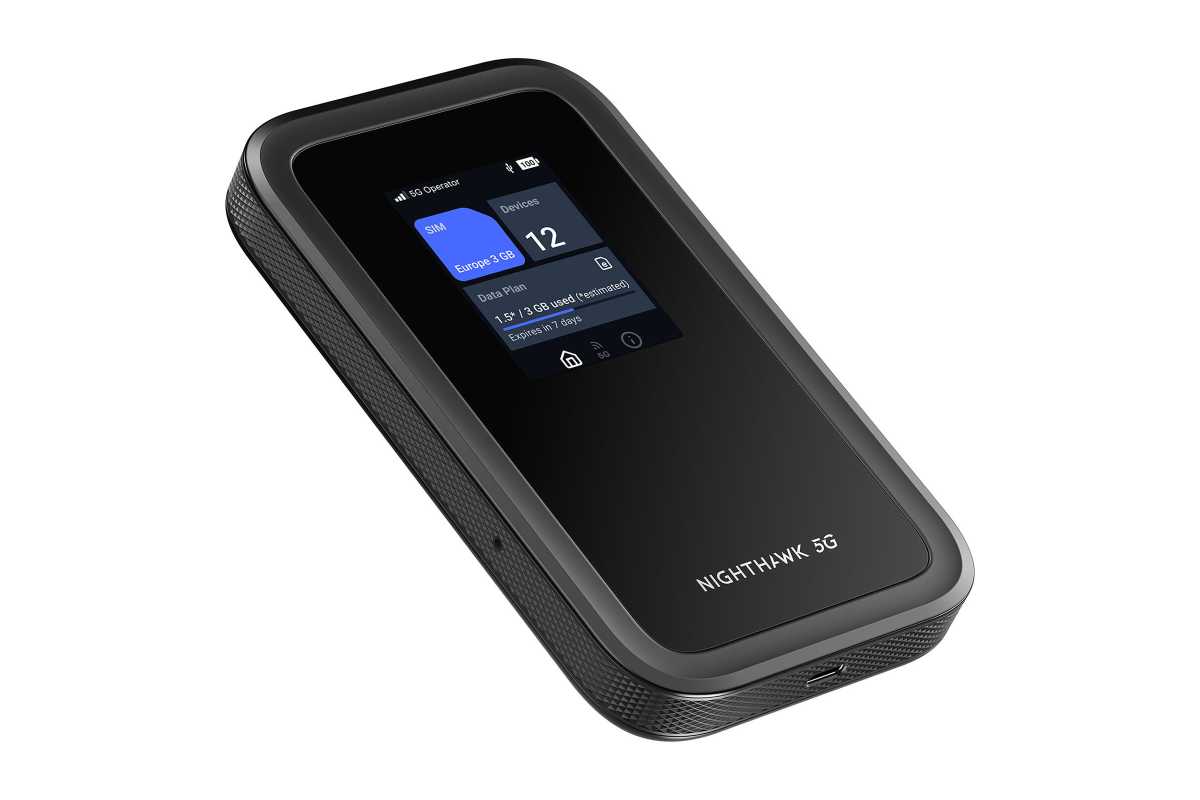
The compact design of the 5G M7 makes it easy to carry when traveling.
Netgear
The 5G M7 is relatively large for a mobile hotspot, looking more like a big black iPhone. It measures 145mm high, 84mm wide and 17mm thick and weighs 240g, but you can still slip it into the pocket of a jacket, backpack or briefcase without any problem.
It also comes with plenty of features, including a slot for a 4G or 5G SIM card as well as a built-in eSIM. Netgear says it will work with mobile networks in 140 different countries around the world, offering a maximum speed of 4Gbps when connected to a 5G network (subject, of course, to local 5G speeds and coverage in your area). You can also connect it to an existing Wi-Fi network, saving you from using up your expensive mobile data.
There is a USB-C port on the base of the device for charging the internal battery – with the included USB-C cable. The 5G M7 should last around 10 hours when fully charged, which should be more than enough for quickly checking email or browsing the web while you’re on the go.
However, no AC adapter is included, so you’ll need to supply that yourself if you want to run it on AC power. Netgear also plans to release its own charging station for the 5G M7, as well as an Ethernet adapter for connecting to a wired network, although these were not available at the time of this review.
Once you connect the 5G M7 to the internet, it can then create its own password-protected Wi-Fi network, with support for dual-band Wi-Fi 7 and a maximum speed of 3.6Gbps. You can connect up to 32 different devices to its Wi-Fi network, making it easy to share your connection with family, friends or colleagues. If you need even faster Wi-Fi, there’s also an M7 Pro model available for business users, which offers 5Gbps speeds, although this costs around $300/£300 more.
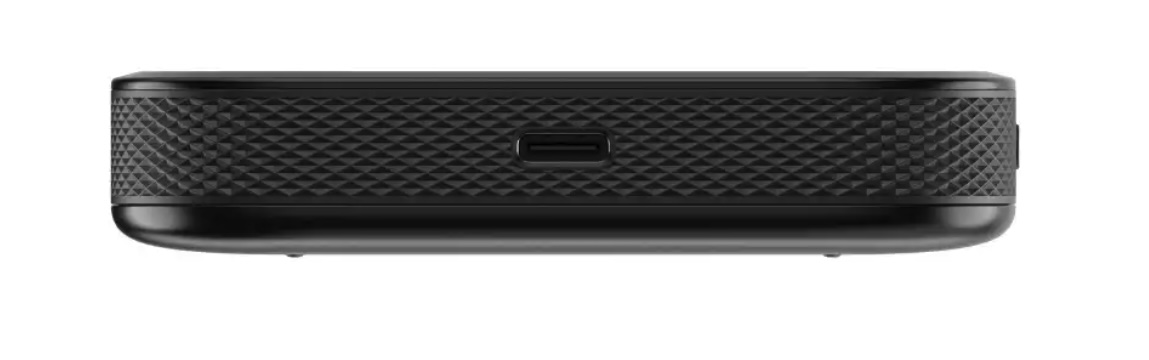
The 5G M7’s USB-C port can be used to charge the internal battery or to provide a wired connection to a laptop or other device
.
There’s a 2.4-inch LCD screen on the front panel of the 5G M7, which provides basic information, such as battery power and your current internet connection, but you’ll need to download the Netgear app first to connect to the internet.
Quite annoyingly, the app starts by requiring you to provide your email address in order to create a Netgear account, but once that’s done, you can simply scan a QR code on the screen in order to connect to the 5G M7. The app then allows you to select a method of connecting to the internet: either a physical SIM card for your mobile broadband, or by entering details for an eSIM.
The app also has a built-in marketplace that allows you to quickly purchase an eSIM on a wide range of mobile networks anywhere in the world. Alternatively, the app also lets you ‘offload’ your internet connection by connecting to a nearby Wi-Fi network rather than using your own mobile data plan. Of course, public Wi-Fi hotspots aren’t very secure, but the separate Wi-Fi network created by the 5G M7 has its own firewall and password protection to help keep your devices and data secure even if you’re using a not-so-secure public Wi-Fi network.
The performance you get from the 5G M7 will obviously depend on the speed of your internet connection – whether 4G, 5G or Wi-Fi – and 5G coverage around our offices isn’t particularly good. However, the 5G M7 had no trouble keeping up with the 200 Mbps speed of our office Wi-Fi network, so it should be more than fast enough to keep you connected when you’re away from home or the office.
Should you buy the Netgear Nighthawk 5G M7?
The 5G M7 will appeal to anyone who travels a lot and needs a secure, reliable internet connection that can be shared with multiple devices when you’re on the move. Ideal for families and mobile workers who need faster Wi-Fi and better security than public hotspots offer.
It’s quite pricey, but it’s one of the most affordable mobile hotspots currently available, and its versatile connectivity features and Wi-Fi 7 support will earn their place when you’re traveling.


