Notepad is getting Wordpad features


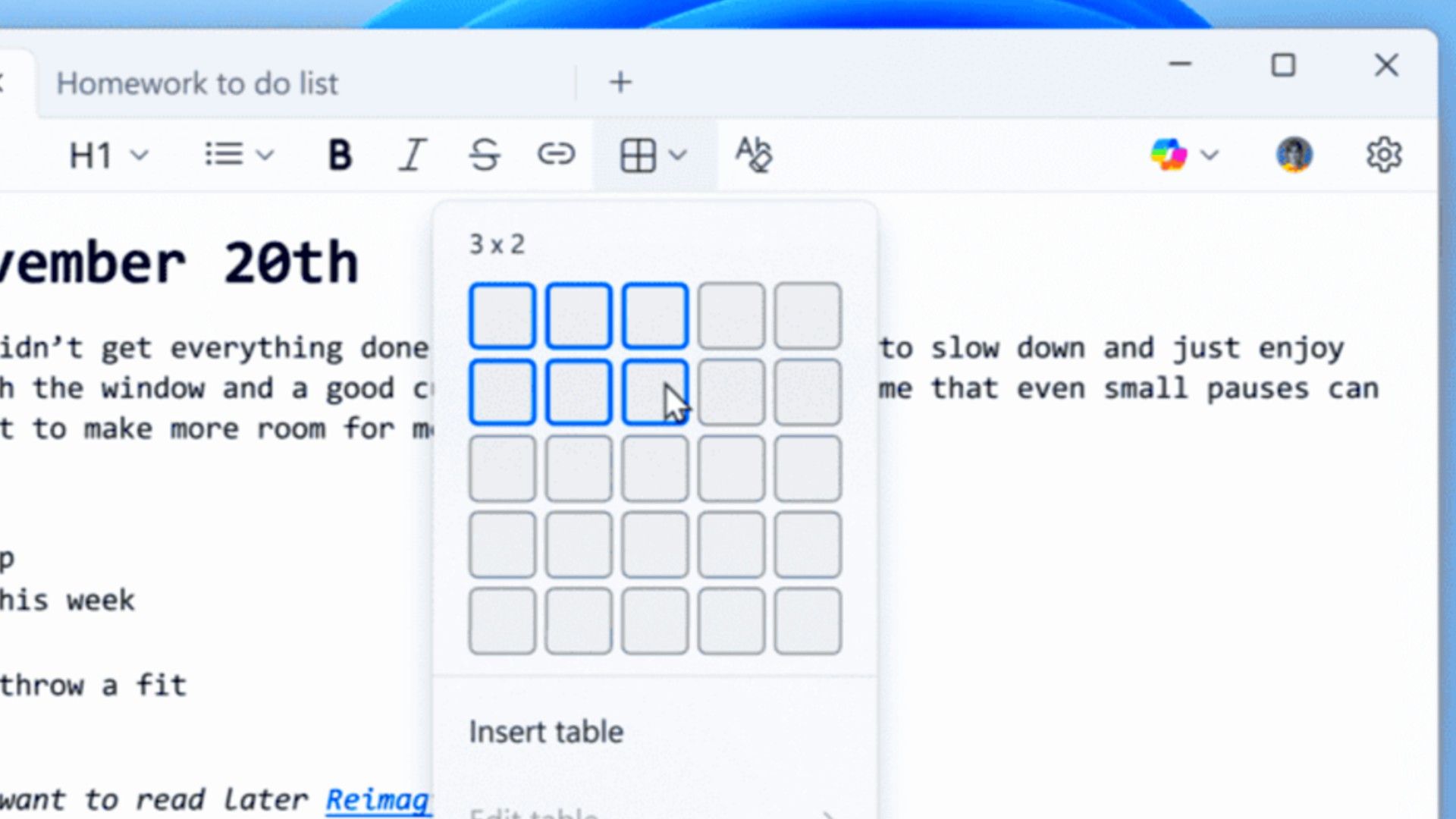
Microsoft’s next update for Notepad will bring native support for tables and streaming results for its built-in AI text features. This is a significant development that continues to move the classic text editor away from its simple, lightweight roots, which is not where you’d want it to go.
The biggest visual change in this update is expanded lightweight formatting, which now includes native support for tables. If you’ve ever needed to quickly structure a document or create a simple checklist that requires columns, you wouldn’t immediately think of Notepad, until now.
You can insert tables using the new Table option in the Formatting toolbar, or if you prefer the old-fashioned approach, you can use standard Markdown syntax directly in the text. Once a table is in place, you can make quick edits to add or remove rows and columns using the right-click context menu or the dedicated Table menu in the toolbar.
This allows you to structure notes and basic documentation much more efficiently than trying to align spaces and tabs. However, this is Notepad, which was created to be a lightweight, easy-to-use app that keeps text clear.
The second major feature focuses on bulking up the existing AI that Microsoft has built into Notepad. The company adds AI to help you write, rewrite and summarize text tools by introducing responses to results continuously. Instead of waiting for the full summary or rewritten text to be generated all at once, results will now start appearing word by word. This makes the whole process much faster and more responsive, giving you an overview that you can interact with immediately.
These new features come with some notable requirements and limitations, but don’t worry, this is AI only. To use any of the AI-based tools, you will need to sign in with a Microsoft account. Additionally, enhanced streaming support for the rewrite feature is currently limited to Copilot+ PCs only, meaning results must be generated locally on the device.
It’s clear that Microsoft is completely missing the point of Notepad. People weren’t using it for the features; it is used to move away from features. For decades, Notepad was a quick, simple program that you could open instantly to temporarily store a generated password, jot down a quick note, or look up any ASCII data without the overhead of a big word processor.
By adding mandatory formatting, toolbars, and especially logins for AI features, Microsoft is turning the app into a mess. In fact, it looks a lot more like WordPad, which Microsoft has retired. So basically Notepad replaces WordPad. All this new code might even make it slower and less reliable.
Microsoft is gradually rolling out this new version to Insiders in the Canary and Dev channels, but the company is actively seeking feedback through the Feedback Hub. So if this excites you, now is your chance to say what you think about this idea.
I don’t like the idea of Notepad being just a “mini-Word”, but it seems we can’t escape the clutter and AI clustering that Microsoft uses to justify its own course.
Source: Windows Insider Blog


