Danielle KayeBusiness reporter

 Reuters
Chip giant Nvidia beat Wall Street’s expectations for revenue and upcoming sales, easing investor concerns about heavy artificial intelligence (AI) spending that have unsettled markets.
In its quarterly earnings report on Wednesday, the firm said revenue for the three months to October jumped 62% to $57bn, driven by demand for its chips used in AI data centres. Sales from that division rose 66% to more than $51bn.
Fourth-quarter sales forecasts in the range of $65bn also topped estimates, sending shares in Nvidia about 4% higher in after-hours trading.
Nvidia, the world’s most valuable company, is seen as a bellwether for the AI boom. The chip-maker’s results could inform market sentiment.
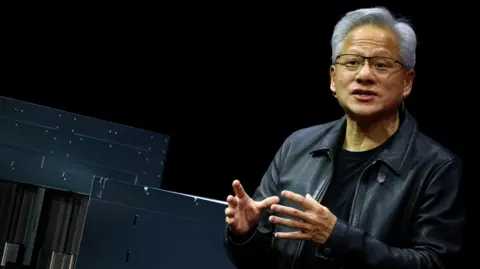
Chief executive Jensen Huang said in a statement that sales of its AI Blackwell systems were “off the charts” and that “cloud GPUs [graphics processing units] are sold out”.
“There’s been a lot of talk about an AI bubble. From our vantage point, we see something very different,” he said, on a call with analysts.
“We excel at every phase of AI.”
The chip-maker’s quarterly report garnered even more attention than usual on Wall Street amid mounting concern that AI stocks are overvalued – fears that may persist despite Nvidia’s blockbuster results.
Those fears had fueled four consecutive daily drops in the S&P 500 index leading up to Wednesday, as questions swirl about returns on AI investments. The benchmark index has fallen nearly 3% so far in November.
The bar was high heading into Nvidia’s results.
Adam Turnquist, chief technical strategist for LPL Financial, said the question was not whether the company would beat expectations, “but by how much”.
“While AI valuations are dominating the news feeds, Nvidia is going about its business in style,” said Matt Britzman, senior equity analyst at Hargreaves Lansdown.
He said valuations for certain areas of the AI sector “needed to take a breather, but Nvidia is not in that camp”.
Mr Huang had previously said he expected $500bn in AI chip orders through next year. Investors were looking for details about when the company expects those revenues will come to fruition, and how it plans to fulfill the orders.
Colette Kress, Nvidia’s chief financial officer, told analysts the company would “probably” be taking more orders on top of the $500bn that had already been announced.
But she also expressed disappointment about regulatory limits that stymie the company’s ability to export its chips to China, saying the US “must win the support of every developer” including those in China.
She said Nvidia was “committed to continued engagement” with the American and Chinese governments.
Earlier Wednesday at the US-Saudi Investment Forum in Washington, Mr Huang joined Elon Musk to announce a massive data centre complex in Saudi Arabia that will have Musk’s AI company, xAI, as its first customer.
The facility will be outfitted with hundreds of thousands of Nvidia chips.
The Wall Street Journal reported the US Commerce Department has approved the sale of up to 70,000 advanced AI chips to state-backed companies in Saudi Arabia and the United Arab Emirates, reversing an earlier decision.
The agreement was brokered following talks between US President Donald Trump and Saudi Arabia’s Crown Prince, Mohammed bin Salman, who visited the White House this week.
 EPA/Shutterstock
The titans of the technology sector are ramping up their spending on AI, as they rush to reap the benefits of a boom that has pushed stocks to record highs.
Earnings reports from Meta, Alphabet and Microsoft last month reaffirmed the colossal amounts of money these firms are shelling out for everything from data centres to chips.
Sundar Pichai, the head of Google’s parent firm Alphabet, told the BBC that while the growth of AI investment had been an “extraordinary moment”, there was some “irrationality” in the current AI boom. His comments came amid other warnings from industry leaders.
Nvidia, which makes chips that are crucial for AI data centres, is at the heart of a web of deals among key players in the AI space such as OpenAI, Anthropic and xAI.
The deals have drawn scrutiny for their circular nature, as AI firms increasingly invest in one another. The agreements include Nvidia’s $100bn investment in OpenAI, the firm behind ChatGPT.
Additional reporting by Lily Jamali, North America Technology Correspondent, San Francisco