Razer Joro keyboard review: A gamer’s alternative to Apple’s Magic Keyboard


At a glance
Expert rating
Benefits
- Compact
- Pleasant typing feeling
- Silent strike
- Bluetooth and cable connection
- Many software functions of a gaming keyboard
Disadvantages
- No angle adjustment
- No Touch ID
- Dear
- No UK layout
Our verdict
The Razer Joro is surprisingly close to the Apple Magic Keyboard and could be the perfect alternative. It’s compact, features a high-quality finish, a Mac layout, and offers very similar typing to the original, albeit quieter.
Price when reviewed
This value will display geotagged pricing text for the undefined product
Best price today
Best prices today: Razer Joro

$129.99
The gaming brand Razer presented the Razer Joro at the beginning of May 2025, a compact gaming keyboard designed for mobile use. For Mac users, there’s an interesting new feature: the Joro is Razer’s first keyboard with Mac (or, strictly speaking, double-printed) keys. The Razer Joro is a near-perfect replacement for the Magic Keyboard.
Design and manufacturing
Typical Razer: The Joro has a simple, all-black design. The body consists of a plastic base and an aluminum cover, where you touch the keyboard most often. This ensures a high-quality typing experience, but also reduces production costs and weight. Weighing just 13.2 oz (374 g) and with compact dimensions of 11.7 x 4.4 x 0.65 inches (29.8 × 11.2 × 1.65 cm), the Joro can be easily stored in a backpack or MacBook bag.
Michael Crider/Foundry
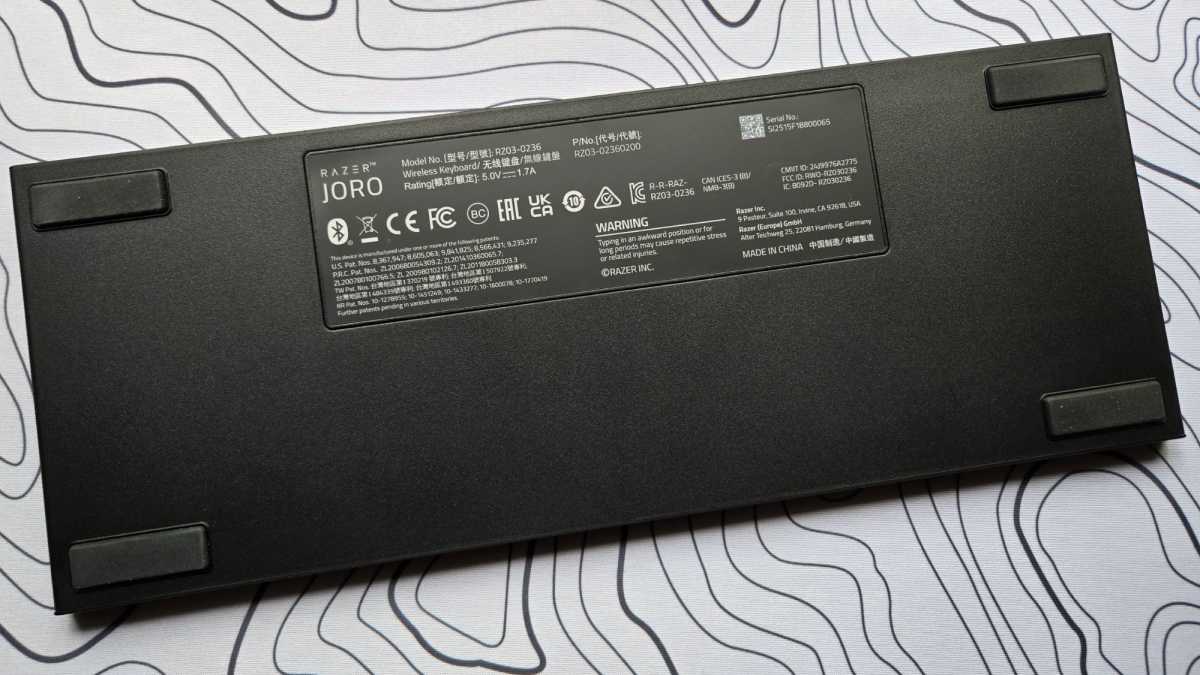
The Joro has four rubber feet on the underside, which generally prevent it from sliding on smooth surfaces, but are not adjustable. Like Apple’s Magic Keyboard, the Joro has a fixed angle – the same angle, in fact – that you can’t adjust without lifting the rear legs with other objects. However, I personally found the angle very comfortable and didn’t feel the need to change it.
Michael Crider/Foundry
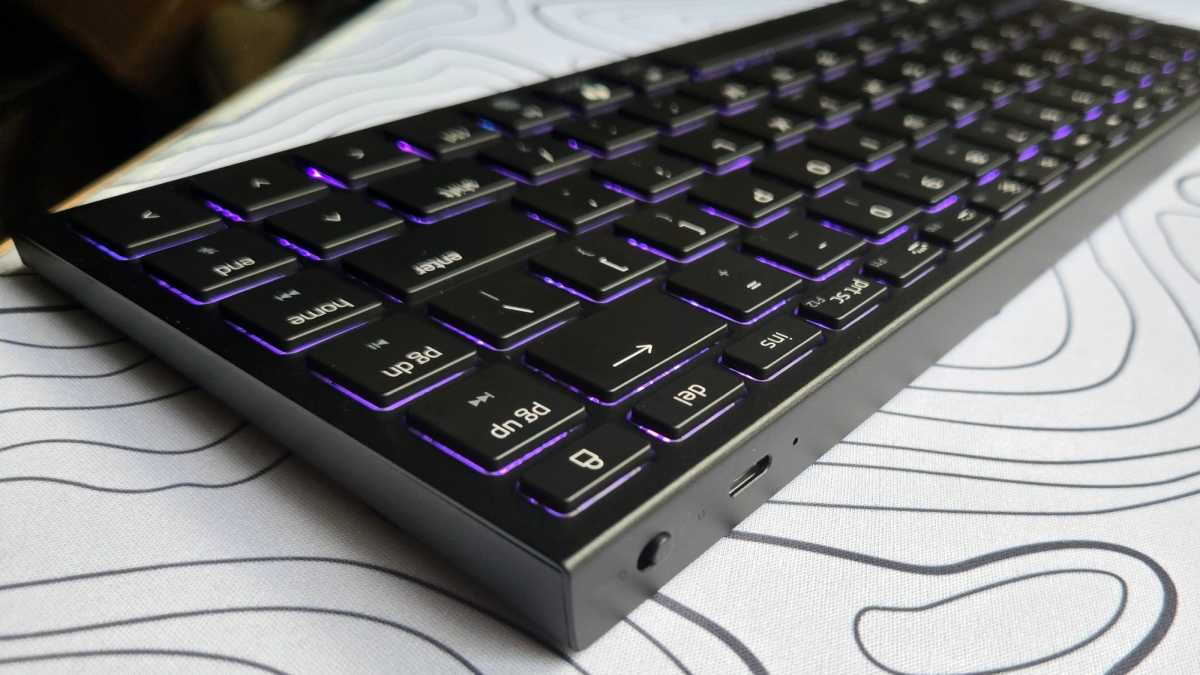
The USB-C port for charging and wired operation is located on the back of the Joro. Next to it is a switch to switch between wired and Bluetooth operation, or in other words: an on/off switch.
The Razer Joro’s keys are slightly smaller than those on a current MacBook, but still provide enough space for larger hands. They are made of plastic, laser engraved and therefore better protected against wear. The key travel is a comfortable 1mm, ideal for fast typing without fatigue.
Inside, classic scissor switches are used, like those found on laptops, including the MacBook. As a result, typing is very MacBook-like and feels precise and familiar.
The big difference is in the sound: the Joro is significantly quieter, much more discreet than Apple’s Magic Keyboard and also quieter than the MacBook keyboard itself.
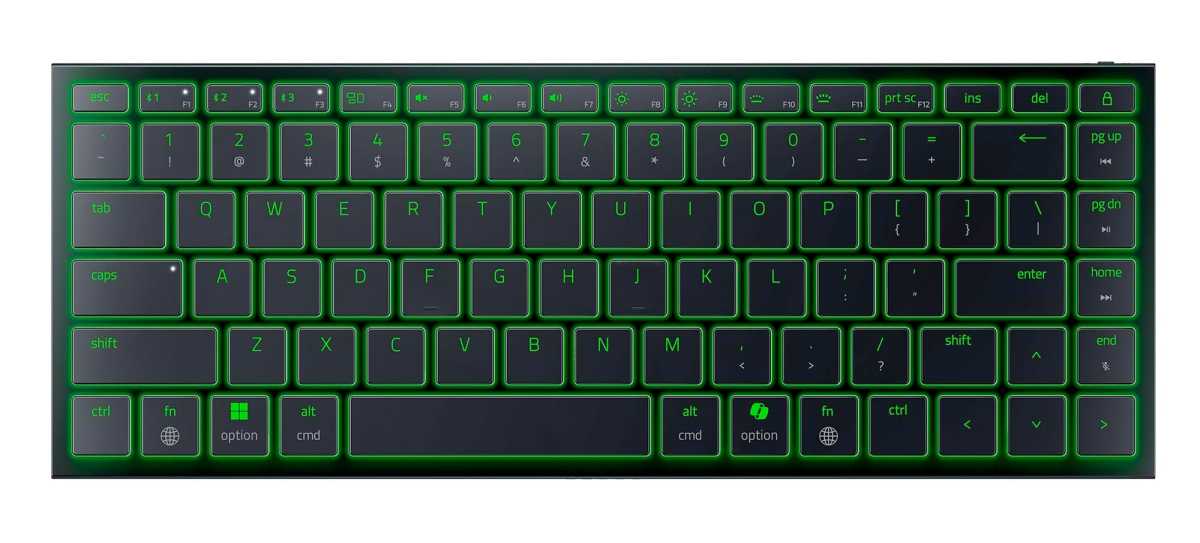
The special feature, as mentioned above, is the dual printing, as the Razer Joro comes not only with Windows keys, but also with Mac keys, which is very nice. There is also optional RGB lighting, “Razer Chroma”, which you can configure in the Razer Synapse software, now also available in the version for macOS.
But be careful: lighting consumes so much energy that battery life noticeably suffers. So I would recommend using it only with a cable and not using it with a Bluetooth connection unless you are working or playing in complete darkness.
Michael Crider/Foundry
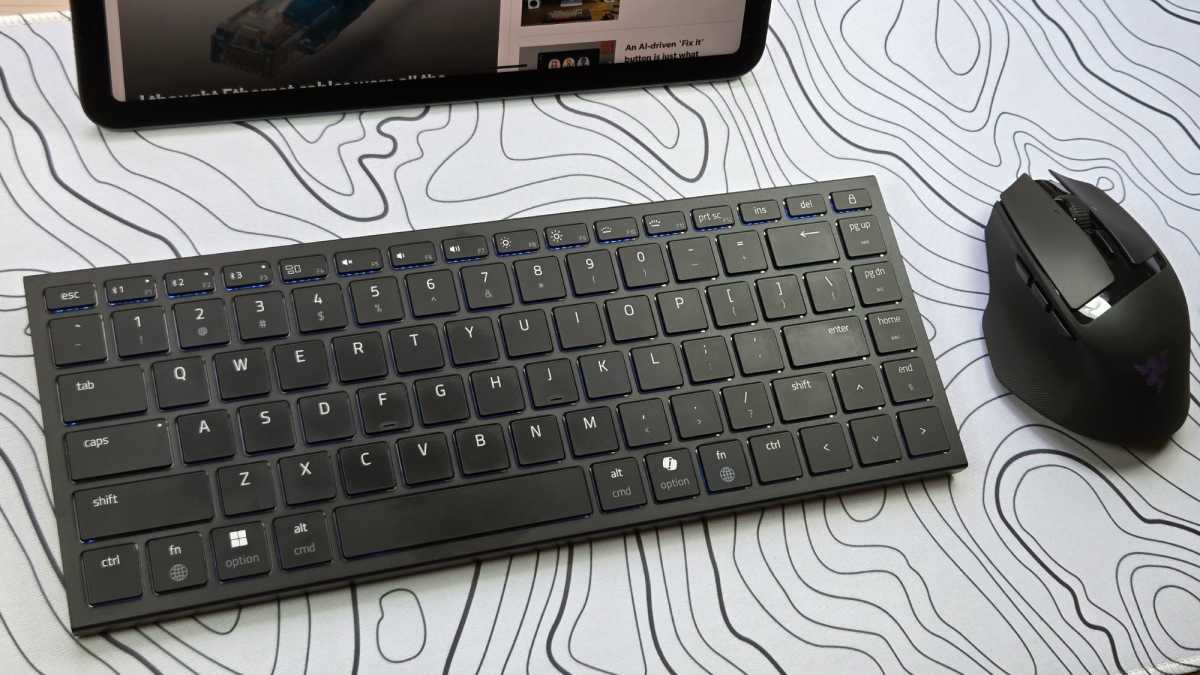
The Joro has a 75% layout, which means no number pad and a row of navigation keys (home, end, page up, page down) and the lock key vertically on the right edge. As hardly surprising for a gaming keyboard, it also has full-size arrow keys instead of half-size.
The reduced size of the right Shift key is noticeable, but it didn’t have a negative impact in everyday use. Another special feature: the space bar is slightly shorter than usual, because Razer has integrated an additional Fn key on the right side. This turns out to be a well-thought-out detail in practice, as it allows functions such as play/pause, volume, mute or track change to be easily controlled with one hand using the navigation buttons.
There’s basically nothing to complain about with the Joro’s finish, although the plastic base feels a bit cheap in contrast to the aluminum plate on top. The Razer is incredibly stable and hardly gives way, even under high pressure. Delivery includes a very high quality braided USB-C to USB-C cable, a bit short at 1 meter in length, but supports charging currents of up to 60 W, excessive for a keyboard, but very practical as an “all-occasion cable” when traveling.
Software and functions
As befits a gaming keyboard, the Joro comes with plenty of features you don’t see on everyday keyboards, including N-key rollover and anti-ghosting. You can also enable the “Razer Snap Tap” feature in the Razer Synapse software.
If you make two entries at the same time, “Snap Tap” prioritizes the second. This is particularly useful in games, as a character would normally refuse to move in this case. With “Snap Tap,” however, he continues to move as usual.
You can also enable gaming mode in “Razer Synapse”, which disables certain Mac key combinations, such as Command Q (close the program), Command Tab (application changer) and Command Spacebar (Spotlight), create macros and assign each key completely differently than intended.
You can save any changes you make to the keyboard functions directly on the keyboard in up to five profiles and switch between them in the future using a key combination, even if “Synapse” is not even installed.
Apart from that, there are of course the usual suspects: media control with the Fn key combination, as mentioned above, every function key imaginable in the F row, including Mission Control, screen and keyboard brightness, etc. It is of course missing Touch ID, as is the case with all other keyboards that do not come directly from Apple.
Speaking of software: Overall, it seems that Razer wants to take the Mac as a platform a little more seriously than before, because for the first time the company has released a Mac version of “Synapse”. Previously, if you wanted to make changes to Razer devices for use on a Mac, you first had to do so on a Windows device or in a virtual machine.
Razer
Connection and battery life
You can pair the Razer Joro with up to three devices simultaneously via Bluetooth and seamlessly switch between them using the first three buttons. In the future, the Razer Joro will also be compatible with the Razer Hyperspeed USB receiver via a firmware update, which provides a faster and more stable wireless connection, although it is not included in the delivery.
Alternatively, you can also connect the Joro to your Mac using a USB-C cable, although as mentioned above the supplied cable is a bit short at one meter in length. However, unless your Mac is in a far corner of your desk, this shouldn’t be too much of a problem.
Razer is refreshingly transparent with the Joro’s battery life, although the company also initially advertises the highest possible power savings and achieves a battery life of no less than 1,849 hours (77 days) in power saving mode.
However, there’s also a small slider on the product page that allows you to adjust the (theoretical) brightness of the RGB lighting and see how that affects battery life. To my great surprise, the figures are very close to reality.
In standard mode and without lighting for example, the Joro still lasts around 1,195 hours (a little less than 50 days). If you move the slider towards 100 percent, you can see how much power such RGB lighting consumes: at 20 percent, the Joro lasts 26 hours, at 50 percent 11 hours, and at 100 percent only 5 hours.
So if you’re traveling and don’t know exactly when you’ll be able to charge the Joro, you should turn off the lighting. You can of course continue to use the Joro while charging. After all, it’s not an Apple Magic Mouse.
Pricing and availability
At $139.99 / £129.99, the Razer Joro isn’t a bargain, but we like it so much that we think it’s worth it, at least compared to keyboards from other third-party vendors. If you compare it with the Apple Magic Keyboard, it doesn’t look too bad: the Apple equivalent without Touch ID is $50 cheaper but has fewer keys and even fewer features.
Should you buy the Razer Joro keyboard?
The Razer Joro is one of the best Mac keyboards I’ve ever tested. There’s no Touch ID and UK users will have to get used to the US layout, but as a stylish alternative to the Apple Magic Keyboard it has a lot going for it.
This article was originally published on our sister publication Macwelt and has been translated and localized from German.