Ring’s AI-powered pet finder is coming—and you’re already signed up


Ring cameras band together to help find missing animals: what’s not to love? But even though Ring’s Search Party has a worthy goal, the just-announced feature is yet another community-focused Ring feature enabled by default.
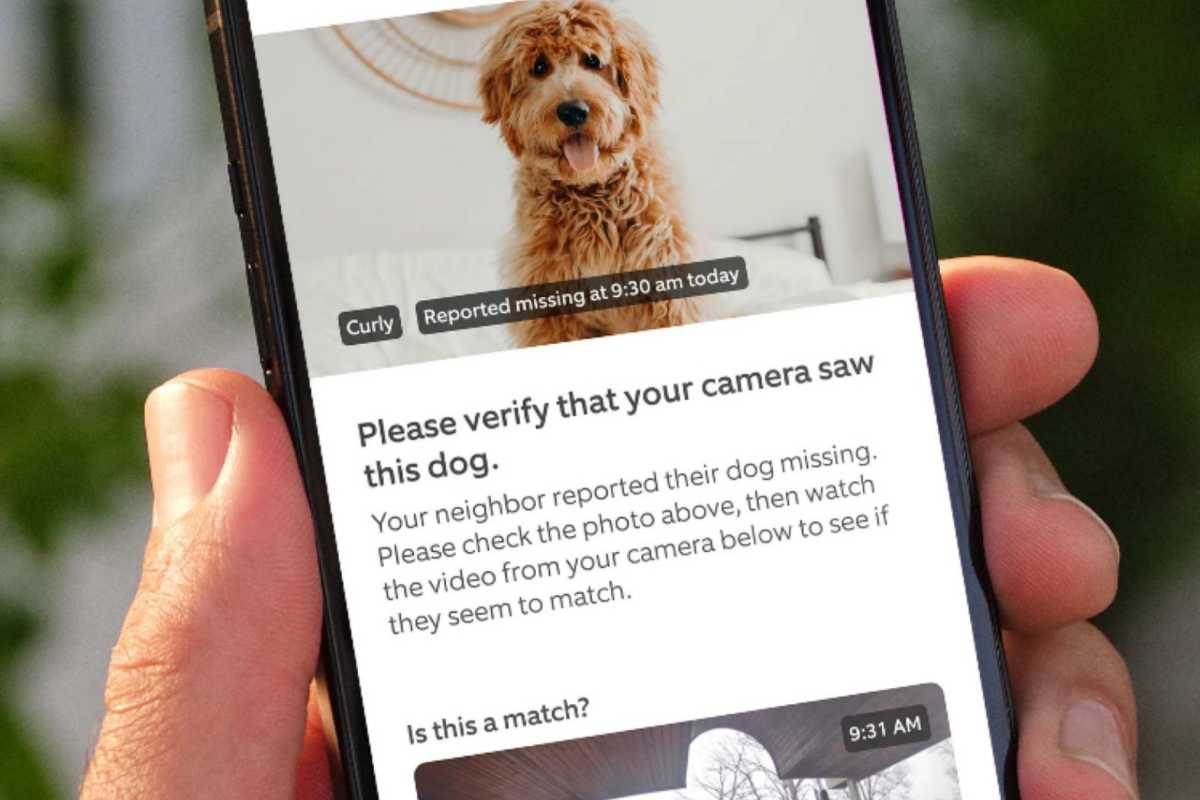
Introduced during Amazon’s big hardware reveal last month, a search party is launched when a neighbor reports a lost dog through Ring’s Neighbor app. (Care for cats and other pets will come later, Ring says.) When that happens, other local Ring cameras in the area can join the search team, with AI analyzing the video footage to help locate the missing animal.
If your Ring camera finds a potential match (the feature only works with outdoor Ring cameras, not indoor Ring cameras), you’ll receive an alert with a photo of the dog and relevant video clips. If you think there is a match, you can (if you wish) choose to share the videos with the pet owners and/or contact them directly.
Ring’s Search Party feature isn’t expected to go live until November, but banners advertising the feature have already started appearing in the Ring app, along with a setting (already enabled) that lets you control whether Search Party is active on your Ring cameras.
Amazon
In other words, Search Party is enabled by default, as is Ring’s Community Requests feature, which allows law enforcement to request video clips from Ring users, and Amazon’s Sidewalk Networks, which leverage Ring cameras and neighborhood Echo speakers to improve connectivity for nearby IoT devices like motion sensors and pet trackers.
For its part, Ring promises that “your privacy is always under your control” with Search Party. You’re free to choose which, if any, videos you want to share with a neighbor who’s looking for their missing dog, Ring says, and you can also ignore alerts. And of course, you can always disable the Search Party feature completely.
How to disable Ring Search Party
To cut to the chase, here’s how to unsubscribe from Search Party:
- Open the app, tap the Menu button in the upper left corner of the screen, then tap Control Center.
- Scroll down to the Community Control section, then tap Find Group > Find Lost Pets.
- You will come to a screen that will tell you if the Search Party feature is active and, if so, which of your Ring cams are participating in the feature. You can disable individual cameras, but you can also disable Search Party completely by turning off the Find Lost Pets setting.
Why do I prefer to opt-In to Search Party rather than unsubscribe
Look, I understand why Ring has the Search Party feature enabled by default: after all, the more Ring cameras searching for missing animals, the better, right? I’m sure if my (hypothetical) dog wandered off, I’d want as many Ring cameras looking for him as possible.
That said, I’m not a fan of the “unsubscribe” feature, even for something as laudable as Search Party. The same goes for requests from Amazon’s Sidewalk community and Ring Neighbor, for that matter.
While I’m happy to participate and help someone find their missing dog – and yes, I will leave the feature enabled – I prefer to actively volunteer rather than be automatically registered.
This article is part of TechHive’s in-depth coverage of the best security cameras.


