A mini PC is a solid option for a home server. They’re small, relatively cheap, and low-power. I use a mini PC as a home server, but there are several things that my old Dell OptiPlex PC does better.

I Won’t Buy a Mini PC for Plex Without These 4 Features
Any old mini PC will work, but I’ve got my preferences.
Storage expansion
Room for a large drive

A home server is all about storage, and at first glance, my Beelink Mini S12 Pro and Dell OptiPlex 9020 SFF look fairly similar in terms of internal storage options. The big difference is the type of storage each system can take.
My mini PC is limited to M.2 drives and small 2.5-inch drives. While 2.5-inch HDDs exist, they’re far more expensive per gigabyte and max out at a lower capacity.
In comparison, my Dell OptiPlex 9020 SFF has one 3.5-inch SATA drive bay and two 2.5-inch bays. It means my OptiPlex can support a full 3.5-inch mechanical drive. I could buy an 8TB HDD for a fraction of the cost of an equivalent 2.5-inch drive.
There’s also an optical drive bay that can be repurposed with a caddy. This means I can fit both a large HDD and 2.5-inch SSDs to get the best of both worlds. For services that need bulk storage, such as Plex or Nextcloud, that cheap HDD storage can be very useful.
PCIe slots
Upgrades a mini PC can’t offer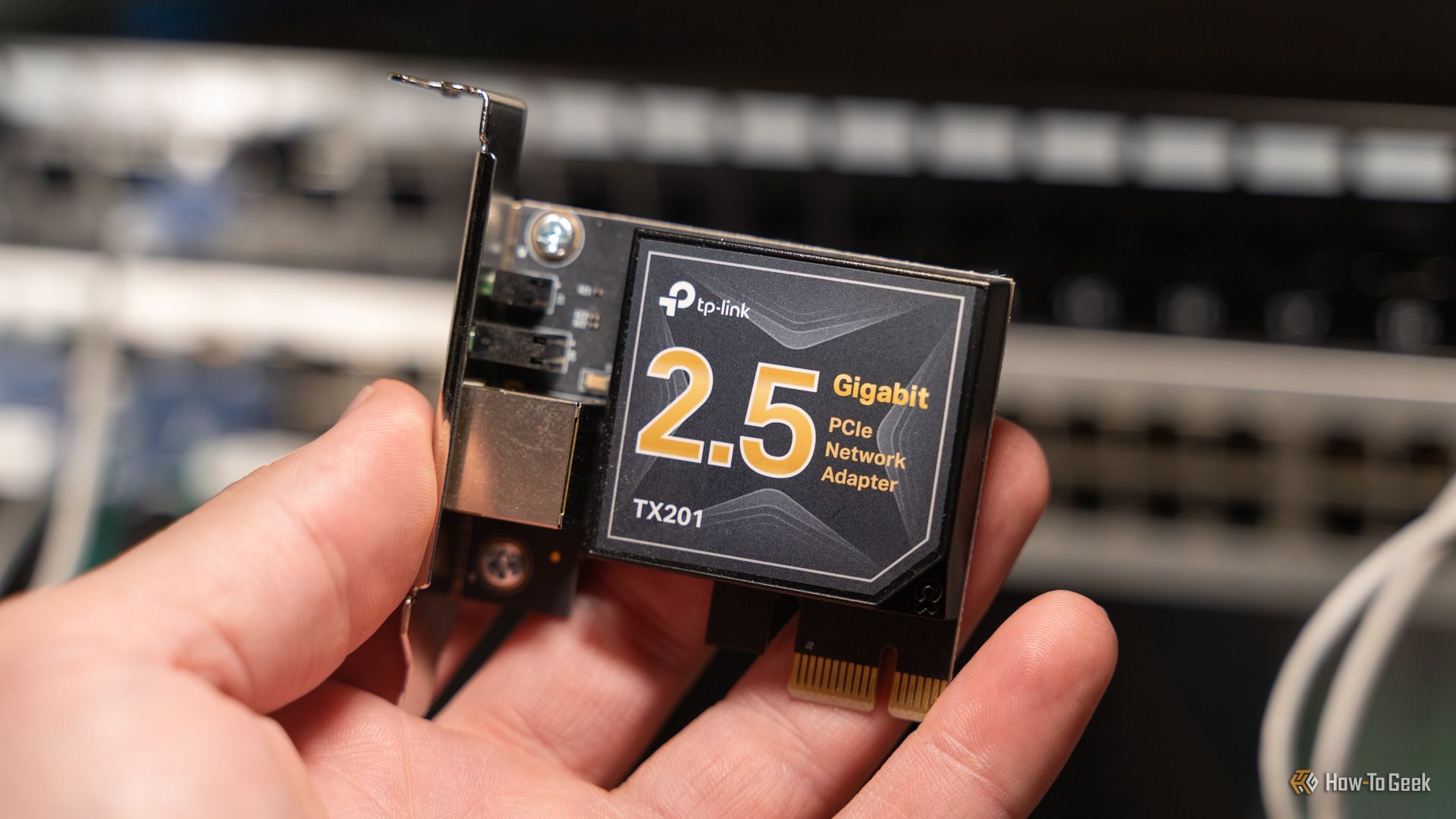
My mini PC is also lacking any additional PCIe slots. What you buy is what you get; there’s no internal PCIe expansion for adding a graphics card, network card, capture card, or an adapter for extra storage. The possibilities to expand the mini PC beyond its current capabilities are therefore limited.
In comparison, my Dell OptiPlex has a low-profile PCIe x16 slot and a PCIe x4 slot. The first slot is ideal for a low-profile graphics card, which can help with hardware transcoding or other GPU-accelerated tasks.
The second slot can then be used for options such as a faster network adapter or an M.2 NVMe adapter so that I can not only add more storage, but that secondary storage can be much faster than SATA, too.
Repairability
Parts you can actually swap out

Another challenge with a mini PC is that it’s far less repairable. If something goes wrong with my mini PC, repairing it may be a challenge. With my OptiPlex, the parts are reasonably easy to source and not too expensive to buy. The OptiPlex 9020 SFF uses a proprietary Dell PSU, but these machines are so common that you can usually find a replacement on eBay that won’t break the bank.
The CPU on my mini PC is soldered to the board, so if it dies, so does my machine. With the OptiPlex, you can replace or upgrade the CPU if necessary without having to replace the whole PC. These OptiPlex PCs were designed for businesses, so they were made with repairs in mind.
Upgradeable RAM
Room for more if you start with too little
When I bought my mini PC, I opted for 16GB of RAM, which was the highest available option. I knew that once I made my purchase, that was it. I wasn’t going to be able to upgrade the RAM, as the Beelink Mini S12 Pro only officially supports 16GB; if I wanted more RAM, I’d have to buy a new device.
My OptiPlex came with 16GB of RAM, too, but unlike the mini PC, it has 4 DIMM slots and can take up to 32GB of RAM. That meant that when I wanted to add more RAM, it was quick and easy to do. Instead of having to buy a whole new machine, I just needed to buy some more RAM and install it for an instant upgrade.
Thermals and cooling
A better option to run all day and night

This is something that I’ve had issues with in the past with my mini PC. It runs cool at idle and can handle a reasonable amount without breaking too much of a sweat. Under heavy load, however, the small chassis and minimal cooling mean that it can start to throttle.
I’ve even had occasions where the mini PC has shut down because it got too hot, and I’ve had to wait for it to cool down before I could start it up again. This isn’t ideal for a home server that you want to run 24/7.
In comparison, the OptiPlex was built to run at least eight hours a day in offices under heavy workloads. It has a dedicated CPU heatsink and a chassis fan with front-to-back airflow, all designed for sustained operation. It can handle sustained load much more capably than my mini PC can, although the trade-off is that it uses more power.
Sometimes bigger is better
A mini PC is a solid option for a home server if you’re not planning to run every service under the sun, but an SFF PC also has a lot to offer. You can often find a used SFF OptiPlex PC online for less than the price of a new mini PC. Ultimately, I ended up running both, putting each service on the most suitable machine for its needs.