5 free AI image-editing tools every creator should know


If you’re a creator, marketer, or active social media user, you’ve probably felt the pressure to produce polished visuals quickly. It’s not just a creativity challenge, it’s a question of time, tools and technical skills. This is exactly where Adobe Firefly stands out. It offers a suite of free AI-powered tools that let you upload your images and navigate edits step-by-step, delivering fast, accurate, professional-quality results without requiring advanced design experience.
What makes Firefly particularly powerful is its “fast-paced” approach. Instead of navigating complex menus, users are guided through predefined prompts tailored to specific tasks. Better yet, Firefly allows you to experiment with variations using models from partners such as Google and OpenAI, all without changing platforms. The result is a simplified, intuitive and efficient editing experience.
Here are five of Adobe Firefly’s most useful free image editing tools:
1. Remove objects instantly with Generative Remove
Adobe
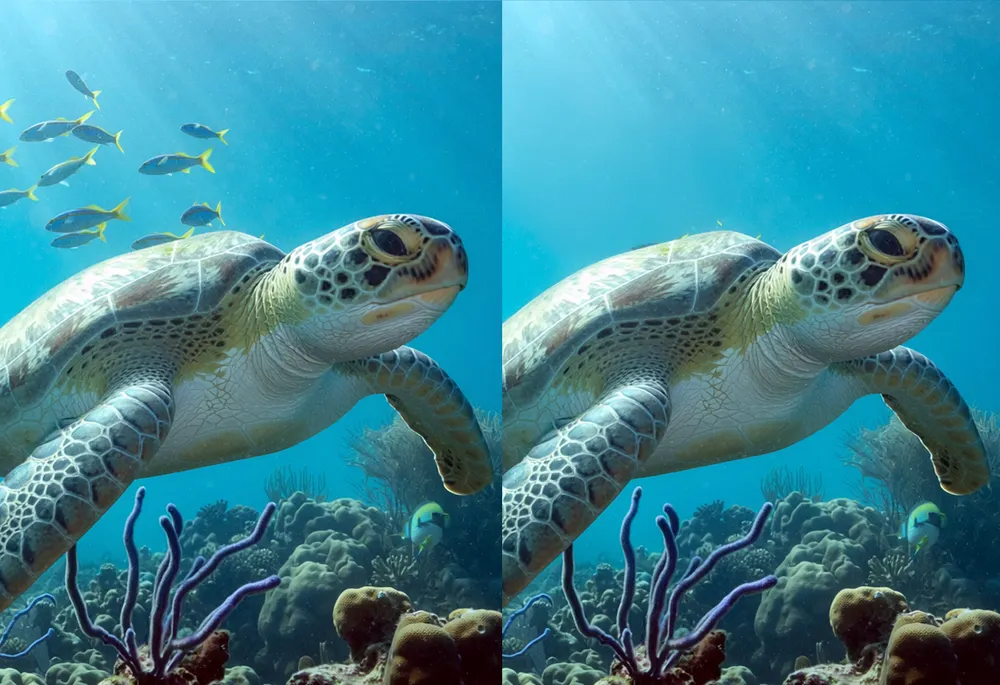
Unwanted elements can spoil an otherwise perfect picture: think lost tourists, messy signage or annoying cables. Firefly’s Generative Remove tool makes cleanup easy. Simply brush over the object you want to remove, click “Generate” and the AI will replace it with a natural-looking background.
The real advantage here is precision. Instead of distracting fixes or visible changes, Firefly intelligently fills in textures, lighting, and context so the final image appears intact. Whether you’re sharpening a product photo or cleaning up a travel photo, the process takes seconds rather than hours.
2. Expand your image beyond its borders
Adobe
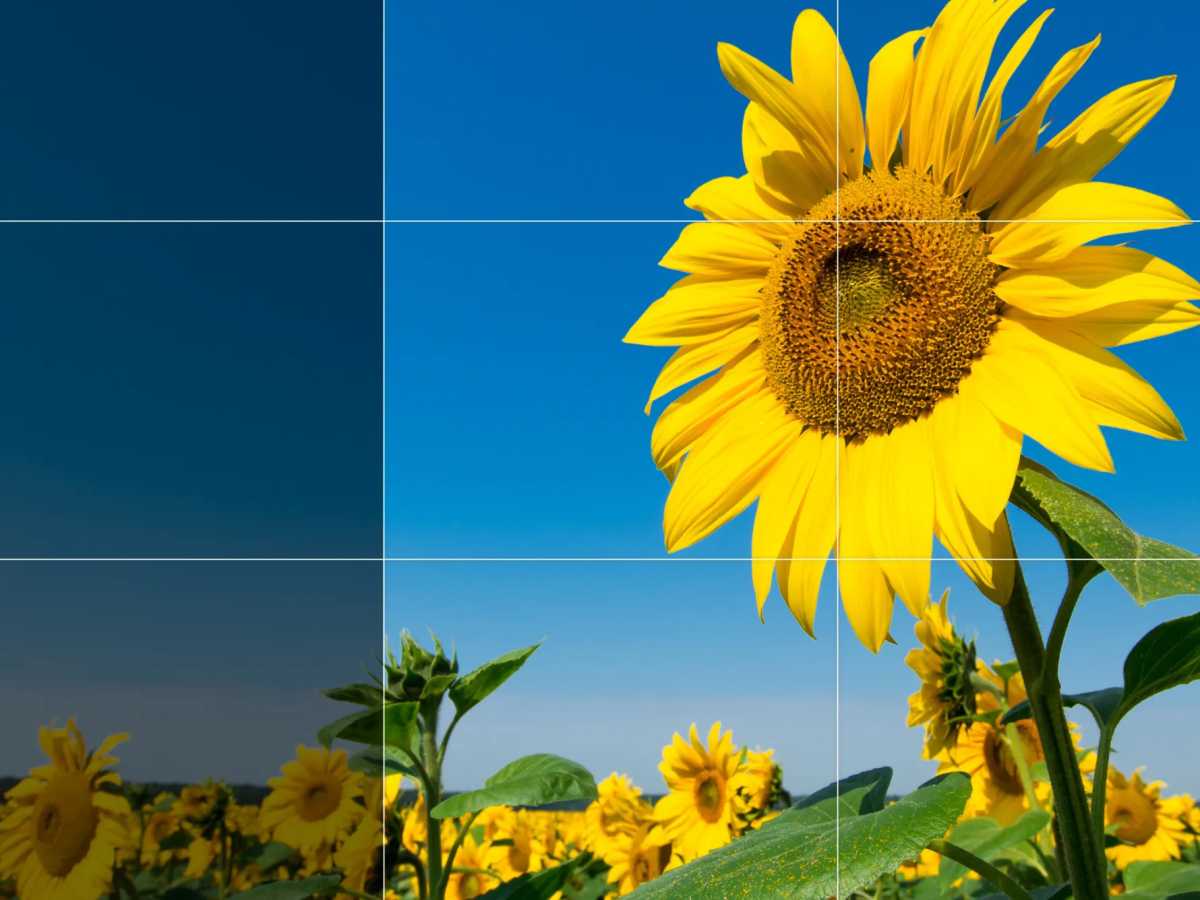
Sometimes the biggest limitation of a photo is its framing. With Generative Expand, Firefly lets you expand your image outward while maintaining visual consistency.
This tool is especially useful for marketers and social media users who need multiple image formats. A square image can quickly become a widescreen banner or vertical story format. Firefly automatically generates new content that matches the lighting, perspective, and style of the original image.
It’s not just about resizing, it’s about reimagining. You can even guide the expansion with text prompts, transforming a simple background into a forest scene, cityscape, or something more imaginative.
3. High-end images without quality loss
Adobe
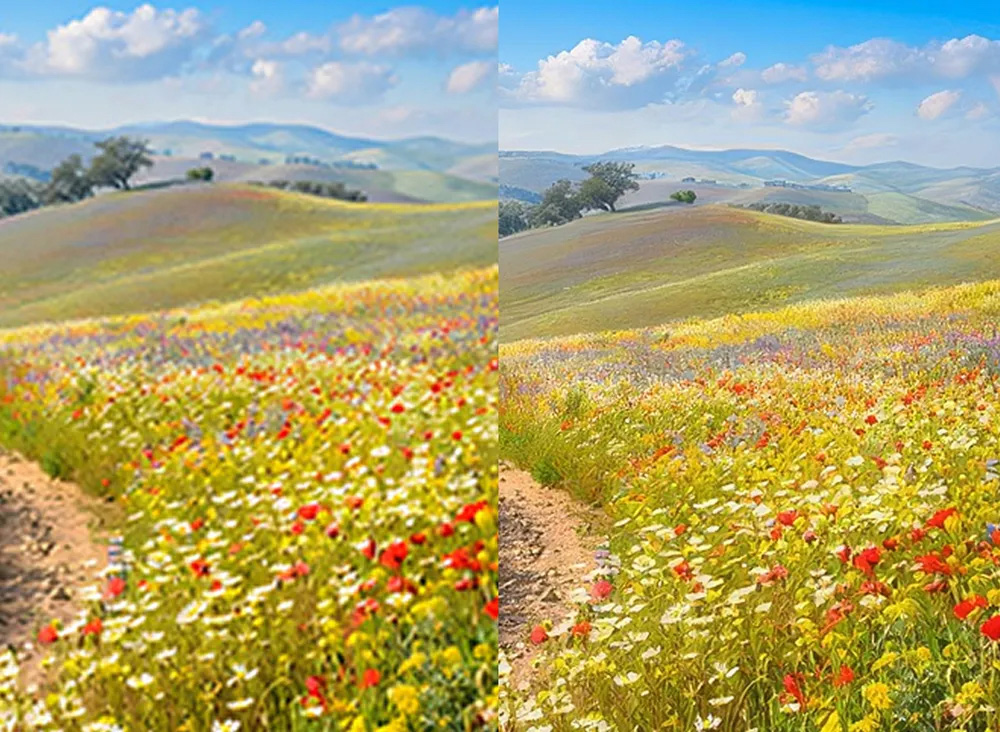
Low-resolution images are a common source of frustration, especially when working with older assets or user-generated content. Firefly’s AI-powered upscaling tool solves this problem by increasing the image size while preserving sharpness and detail.
Instead of stretching pixels, AI reconstructs missing details, making images sharp even at 2x or 4x magnification. This is especially useful for marketers who need to reuse their clients’ photos or improve outdated brand assets without resorting to a reshoot or redesign.
It also breathes new life into scanned or archived images, making them suitable for modern use across digital and print platforms.
4. Remove people accurately

Adobe
Crowded backgrounds can distract from your subject. Firefly’s People Remover feature, also powered by Generative Remove, lets you remove unwanted people as easily as objects.
Hover over the person, generate the edit, and the AI seamlessly fills the space. The result is a sharp, distraction-free image that keeps focus exactly where you want it.
For social media users, that means more photobombers. For brands, this ensures that visuals remain aligned with the message and aesthetic.
5. Generate and replace backgrounds effortlessly

Adobe
Backgrounds set the mood, context and brand identity. Firefly’s AI background generator makes it incredibly simple to swap or create entirely new environments.
The tool automatically detects your subject, separates it from the background and replaces it with a new scene based on your prompt. Whether you want a minimalist studio look, a dynamic outdoor setting, or something more imaginative, Firefly delivers realistic results with matching light and shadow.
This is a game changer for product photography and content creation. Instead of organizing expensive shoots, you can generate professional-quality visuals in minutes, perfectly suited to your campaign or platform.
Why Firefly Stands Out
Adobe Firefly’s true strength lies in its balance of simplicity and control. It doesn’t overwhelm users with technical complexity, but it provides very precise edits that meet professional standards.
Speed is another major advantage. Tasks that once required hours of manual labor (masking, cloning, resizing) are now done in just a few clicks. And because the platform walks you through every step, even beginners can get results that look expertly crafted.
For creators juggling deadlines, marketers evolving their campaigns, or anyone looking to elevate their visuals, Firefly offers a practical and accessible solution. It transforms image editing from a tedious task into a quick creative process, without sacrificing quality.
Start using Adobe Firefly for free.
In a world where visual content drives engagement, tools like Firefly aren’t just convenient: they’re essential.
Additional Firefly plans with more premium features and a higher level of generative credits are also available.
Better yet, there is a special offer until May 20 that allows you unlimited generations in Firefly.


