
So, you want to build an DIY external SSD, and you want it to be fast? Sadly, your only option is NVMe. While NVMe blows the pants off USB transfer rates, it’s still the best option if you want more than 600MB/s transfer speeds—plus you might even have storage lying around that needs to be put to use, making it a more economical option, too.
DIY SSD enclosures are limited to just two technologies
Only one offers actual speed

If you’re going to build a DIY external SSD, you’re really limited to two options: NVMe or SATA. While manufacturers have more options when making portable storage in factories, consumers have to make a choice between those two storage types.
SATA drives have an inherent limitation of maxing out at approximately 560MB/s, even if you connect the drive to a 120Gb/s Thunderbolt 5 connection. The SATA bus itself is hard-capped at 6Gb/s. Likewise, NVMe has hard speed limits too, but they’re much higher.
PCIe Gen 3, for example, can only move data at around 3,500MB/s. PCIe Gen 5 can go up to 14,700MB/s. These numbers are staggeringly faster than SATA, but they’re still the max that drive can perform at.
So, if you’re wanting an external drive faster than SATA’s maximum of 6Gb/s (600MB/s), then you have to go NVMe—there is no other option.

7/10
- Storage capacity
-
1TB, 2TB, 4TB, 8TB
- Hardware Interface
-
M.2 NVMe
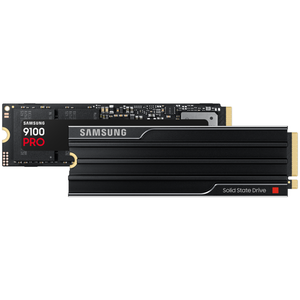
The Samsung 9100 PRO NVMe SSD offers read speeds of up to 14.7GB/s and write speeds of up to 13.4GB/s, and it hits the mark. As the fastest SSD available as of March 2025, the 9100 PRO is made with professionals in mind. Designed to enhance AI workflows, as well as boost the speed of video and photo editing and exports, this SSD is purpose-built to help improve your efficiency.
Not all computers let you run multiple NVMe drives
I’ve upgraded my computers quite a few times around the house, which means I now have spare NVMe drives all over the place. Some of my systems came with 256GB or 512GB NVMe drives, which are fine in many circumstances, but I often need more storage than that in my systems.
As such, I have two choices for those spare NVMe drives—leave them sitting around, or put them to use somewhere else. While 256GB of 512GB of storage might be too little for my editing machines, it’s the perfect size for a portable SSD that I can bring with me for on-the-go work.
So, I typically pick up a cheap NVMe enclosure and slot that spare drive inside. Sure, I’m limited by the transfer rates of the USB bus, but I was able to spend around $15 on an enclosure to get 512GB of storage that was otherwise unusable, instead of spending hundreds on a dedicated external SSD.
I’ve found that repurposing drives around my house as storage saves me quite a lot of money in the long run. There have been times when I really thought I needed a specific type of storage, and I was able to just spend a few bucks to convert something I already owned to try it out, only to realize that I didn’t really like that workflow.
In those instances, repurposing a drive was a far better option then purchasing a brand-new drive that couldn’t then be re-purposed yet again in the future.
It really just comes down to what hardware you already own
I’d rather go overkill if it’s cheaper

Putting a PCIe Gen 4 NVMe SSD inside of a USB 3.1 10Gb/s enclosure is definitely overkill. A PCIe Gen 4 NVMe SSD maxes out at 64Gb/s of bandwidth, which is 6.4 times faster than USB 3.1’s most common bandwidth option.
But, as I already stated, it’s cheaper to repurpose that NVMe drive into an enclosure then it is to buy a separate drive. Is it overkill? Absolutely—that NVMe drive will likely never see its full potential used in that external enclosure. But, in the day we live in, budget is king and reusing hardware is well worth it, even if that hardware isn’t used to its fullest potential.
Another great benefit of slotting a NVMe drive into an external enclosure is that storage is portable, but not in the sense that you’re thinking. Yes, the drive can go anywhere with you, but it can also be put into any system down the road, something normal external SSDs can’t do.
A year or so ago, I built a portable SSD to use for editing photos on-the-go. I repurposed a 2TB drive I pulled from a system here at the house, and it was great. Several months later, I upgraded my NAS to one that could handle NVMe drives, so I just pulled the NVMe out of the enclosure and put it in the NAS.
Would I recommend going out and buying a NVMe drive specifically to build an external SSD? Absolutely not. But, would I recommend reusing a drive you already have for an external SSD? Absolutely.
It’s all about your perspective
At the end of the day, use what hardware you have instead of buying new. In 2026, we’re facing crisis after crisis, with storage getting more and more expensive. When I reviewed the PNY DuoLink V3 flash drive less then one year ago, the 256GB model cost $31. Today, it costs $67.
In an age where storage is becoming prohibitively expensive, just simply use what you have. While you might feel like it’s a waste to use an ultra-fast drive in a slower enclosure, it’s cheaper and leaves you with more flexibility down the road, making it the best choice for external storage in my book.


