Good old CDs, how I miss them so. I miss when an optical drive bay was a standard thing in every single PC, and when instead of Spotify and YouTube, we all had to buy the albums and deal with the songs we didn’t love quite as much. But I’m not here to rant about the state of the world, nor am I here to go on and on about my never-ending nostalgia for old storage media.
This time, I’m here to remind you (and me) that CDs never really went away. Not only are they having some sort of weird resurgence in 2026 (which I’m so here for), but they were here the whole time, just keeping it on the down low.
Here are all the surprising ways CDs are still very much in use in 2026.
Playing music in older cars
The road is newer than the dashboard
Your car might have a touchscreen, Bluetooth, some USB ports, and your phone might have Apple Music or Spotify. But that doesn’t mean the humble CD player has vanished from the road.
Cars aren’t like smartphones; those things live for years and years. Plenty of people are still driving models from the era when a CD slot was just part of the deal. Maybe it lives above climate controls, or maybe it’s in the center console. Either way, if it’s still there, then you might as well use it and enjoy not needing to pay a subscription fee for it.
Borrowing audiobooks from libraries
No, I’m not kidding

Some libraries have fully embraced the current status quo and offer ebooks, apps, and digital audiobooks. That doesn’t mean that all the physical audiobook CDs have vanished from libraries (and everywhere else), though.
It might sound super outdated, but remember that libraries serve a lot of different people. Most of us who frequent tech websites are glued to our PCs and/or phones on the daily, but a lot of people who frequent libraries still own CD players and enjoy audiobooks in this format.

Quiz
Storage Through the Ages
From ancient clay tablets to modern SSDs — how much do you really know about the wild history and quirky facts of data storage?
HistoryHardwareCapacityOdditiesModern Tech
What was the storage capacity of the very first commercially sold hard disk drive, IBM’s 350 RAMAC introduced in 1956?
Correct! The IBM 350 RAMAC stored a whopping 5 megabytes — and weighed over a ton. It was the size of two refrigerators and leased for around $3,200 per month, which is roughly $35,000 in today’s money.
Not quite. The IBM 350 RAMAC, launched in 1956, stored just 5 megabytes of data. Despite that tiny capacity by modern standards, it was a revolutionary machine that filled an entire room and cost thousands per month to lease.
Which of these has genuinely been used as a data storage medium by researchers and engineers?
Correct! DNA storage is a real and rapidly advancing field. Researchers have successfully encoded entire books, images, and even operating systems into synthetic DNA strands, which can theoretically store 215 petabytes per gram of material.
Not quite. The answer is DNA molecules. Scientists have encoded movies, books, and even malware into synthetic DNA strands. DNA storage is extraordinarily dense — theoretically capable of holding 215 petabytes per gram — making it one of the most promising future storage technologies.
What does the ‘SSD’ in SSD storage stand for?
Correct! SSD stands for Solid State Drive. The ‘solid state’ refers to the fact that it uses solid-state electronics — NAND flash memory chips — with no moving mechanical parts, unlike traditional spinning hard disk drives.
Not quite. SSD stands for Solid State Drive. The term ‘solid state’ comes from electronics jargon meaning the device uses semiconductor components rather than moving mechanical parts, which is why SSDs are faster, quieter, and more durable than HDDs.
Approximately how many standard 1.44 MB floppy disks would you need to match the storage of a single modern 1 terabyte hard drive?
Correct! One terabyte equals roughly 1,048,576 megabytes, and dividing by 1.44 MB per floppy gives you about 728,000 disks. Stacked, that pile would be taller than most skyscrapers — a humbling reminder of how far storage has come.
Not quite. You’d need approximately 700,000 floppy disks to match a single 1 TB drive. That stack of disks would reach over a mile high if laid flat, which is a staggering way to visualize the enormous leap in storage density over just a few decades.
What storage medium did NASA use to store data from the original Apollo moon missions in the 1960s and 1970s?
Correct! NASA relied heavily on magnetic tape reels during the Apollo era. In fact, thousands of original Apollo-era data tapes were eventually lost or accidentally erased and reused, leading to a massive archival effort years later to recover what footage remained.
Not quite. NASA used magnetic tape reels to store Apollo mission data. Tragically, many of these original tapes were later lost or even deliberately erased and reused due to tape shortages, which is why some original high-quality Apollo footage is gone forever.
What is the name of the technique used in modern NAND flash storage that stores multiple bits per cell to increase density?
Correct! QLC, or Quad-Level Cell, stores 4 bits per cell and is used in high-capacity, budget-friendly SSDs. While it offers great density and lower cost, QLC NAND typically has lower endurance and slower write speeds compared to TLC (3-bit) or MLC (2-bit) designs.
Not quite. QLC stands for Quad-Level Cell, and it’s a real NAND flash technology that stores four bits per cell. It allows for very high storage densities at lower cost, but trades off endurance and write performance compared to older, less dense cell types like MLC or SLC.
The Svalbard Global Seed Vault in Norway stores seeds for agricultural preservation — but what famous tech company also operates a nearby ‘Arctic Code Vault’ to preserve software?
Correct! GitHub operates the Arctic Code Vault in Svalbard, Norway, where they stored a snapshot of all active public repositories on film designed to last 1,000 years. The project is part of GitHub’s Arctic Vault Program to preserve open-source software for future generations.
Not quite. It’s GitHub — owned by Microsoft — that runs the Arctic Code Vault. In February 2020, they photographed every active public repository onto special archival film and stored it deep within a decommissioned coal mine in Svalbard, designed to last a thousand years.
What was the primary reason early floppy disks were called ‘floppy’?
Correct! Early floppy disks — especially the original 8-inch variety from IBM in 1971 — used a thin, genuinely flexible magnetic disk inside a soft protective sleeve. You could literally flop the thing around. Later 3.5-inch versions came in rigid plastic cases, but kept the ‘floppy’ name.
Not quite. The name ‘floppy’ came from the physical flexibility of the magnetic disk inside the sleeve. The original 8-inch IBM floppy disks introduced in 1971 had a noticeably limp, floppy disk that you could bend. Even the rigid-cased 3.5-inch disks that followed kept the iconic nickname.
Your Score
/ 8
Thanks for playing!
Buying music as something you actually own
The anti-subscription album

This might be a bit of an “old man yelling at cloud” rant, but honestly, I’m ready to ditch streaming and crawl my way back to physical media. It is undeniably convenient, but it has so many issues, too.
You may lose access to music or movies at any given time due to licensing issues. You often need an internet connection. You need to pay a subscription fee, and those can really stack up. I’m subscribed to way too many services, and I’m painfully aware that it’s a waste of money.
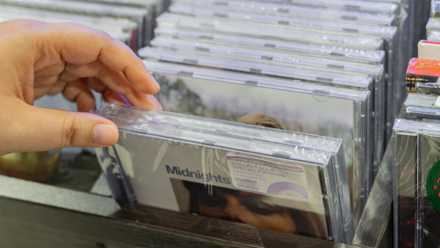
But when you buy a CD, that’s it. It’s yours forever. And while some of us have been complaining about the prices of CDs and DVDs for well over two decades, at this point, I’d almost rather spend that money once than keep paying it every month.
The 450x storage leap: Why jumping from 1.44MB floppies to 650MB CDs changed PCs forever
The 650MB miracle: How the CD-ROM’s microscopic lasers fueled the 90s PC revolution
Getting medical scans from hospitals and clinics
Your test may still come with a disc

When you go in for an MRI, a CT, an X-ray, or some other imaging test, you may get your results on a CD. Many clinics also give you a link or an app to view them in, but may still give you a CD when asked, as healthcare systems don’t always play nicely with each other.
A CD is a low-tech, but fairly universal way to hand over imaging files in a format another clinic or doctor will be able to read. That’s why doctors still often have to own an external CD player.
Playing old PC and console games
How I miss those times

I’m more than old enough to remember the times when every game came on a CD or a DVD, with a whole instruction booklet, box art, and whatever else. And those times were so, so good. Having that physical memorabilia is actually one of the things I miss the most about that era.
But those games still exist even now, and downloading emulators or shady rips to play them is not the best way to go. Sometimes, it’s easier to just pop that CD into an external USB player and hope for the best.
Keeping old software and hardware alive
Sometimes the installer only exists on a disc
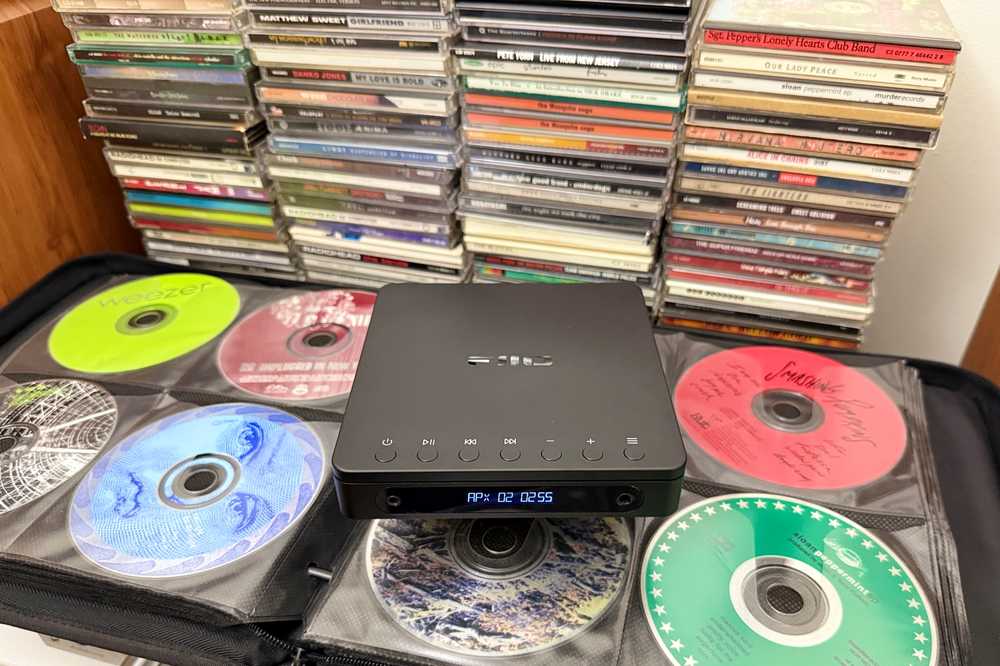
Old games are the fun example, but this goes beyond gaming. Plenty of old software, drivers, utilities, manuals, and weird little tools still live on CDs somewhere. In fact, those CDs are keys to getting older hardware to work, such as a dated printer or scanner.
My mom still has a whole set of CDs for work-specific software from 2005 that she refuses to replace with newer versions. Installing it on a new PC is a challenge, so much so that I wouldn’t even attempt to try and get it to run off of anything else than a CD.
Making a simple write-once copy
The best and worst thing is that you can’t easily change it

Now this is where CDs become useful for one of the exact reasons they’re annoying. A CD-R is not something you can casually edit, reshuffle, or overwrite later.
Once you’ve burned the files to it and finalized the disc, that’s pretty much what you’re going to be stuck with. It’s mighty inconvenient, but surprisingly good when you want a simple snapshot of something exactly as it was.
I wouldn’t use CDs as my main backup in 2026 (you should never trust a single backup target, anyway), but for small batches of files, the humble CD-R still makes sense.
CDs are dead until suddenly they’re useful again
CDs are in a funny place where they’re not quite dead yet, but they’re almost there. At the same time, they’re not yet at the same place as vinyl records, which died almost completely and have since made a full-on comeback and become cool (and expensive) again. But give it a few more years, and we might see CDs enter their revival era, too.

- Brand
-
Philips
- Colors
-
Black, Silver
Well, if we’re celebrating things more or less retro here, why not go all-in and get a portable CD player? This Philips boombox is an affordable way to walk down the memory lane.