Your USB-C cables aren’t broken. This $14 tester shows what’s really going on


I have a drawer full of USB cables and every time I want to connect a device I have to try them. USB-C was supposed to make things simple: one cable for everything, that was the promise. In practice, it’s a different story: there are cables that can only charge. There are some that transfer data. Some also transmit image information, which can then be used as a monitor cable.
And then there is always the question of speed: 30 or 100 watts of charging power? USB 2.0 speed with 480 megabits or USB 3.2 or even Thunderbolt with up to 40 gigabits per second? Unfortunately, cable labeling often doesn’t help bring order to the cable chaos. And then the devices work or charge unnecessarily slowly because the wrong cable was used.
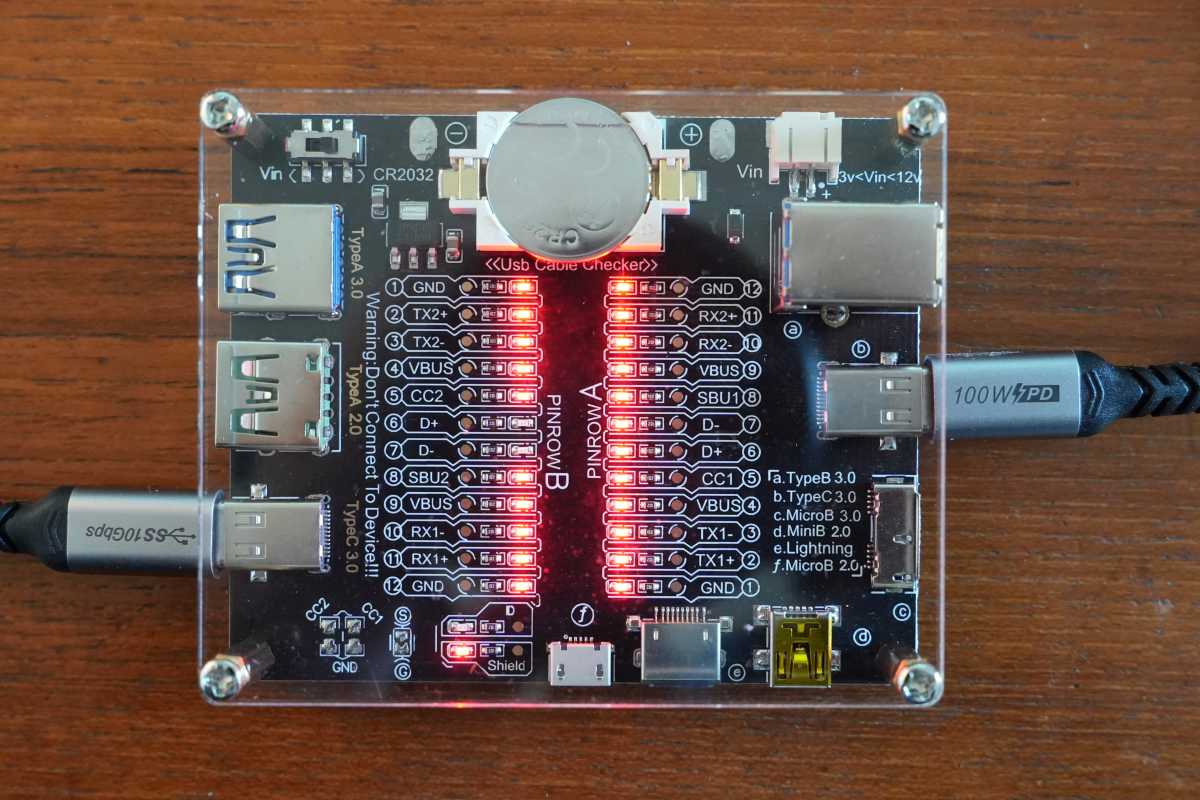
A cheap cable tester solves cable problems
Fortunately, it’s now over for me: with an inexpensive cable tester from Treedix, testing cables is child’s play: just plug it in, check the LEDs and I know if my cable is “good” or if I can put it in the other cable box in the basement. The one where I also store the SCART and jack cables.
The tester’s smart little circuit board is powered by an inexpensive CR2032 coin cell battery and offers a number of USB ports. In addition to two USB-C 3.0 ports, there are two USB-A ports (USB 2.0 and USB 3.0) as well as mini-USB, micro-USB, Type-B, Lightning ports and a hard drive connector (Micro-B 2.0).
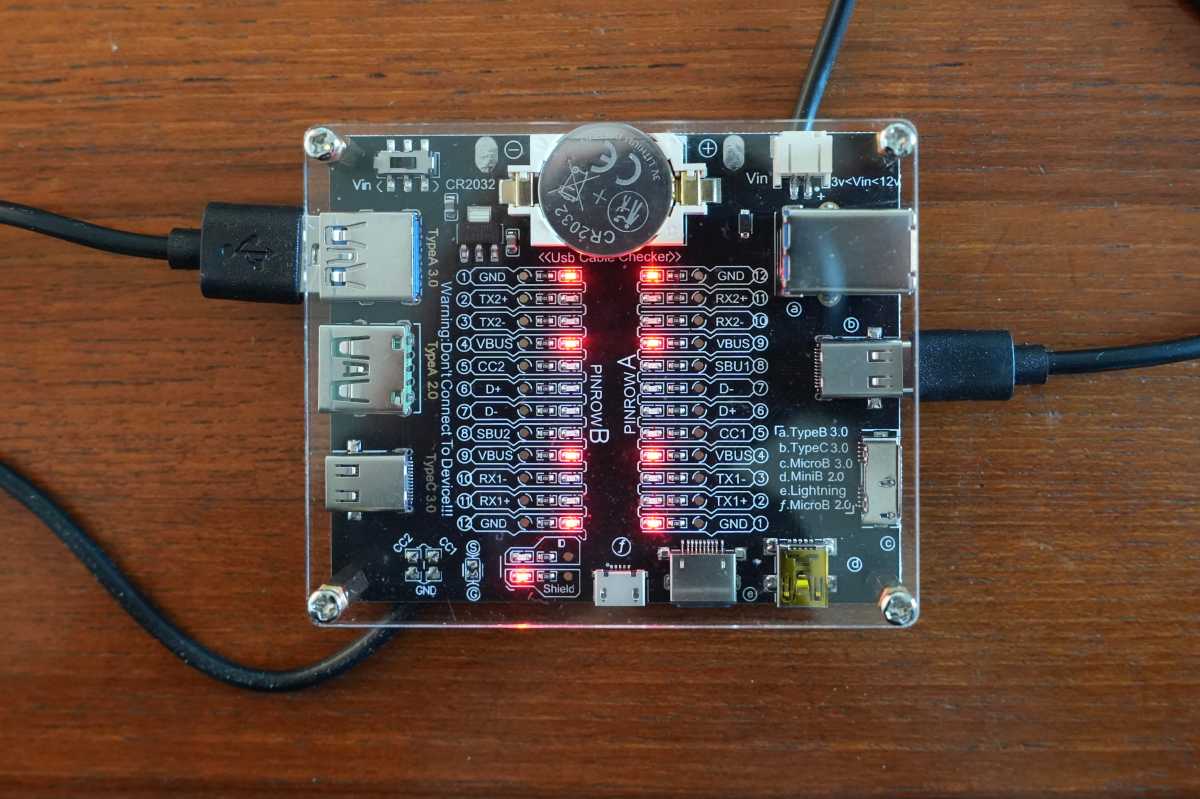
The functionality is as simple as it is effective. Simply plug both ends of the cable to be tested into the device and the cable tester will display a series of LEDs. Basically, the more LEDs that light up, the better the cable.
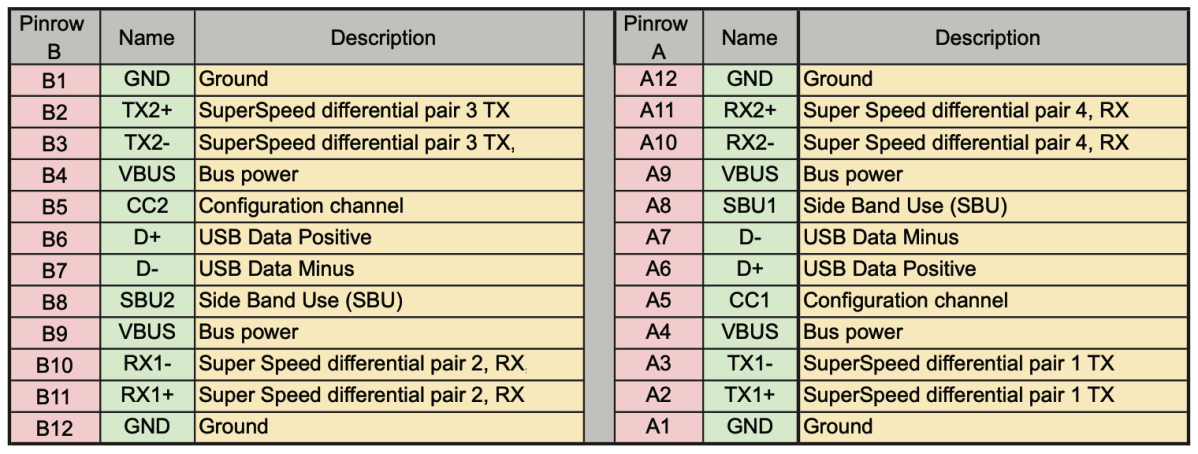
Meaning of the different LEDs on the cable tester
Unfortunately, no instructions were provided with my cable tester. However, there is an online PDF containing operating instructions for the Treedix version.
Unfortunately, the cable tester currently does not support Thunderbolt or USB 4.0, but that’s not a problem because both cable types should be labeled as standard anyway. Additionally, these cables are relatively expensive so should be easy to remember — at least that’s how it is for me.
No home should be without a USB cable tester
For me, the small cable tester is also more of an aid in sorting through countless other cables. Tattered USB-C charging cables may look like high-quality digital camera cables, except they don’t work the same way. The cable tester helps me a lot here – and in my opinion no household should do without it. Especially since it is inexpensive and easy to use.


