5 things my Raspberry Pi travel router can do that other travel routers can’t


Most commercially available travel routers are only useful for a handful of things. They can share a Wi-Fi network, run a VPN, and even share files. The travel router I built from a Raspberry Pi can do everything a regular travel router can do, but it can do almost anything you can imagine. Here are 5 ways I’ve expanded the capabilities of my travel router.
The Raspberry Pi Travel router doubles as a backup PC
It may not be fast, but it can be useful in a pinch.
Twice a laptop died while I was away from my desktop. Fortunately, this didn’t happen in a situation where I urgently needed it, but it taught me a lesson: always have a backup plan.
My Raspberry Pi travel router is now part of my backup plan. If a problem arose with my laptop, I could plug the Pi into my portable monitor, add a keyboard, and immediately have a fully functioning desktop computer.
While it won’t replace a full-featured desktop or laptop, the Pi can still handle essential tasks. When I tested it as a desktop replacement, I was able to read and write files on external drives, connect to my usual remote services, access the Internet, and write. It was a little slow, but it worked.
My Pi travel router is built around a Pi 4, but a Raspberry Pi 5 would definitely be even better. The ability to boot from a dedicated NVMe SSD alone offers a huge performance boost over a microSD card or even a SATA SSD, and it has more RAM and a faster processor, which would significantly improve desktop performance.

- Brand
-
Raspberry Pi
- Storage
-
8 GB
- Processor
-
Cortex A7
- Memory
-
8 GB
- Operating system
-
Raspbien
- Ports
-
4 USB-A
It’s only recommended for tech-savvy users, but the Raspberry Pi 5 is a DIYer’s dream. Cheap, highly customizable, and with excellent built-in specs, it’s a solid foundation for your next mini PC.
My Pi router can run real productivity apps
A little personal cloud in my backpack
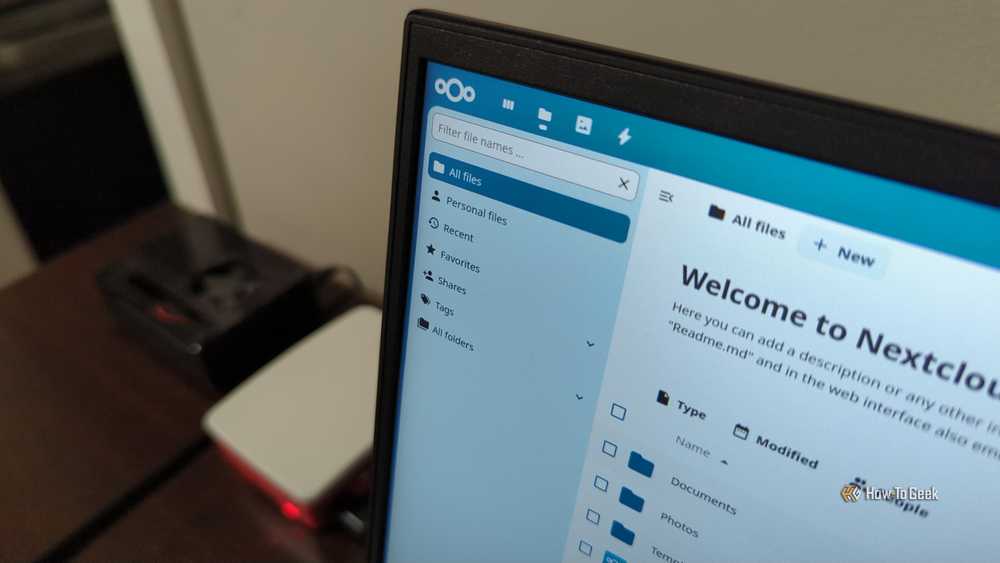
Most travel routers only give you a page of settings and maybe a few extra features if you’re lucky; that’s all they do.
By self-hosting services like Nextcloud and Joplin on my Pi, I ensure that they are always available no matter where I am or if I can access the Internet.
Hotel Wi-Fi can be unreliable, slow, or locked, and I’ve sometimes needed to work when I don’t even have cell service. Because I can run my important tools locally, but my productivity services still work perfectly.
The Pi also functions as a portable cloud server that syncs instantly across all my devices, lets me access files without relying on third-party storage services, and ensures my data is stored privately and securely on my own hardware.
I’ve only used it this way a few times, but it’s good to know the option exists.
It can host a game server anywhere
I take the LAN party with me

The main reasons I built my Pi travel router were versatility and resiliency. It can host services, serve as a backup PC, etc.
But I also discovered that it could also be fun. I can setup a small game server on a Raspberry Pi.
It can handle a vanilla Minecraft server for a few people, Terarria, and other lightweight game servers. Game servers (as long as you don’t add a ton of people and don’t do anything very demanding in the game) are less demanding on hardware than you might think, so you’d probably be able to run a huge range of servers if you wanted.
Older games with servers that support Arm are also good candidates, as they are also often easy to run.
The Pi 4 can run AI
The models are small but not useless
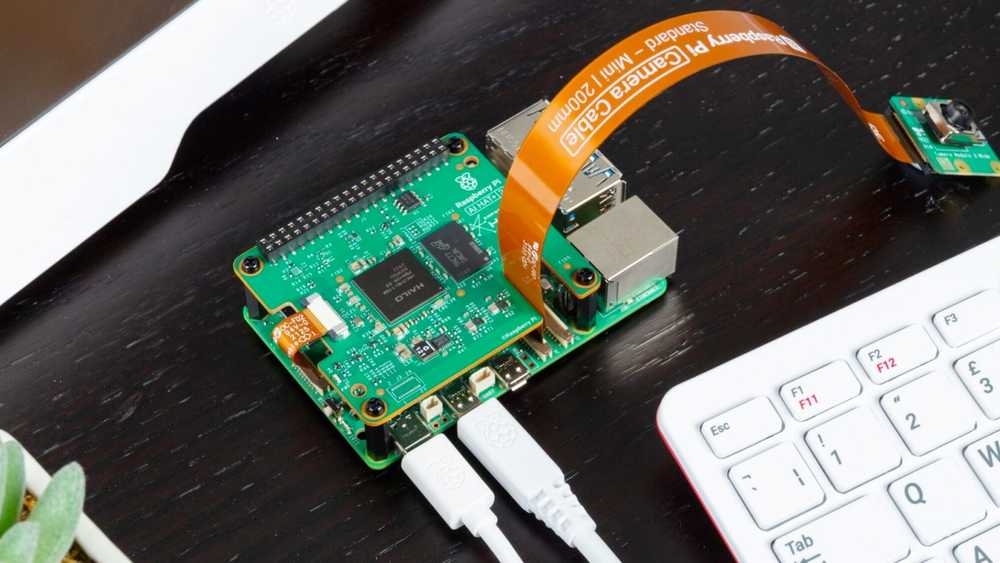
The Raspberry Pi 4 (8GB) isn’t designed for AI workloads, but it can actually run some optimized models without much trouble.
I’ve used it to intelligently search through long technical documents and help with simple code snippets, but you could definitely do more if you used the right template. For example, Gemma 4 has a variant that would probably be viable as a self-hosted assistant, even on a Pi 4.

Install and use AI chatbots at home with Ollama
Try your own AI chatbot privately and securely at home.
The big advantage is that it works without an Internet connection or subscription.
The Pi 5 is the AI upgrade
As smaller models get smarter, I’ve been tempted to upgrade my Pi travel router to a Pi 5 with an AI HAT+ 2 attached. The hat alone adds 16GB of VRAM, which is enough to run many respectable models locally, and the Pi 5 can also be purchased with up to 16GB of RAM.
This is actually a reasonable device for cutting-edge AI uses.
The Pi Travel Router can run a Pi-hole
DNS filtering is network-wide ad blocking

Pi-hole is a network-level ad blocker that sits between your devices and the Internet, acting as a “DNS sinkhole” to ensure that any advertising or tracking domain requests never reach your device.
I installed it directly on my router, which means every device that connects, whether I’m in a coffee shop or on hotel Wi-Fi, gets instant protection from ads, trackers, and some telemetry.
A Pi travel router is a traveling Swiss army knife
The Pi is not limited to these uses either. Any service you can self-host could potentially be run on a Pi travel router, turning a basic security and convenience device into almost anything you want.
You can even add additional hardware that connects to USB ports or GPIO pins to create something truly unique, like a travel router with an air quality monitor.


