
Your 3D printer can turn photos and other images into physical objects using a variety of techniques. This includes—but is not limited to—lithophanes, a 19th-century technique that traditionally relied on porcelain but has since been updated for the modern age.
In addition to this age-old technique, there are other ways to reproduce images with a 3D printer.
Lithophanes

A lithophane is an image that has been molded onto translucent material, using varying thickness to form an image. When a light is shone behind the lithophane, a monotone image is displayed with thicker parts of the molding appearing darker, and thinner parts appearing lighter.
This technique was commonly used on lampshades or panels designed to be placed in front of windows. With the rise of 3D printing, lithophanes have seen something of a resurgence in popularity. 3D printing takes the art form to another level, allowing you to design your own lithophanes to display any image you like.
ItsLitho is arguably the best free example of its kind for creating lithophanes right within your browser. There’s no need to register an account, and you can select from a variety of designs, including holiday-themed objects. Use the included controls to control the size and quality of the resulting object, then check the 3D preview before you download.
Filament painting
Filament painting is a unique technique that allows you to create artwork by layering filament to blend colors. By using very thin layers, it’s possible to create a whole range of shades and hues using as few as two individual filaments.
The market leader in this space is HueForge, a premium app that comes in personal ($24) and professional ($350) versions. The main difference between the two is the ability to commercialize your work, but if you only want to create filament paintings for home (or to list on model repositories free of charge under a non-commercial license), the personal license is all you need. HueForge is available for Windows, Mac, and Linux.
LumaLayer is an alternative app that is only available for Windows, with a free, limited version available. The LumaLayer Pro upgrade (from $25) adds additional features like the ability to convert your artwork into jigsaw puzzles and create packaging for your creations.
You can find plenty of filament paintings on model repositories, with HueForge creations being particularly easy to find. Try downloading and printing one before you buy to see what the final result will be. Just remember that the image you see in your slicer won’t look anything like what HueForge or LumaLayer estimates, since your slicer doesn’t account for translucency.
Slicers and image-to-STL converters

I was recently messing around with an SVG file of the How-To Geek logo and realized that I can import the format directly to Bambu Studio. If you have a logo that you want to 3D print, or add to an existing model, your slicer can probably do it as long as you can cough up an SVG.
Failing this, ImageToSTL does exactly what it says on the tin: converting almost any image file to an STL, with varying degrees of success. It works best with clean lines and transparency (keep reading for more image converters).
Terrain and city maps
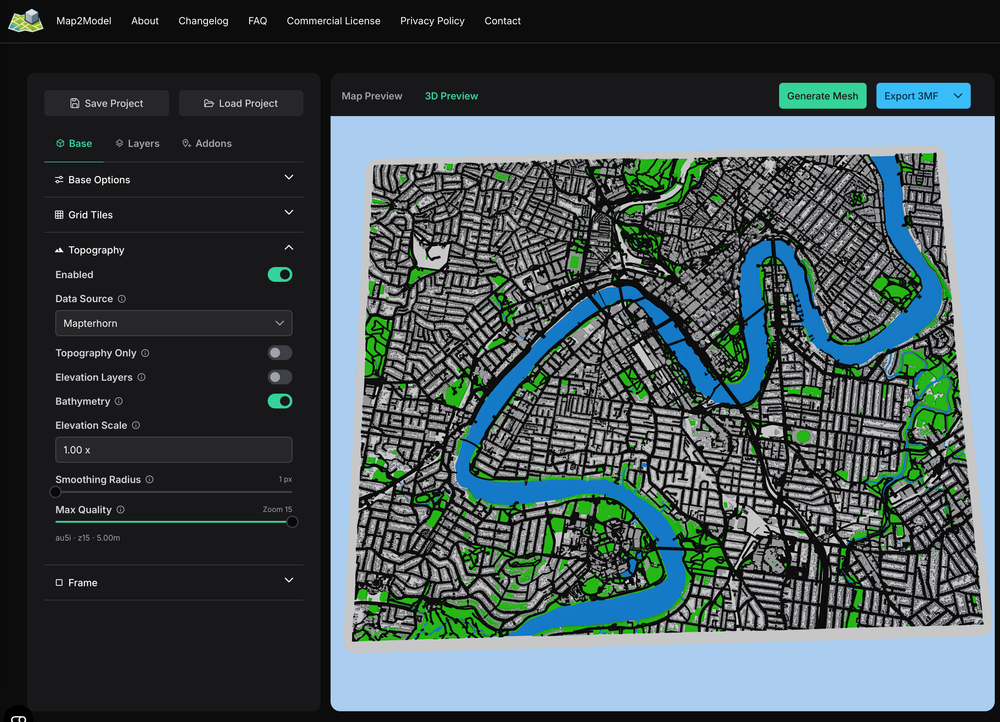
Terrain might slightly stretch the definition of “image” since they’re not strictly photos but rather height maps, but the idea that you might want to creating a models based on an aerial photo is a sound one. Fortunately, you have a few good options that you can use to do this for free (and some paid services too).
My personal favorite is Map2Model, which generates colorful terrain and city maps that you can heavily customize and export in 3MF or STL format. It’s free for non-commercial use, but if you want to sell models, then you’ll need a commercial license (which means subscribing to the creator’s Patreon).
In the U.S., Terrain2STL and TouchTerrain do a similar job with topographic maps. The former may also work outside of the U.S., but I had no joy in the few countries I tried. TouchTerrain is particularly good if you’re stateside, though.
Lastly, there are a handful of paid services that are worth exploring if you want something special. Maps3D looks like one of the strongest contenders, and you can generate and customize your map before you pay a cent (with the option of a one-off fee for a single map or a monthly charge to download as many as you like).
Photogrammetry to models
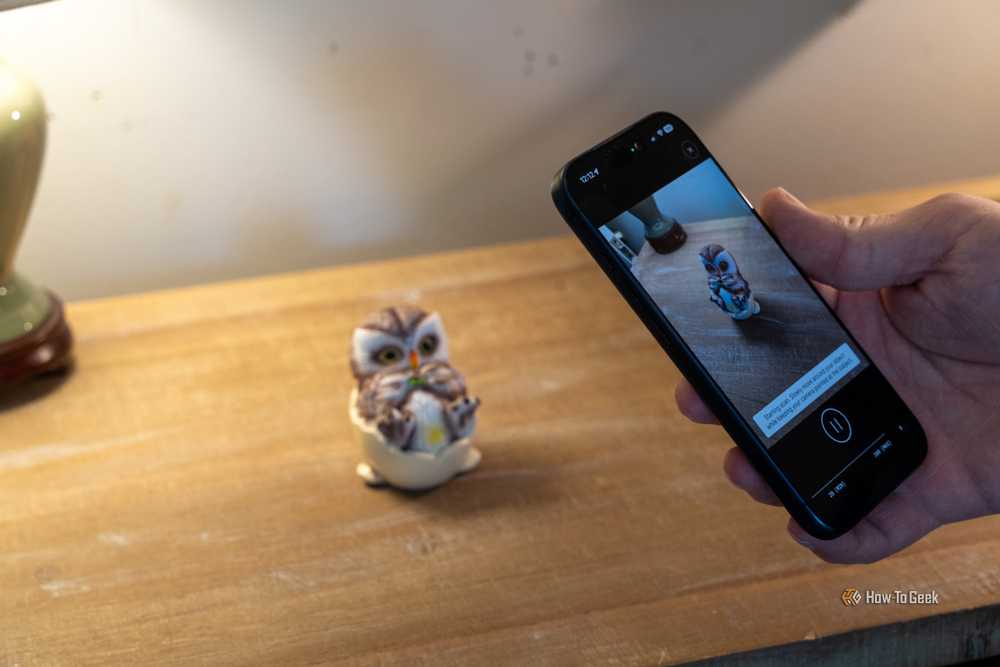
Photogrammetry allows you to convert 2D photos into 3D models by capturing an object or space from multiple angles and processing the results. It’s a time-consuming and data-heavy task, but the results can be impressive. The process of taking enough photos and waiting for the process to complete is arguably less labor-intensive than learning to model from scratch.
Meshroom is a free and open source node-based visual programming toolbox for Windows and Linux, which, when combined with the AliceVision plugin, enables complex and highly accurate photogrammetry workflows. You’ll need to read the manual to understand how it works, but in the end, you’ll have some highly detailed models (which are often too detailed to print, requiring some sacrifice in quality).
You can also use a mobile photogrammetry tool like Scaniverse and point your camera at an object to capture it. The problem with this approach is that it isn’t anywhere near as detailed or accurate as tools like Meshroom, though it is completely free and supports STL and OBJ export. Polycam is another premium alternative, though in my tests, the results with an iPhone 17 Pro were underwhelming.

AI model generators have a reputation of sorts in the 3D printing community. Like text, image, and video generation, model generation is prone to errors. There’s been an influx of AI-generated models on repositories like MakerWorld and Printables, which can make these models hard to avoid.
With that in mind, there’s nothing wrong with generating your own models and trying them out for yourself. If you’re going to go this route and you have a Windows or Linux computer with a decent GPU, you’ll probably want to start with Modly. This model works locally and is designed to convert images to 3D meshes, without the need for tokens or subscriptions.
If you’d rather outsource the conversion process, Meshy is one option that includes 100 credits per month for free. That should be enough to test out the service, which also offers text-to-model generation.
If you get a kick out of terrain and city maps, don’t miss this open-source tool that creates ready-to-print posters for you.


