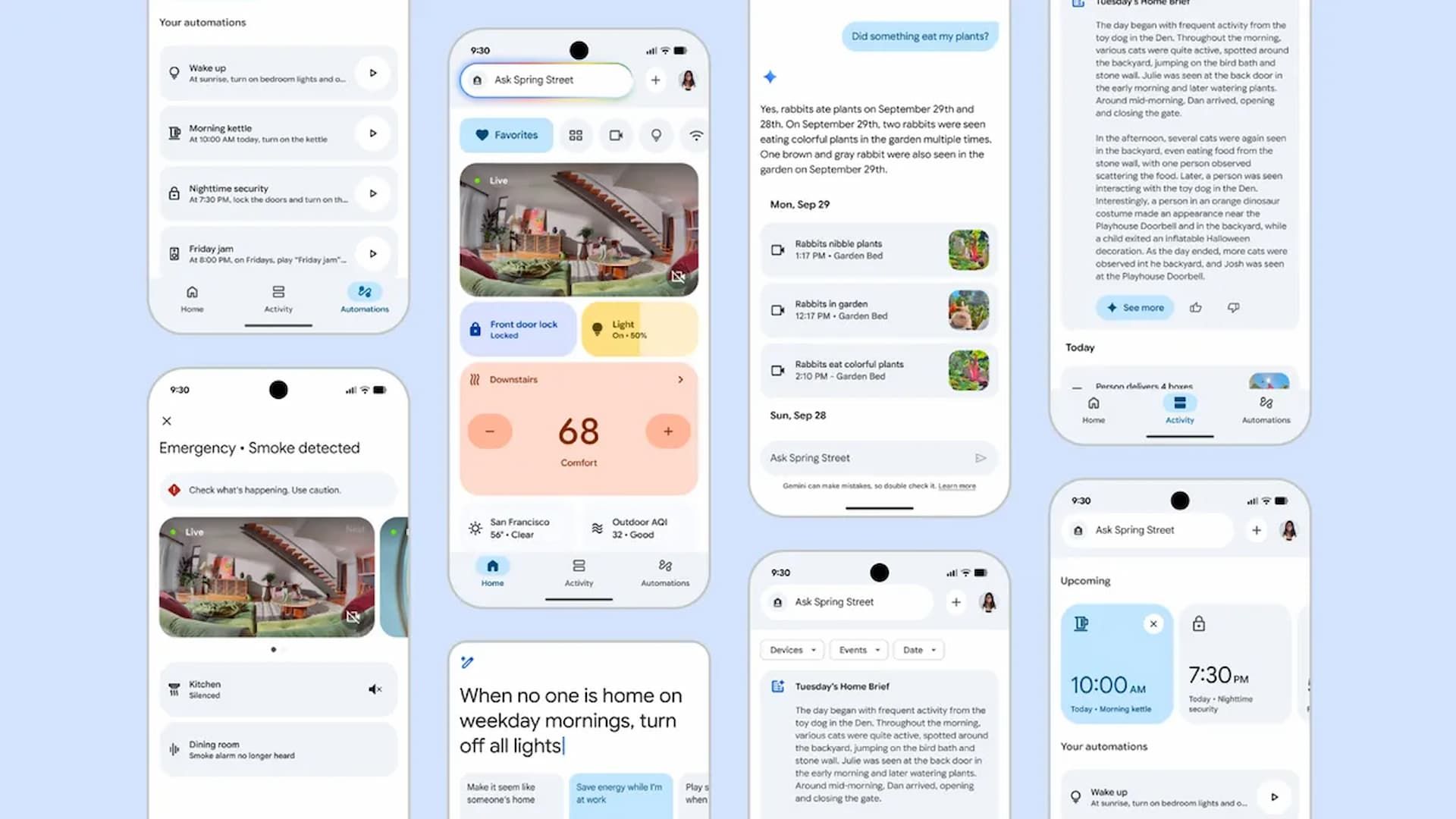
Google just completely rebuilt and redesigned the Google Home app. This massive upgrade makes the app faster, more reliable, and much smarter with the full power of Gemini for Home.
Google has rebuilt the app to be significantly quicker, with the app loading over 70% faster on some Android devices. If you’ve ever felt frustrated waiting for your devices to appear, this speed boost alone is a game-changer. Along with the speed, the reliability has seen a huge jump, with app crashes down by nearly 80% from just a few months ago. Google has even improved battery consumption and memory usage, which is a nice little bonus.
This performance focus extends to your security devices, which is a huge deal. Live camera views now load 30% faster. Even better, camera tile previews now load instantly, and scrolling through your camera’s history is far smoother, with a more than 6x higher frame rate.
For anyone with older Nest devices, Google has even made controlling previous generations of Nest cameras and doorbells smoother and faster in the Home app. This comes with adjustments to video encoding that help even those older cameras load faster and more reliably.
You’ll find that all your core Nest devices and features, including all Nest Thermostat models since 2015, smoke and CO emergency alerts for Nest Protect, and passcode management for the Nest x Yale Lock, are fully integrated. The company has even added full support for Nest Thermostats (2015 or later), including schedules and hot water boost.
The redesign itself focuses on a simplified three-tab layout: Home, Activity, and Automations. The Home Tab is your consolidated overview, and it now has new gestures that make it much more fluid to use with just one hand, letting you easily swipe between your Favorites, all devices, and dedicated dashboards.
The Activity Tab is your single history for every event from all your connected devices. This is also where you’ll find the Home Brief, which gives you a quick summary of your day. Keep in mind that’s a feature that requires a Google Home Premium subscription.
The Automations Tab has a new carousel that shows you upcoming automations, and the editor has been completely rebuilt as a fast, native experience on both iOS and Android. This unlocks powerful new capabilities, like creating one-time automations or using new conditional starters so a routine only runs if someone is home.
Tying all of this together is “Ask Home,” which is accessible in the new header navigation. You can use natural language here for practically anything. You can simply start typing in “lights” or “living room,” and related devices and automations will pop up for faster access.
The camera experience also got a serious bump, too. Event notifications on both Android and iOS now expand to show animated, zoomed-in previews, so you can see what’s happening right from your lock screen. Thanks to Gemini, your camera now has a deeper understanding of what it sees. Instead of a generic “person detected” alert, the camera can now tell you it saw something specific, like “Robin walking with flowers,” giving you much more helpful context at a glance.
My favorite part is that you get YouTube-like controls when viewing your history. Now, you can swipe between your timeline and event lists, or double-tap to fast-forward or rewind, which really ties this all together.
Source: Google Blog