I’ve owned this Brother printer since 2021, and it’s still the only one I recommend to friends


Printers are one of the most frustrating pieces of consumer tech. Despite decades of incredible progress in all other areas of consumer tech, it seems like printers are still living in 1999—just with Wi-Fi and Bluetooth instead of a parallel port.
All that frustration went away when I switched to a Brother printer.
The problem with printers
Inkjet is a pain
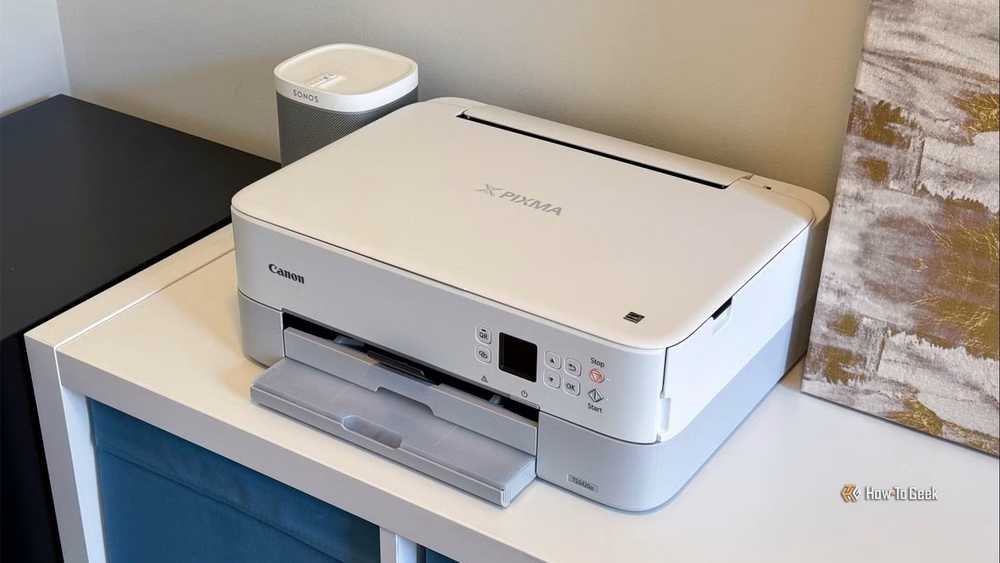
A lot of the negative reputation printers have comes from inkjet printers specifically. Inkjet printers work by moving a tiny ink nozzle back and forth across a piece of paper to create text or an image. Unfortunately, multiple parts of that mechanism are notoriously prone to problems. The print head can clog, the carriage (the thing that moves back and forth) wears out, they jam constantly while feeding paper, and if a sensor dies, you’re completely out of luck.
The ink is a problem too. If you don’t use it frequently, it’ll dry up, leaving you with a $50 paperweight and an abiding dislike for your printer.

Quiz
Printers and office equipment
Trivia challenge
From Gutenberg to inkjet — test your knowledge of the machines that keep offices humming.
HistoryHardwareInk & TonerFun FactsBrands
What year did Hewlett-Packard release the LaserJet, the first mass-market laser printer for personal use?
Correct! The HP LaserJet launched in 1984 at a price of $3,495 — quite the investment at the time. It used Canon’s laser engine and revolutionized office printing by bringing laser-quality output out of the corporate data center and onto the desktop.
Not quite — the HP LaserJet debuted in 1984. It was a landmark moment in computing history, arriving the same year as the original Apple Macintosh. Its $3,495 price tag was steep, but it made laser printing accessible to businesses for the first time.
Printer ink is often cited as one of the most expensive liquids in the world by volume. Roughly how much does a liter of common inkjet ink cost compared to a liter of crude oil?
That’s right! Printer ink can cost thousands of times more per liter than crude oil, and even more than many fine wines or perfumes. Manufacturers famously sell printers cheaply and recoup costs through expensive proprietary ink cartridges — a business model known as ‘razor and blades.’
The shocking truth is that printer ink is thousands of times more expensive per liter than crude oil. This is by design — printer makers use a ‘razor and blades’ pricing strategy, selling the hardware at low margins and profiting heavily on replacement cartridges.
The dot-matrix printer dominated offices throughout the 1970s and 1980s. Which company is credited with producing the first commercially successful dot-matrix printer in 1968?
Correct! Centronics produced the Model 101, widely regarded as the first commercially successful dot-matrix printer, in 1968. The company also gave the world the ‘Centronics parallel interface,’ the standard printer port that dominated PCs for decades before USB took over.
The honor goes to Centronics, whose Model 101 in 1968 kicked off the dot-matrix era. Centronics also invented the parallel printer port that became a standard fixture on PCs — you might remember it as that chunky connector on the back of old desktop computers.
What does the term ‘DPI’ stand for when describing printer resolution?
Spot on! DPI stands for dots per inch, and it measures how many individual ink dots a printer can place within one inch of a printed surface. A higher DPI generally means sharper, more detailed output — photo printers often reach 4800 DPI or beyond.
DPI stands for dots per inch — it’s the measure of how densely a printer can lay down ink dots on a page. The higher the DPI, the sharper and more detailed the print. Photo-quality printers can exceed 4800 DPI to reproduce fine color gradients.
Which company introduced the first inkjet printer for consumers, the ThinkJet, in 1984?
Correct! HP’s ThinkJet, released in 1984, was a groundbreaking consumer inkjet printer. It used thermal inkjet technology — tiny resistors heat ink until it bubbles and ejects onto the page. Canon independently developed similar technology around the same time, calling it ‘Bubblejet.’
It was Hewlett-Packard with the ThinkJet in 1984. HP used thermal inkjet technology, where heat creates a vapor bubble to propel ink droplets. Interestingly, Canon developed nearly identical technology at the same time and branded it ‘Bubblejet’ — a case of parallel invention.
What is the name of the fine powder used in laser printers and photocopiers to form printed text and images?
That’s right — it’s called toner! Unlike liquid ink, toner is a fine powder made from plastic particles, carbon black, and various pigments. A laser or LED draws the image electrostatically onto a drum, toner sticks to the charged areas, and heat from a fuser unit melts it permanently onto the paper.
The correct answer is toner — a fine plastic-based powder that clings to electrostatically charged areas on a drum, then gets fused to paper with heat. It’s a completely different technology from liquid inkjet ink, which is why laser prints are generally smudge-resistant right off the printer.
Xerox is synonymous with photocopying, but what was the name of the first plain-paper photocopier Xerox commercially released, which launched the photocopying revolution in 1959?
Correct! The Xerox 914 — named for its ability to copy 9×14 inch documents — launched in 1959 and became one of the most successful commercial products in history. It was so popular that Xerox offered it on a rental basis so businesses wouldn’t be scared off by the upfront cost.
The answer is the Xerox 914, launched in 1959. It was named for the maximum paper size it could handle (9 by 14 inches) and became a runaway commercial success. Xerox wisely rented rather than sold many units, making it accessible to businesses of all sizes and rapidly spreading the photocopying habit.
Some inkjet printers are known to use ink from their cartridges even when you are NOT printing. What is the most common reason printers do this?
Exactly right! Inkjet printers periodically run automatic printhead cleaning cycles, which flush ink through the nozzles to prevent them from drying out and clogging. While necessary for print quality, these cycles can consume a surprising amount of ink over time — one reason why high-page-count users often prefer laser printers.
The answer is automatic printhead cleaning cycles. Inkjet nozzles are incredibly tiny and can dry out or clog if left idle, so printers flush them with ink regularly to keep everything flowing. It’s effective maintenance, but it does quietly drain your cartridges — which is part of why ink costs add up so fast.
Your Score
/ 8
Thanks for playing!
Jack of all trades, masters of none
Inkjet printers commonly compound the complexities and issues that come with printing by adding a bunch of features, too. Many of them have a built-in scanner and fax machine, and that is before you start talking about whatever “smart” features have been included.
The end result is printers that are maintenance-heavy, expensive to operate, prone to multiple mechanical failure points, and buggy.

6 useful parts you can salvage from a broken old printer
Your printer is actually a gold mine of spare parts.
Brother makes printing an afterthought
A simple, reliable workhorse
I was nearly at my wit’s end with my old HP inkjet printer when I started shopping for a new one about 5 years ago. That is when I stumbled on Brother’s HL lineup.
A printer that just prints? Fewer moving parts? It sounded great in principle, but the reality was even better.
The printer I bought, the HL-L2325DW, is a monochrome laser printer. Instead of moving a bulky carriage, a laser is used to remove electrostatic charge from a drum, leaving behind only the image of what you want to print. Since the toner and the drum have the same charge, the toner then sticks to the locations where there isn’t a charge, a bit like how magnets will repel each other.


8/10
- Brand
-
Brother
- Type
-
Wireless
- Color Printing
-
No
- Scanner
-
No
Brothers’ HL-L2460DW Wireless Printer is a dream for small office spaces in need of a fast, efficient, and quality printer. Print reports in seconds or make use of various paper sizes to get the job done.
Despite how complex it sounds, laser printers are actually extremely reliable. I’ve now printed hundreds of pages with my printer, and it hasn’t had a single print error. It still works just as well as the day I bought it.
Unlike inkjet printers, the toner doesn’t dry out, there isn’t a print head to clog, and there is no bulky ink pack hurtling back and forth to write letters. The toner is also usually less expensive per page than an inkjet. My cost works out to about 3 cents per page, but that’ll vary depending on what you print and how much toner gets used per page.
No software troubleshooting required
The Brother print has another positive that I didn’t expect: the drivers are surprisingly reliable. My HP Inkjet drivers were a continual disaster, even by the standards of printer drivers on Windows. The scanner never reliably sent scanned documents to a computer, whether a document would print was always uncertain, and they were clunky.

Windows 11 is making big changes to printing, because printers are awful
Don’t worry, your old printers won’t break… at least for a while.
Brother’s drivers, thankfully, haven’t given me any trouble at all.
Which Brother model should you buy?
Stick to the basics

If you’re looking at buying a new printer, I’d recommend keeping it simple. If you don’t need a color printer with a fax machine and a scanner, don’t get one. Fewer features mean fewer things to go wrong.
Specialty tools are often worth the trouble
Instead of buying a multipurpose printer with a million add-ons, I’d recommend getting a device that specializes in a particular job.
For example, you can buy general-purpose color laser or inkjet printers to print, but they’re not going to match the quality of a dedicated photo printer. A dedicated scanner is going to give you better results than the scanner that is added as an afterthought to the printer.
Don’t fall for the “all-in-one” device trap—it usually doesn’t work out.
Brother is the most recommended printer for a reason
There are more printers available today than I care to count, and I’m sure there are other decent ones out there. However, if you just need something to print documents, you can’t go wrong with one of the printers from Brother’s HL lineup.
My specific printer isn’t available anymore, but I don’t hesitate to recommend its successors to anyone that needs a printer, and when this one eventually dies, I’ll definitely replace it with another Brother.


