Google agrees to $135M settlement over Android cellular data claims


NEWYou can now listen to Fox News articles!
If you use an Android phone, chances are this case concerns you. Google has agreed to a $135 million settlement following allegations that its Android system used users’ cellular data without authorization. The part that caught our attention was when this would have happened.
According to the lawsuit, these data transfers could take place in the background, even when your phone was not in use. Most people assume that if their screen is off, nothing happens. This is not always the case.
Sign up for my FREE CyberGuy Report
- Get my best tech tips, urgent security alerts and exclusive offers straight to your inbox.
- To learn simple, actionable ways to quickly detect scams and stay protected, visit CyberGuy.com – trusted by the millions of people who watch CyberGuy on television every day.
- Plus you will have instant access to my Ultimate Scam Survival Guide free when you sign up.
HACKERS ABUSE GOOGLE CLOUD TO SEND TRUSTED PHISHING EMAILS

The lawsuit claims that the Android software was sending data to Google in the background, even when the phone was not in use. (John Keeble/Getty Images)
What the lawsuit says about your Android phone
At the center of this matter is how Android handles background activity. The lawsuit claims that Android devices were sending information back to Google’s servers without the user’s clear consent. This would have happened over cellular networks, meaning it could have used the data you were paying for.
This detail matters. If something works over Wi-Fi, most people don’t think twice about it. Cellular data is different. It is limited for many users and often tied to monthly costs.
The plaintiffs say Google could have limited these transfers to Wi-Fi. Instead, they say the system used cellular connections, pushing the costs onto users. Google denied any wrongdoing but agreed to settle the matter.
“We are happy to resolve this case, which misrepresents industry standard practices that keep Android secure. We are providing additional information to give people more information about how our services work,” José Castañeda, a Google spokesperson, told CyberGuy.
Who can be included in the settlement?
This matter concerns a very large number of people. If you used an Android device on a cellular network at any time after November 12, 2017, there’s a good chance you’re part of the group. The only major exception is if you are already included in a similar case called Csupo v. Google LLC. Estimates suggest that around 100 million users could qualify. This makes it one of the biggest consumer technology regulations related to everyday phone use.
How much you could actually receive
Before you start planning how to spend it, it will likely be a small payment. The settlement fund is worth $135 million. When this amount is divided among millions of people, the amount per person will depend on the number of claims filed. In most cases like this, the payouts tend to be small. Think of it as reimbursement for something you didn’t know was costing you.
ALLSTATE SUED FOR TRACKING AND SELLING LOCATION DATA OF 45 MILLION AMERICANS
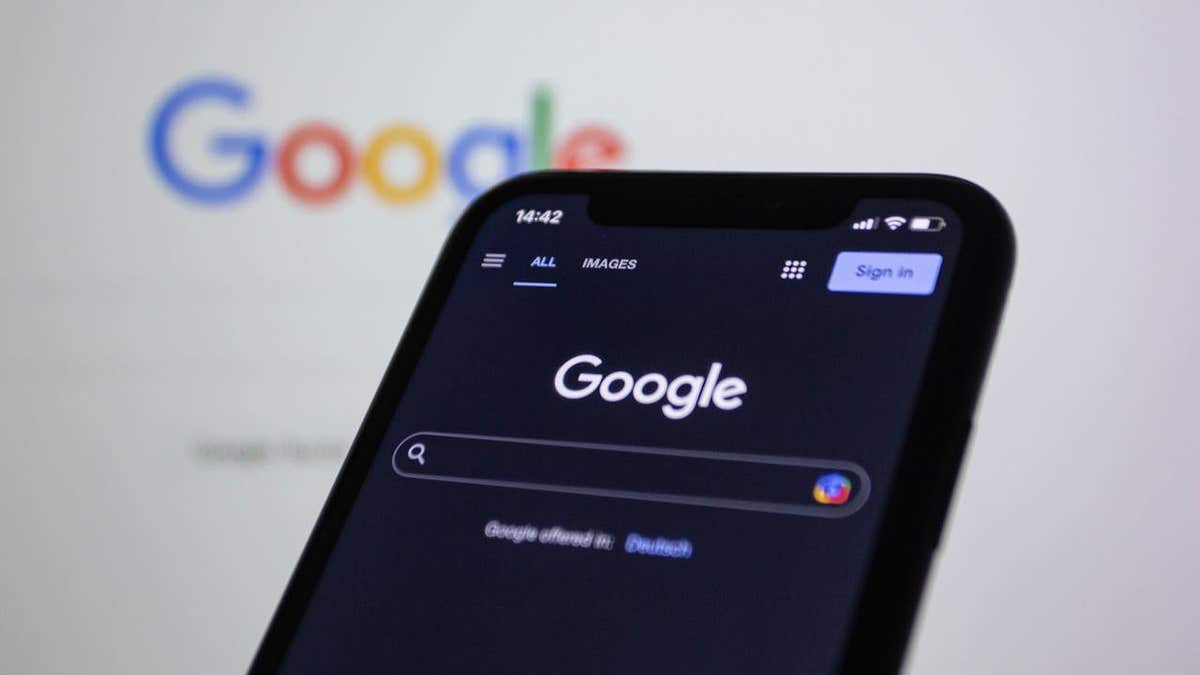
The case focuses on whether these background transfers used cellular data that users paid for. (Kury “CyberGuy” Knutsson)
How to claim your payment
The process is already underway, but it’s simpler than most people think. In many cases, you do not need to file a complete claim form to be included. If you qualify, you are already part of the settlement, unless you choose to opt out.
That said, there are a few steps worth taking to ensure you actually get paid.
- Start by checking your email or physical mail for notice of the settlement. Some users receive a group member ID or notification code, which speeds up the process.
- Following, visit the official regulation website has federalcellularclassaction.com and confirm your eligibility. This is also where you can enter or update your payment information. You’ll usually be able to choose how you want to receive your money, including options like direct deposit or popular payment apps.
- If you do nothing, you may still receive a payment automatically, but the risk of late or missed payments is higher if your information is out of date. You should only take further action if you have not received a notification, if your contact details have changed or if you wish to unsubscribe or object to payment.
The timeline you need to know
There are a few important dates to keep in mind. The deadline to withdraw or object to the settlement is May 29, 2026. The final approval hearing is scheduled for June 23, 2026. If the court approves the agreement, payments will follow once this process is completed.
Why this situation matters beyond the settlement
This case touches on something more important than a single payment. Smartphones are designed to stay connected at all times. This includes background activities that most people never see. While this constant connection powers useful features, it also creates gray areas around consent and cost.
Situations like this raise a simple question. How much do you really know about what your phone is doing behind the scenes? It also puts pressure on companies to be clearer about how data is used and when it is transmitted.
We reached out to Google for comment, but did not receive a response before deadline.
The $135 million settlement could result in payouts for Android users who used cellular data after 2017. (Kurt “CyberGuy” Knutsson)
What the Android data lawsuit means for you
Even if the payout ends up being small, results matter more than money here. Your phone may be using data in ways you don’t notice. This includes apps you rarely open and system services running in the background. Taking a few minutes to review your settings can give you more control.
Check which apps are using background data
(Settings may vary depending on device manufacturer)
Samsung/Android: Go to Settings > Relationships > Use of data > Mobile data usage > then press an app to see its data usage and background activity.
Limit background data for specific apps
(Settings may vary depending on device manufacturer)
Samsung/Android: Go to Settings > Connections > Data usage > Mobile data usage > press one application > switch Allow background data usage disabled
This prevents the app from using cellular data when you’re not actively using it.
Reduce data usage for updates and backups
(Settings may vary depending on device manufacturer)
Go to Settings > Software update > Automatic download > Using Wi-Fi only
For applications, open the Google Play Store > press your profile > Settings > Network Preferences > Application Download Preference > choose By Wi-Fi only > OK
These small changes can help you avoid using cellular data without realizing it and give you more visibility into what your phone is doing behind the scenes.
Take my quiz: How safe is your online security?
Do you think your devices and data are truly protected? Take this quick quiz to see where your digital habits stand. From passwords to Wi-Fi settings, you’ll get personalized analysis of what you’re doing right and what needs improvement. Take my quiz here: CyberGuy.com
CLICK HERE TO DOWNLOAD THE FOX NEWS APP
Kurt’s Key Takeaways
This case reminds us that the devices we rely on every day do more than meets the eye. Most of the time, this works in your favor. Sometimes this raises questions about transparency and oversight. Google chose to settle without admitting fault. This leaves room for debate about what really happened. It also highlights how quickly technology can surpass what users expect or understand. As phones become more and more connected, these types of cases will likely continue to occur.
Should companies like Google be allowed to use your cellular data in the background without clear permission, even if it powers the features you rely on every day? Let us know what you think by writing to us at CyberGuy.com
Sign up for my FREE CyberGuy Report
- Get my best tech tips, urgent security alerts and exclusive offers straight to your inbox.
- To learn simple, actionable ways to quickly detect scams and stay protected, visit CyberGuy.com – trusted by the millions of people who watch CyberGuy on television every day.
- Plus you will have instant access to my Ultimate Scam Survival Guide free when you sign up.
Copyright 2026 CyberGuy.com. All rights reserved.


