Google Chrome makes it easier to wrangle different tabs in AI Mode

Love them or hate them, no modern browser is complete without robust tab support, just like Google’s AI mode, it seems. Starting today, the company is rolling out an update for users in the United States that improves the tool in the interaction and understanding of tabs.
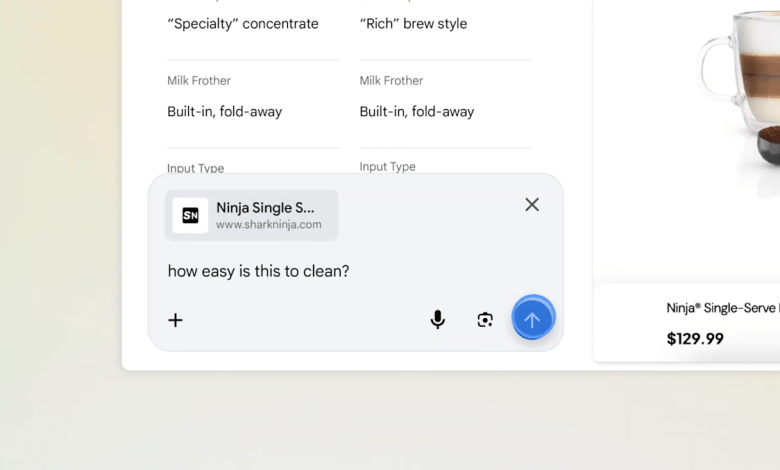
For starters, the next time you use AI Mode on Chrome for desktop and click a link, the chatbot will open a new side-by-side interface that lets you both browse the new webpage and ask questions about AI Mode. The connection allows the chatbot to retain the context of the search that brought you to this website in the first place.
For example, let’s say you’re looking for a new coffee maker to purchase for your apartment. Once AI Mode finds a handful of different models to compare, you can click on one of them to go to the manufacturer’s website and ask the chatbot additional questions, such as “is it easy to clean?” Thanks to the extended pop-up, you don’t need to refer to the specific model name.
In the meantime, if you have an existing tab or group of tabs that you want AI mode to consider in a new search, you can do that now too. In the redesigned More menu, simply click on the new option there. When you’re in the More menu, you can also have AI mode consider other items, including images and PDFs, as well as any relevant tabs.
In testing, Google says users found the integration resulted in fewer tab switches and made it easier to concentrate. Mike Torres, vice president of products for Chrome, said the new features represent a broader effort by Google to bring practical AI capabilities to its web browser. Torres added that the company will soon roll out today’s updates to more locations around the world.


