I love my new Codex AI pet — and now I want one in every app


Summary created by Smart Answers AI
In summary:
- PCWorld explores OpenAI’s new Codex AI Animals, which provide visual status indicators for desktop AI agents via customizable on-screen companions.
- These pets solve a key user experience problem by displaying red clocks when agent approval is required and green controls when the task is complete.
- The feature improves multitasking efficiency by keeping users informed of AI agent activity without constant monitoring of the main interface.
Whether I’m using Claude’s Cowork desktop app or OpenAI’s Codex coding app, I prefer my AI agents to contact me before making high-stakes decisions. But while this makes for a more secure setup, it also means my agents are often waiting, twiddling their thumbs as they wait for me to approve their next steps.
Now, if I sit and watch the Cowork or Codex apps in action, I will immediately see when an agent is waiting for my approval. But if I’m working in another window or multitasking, I could easily miss the fact that an inactive Cowork or Codex agent is sitting blankly staring into space.
That’s why I’m a fan of OpenAI’s new Codex AI pets. These little animated friends sit in the corner of your desk, complete with thought bubbles that let you know what your Codex AI agents are doing.
While status reports are nice, what I really like about Codex pets is that they give you visual cues when your agents need your input or are waiting for further instructions. If a Codex Agent is waiting for your approval before executing a command, the thought bubble will display a small red clock face. If the agent has completed a task and is ready to receive a new prompt, you will see a green checkmark.
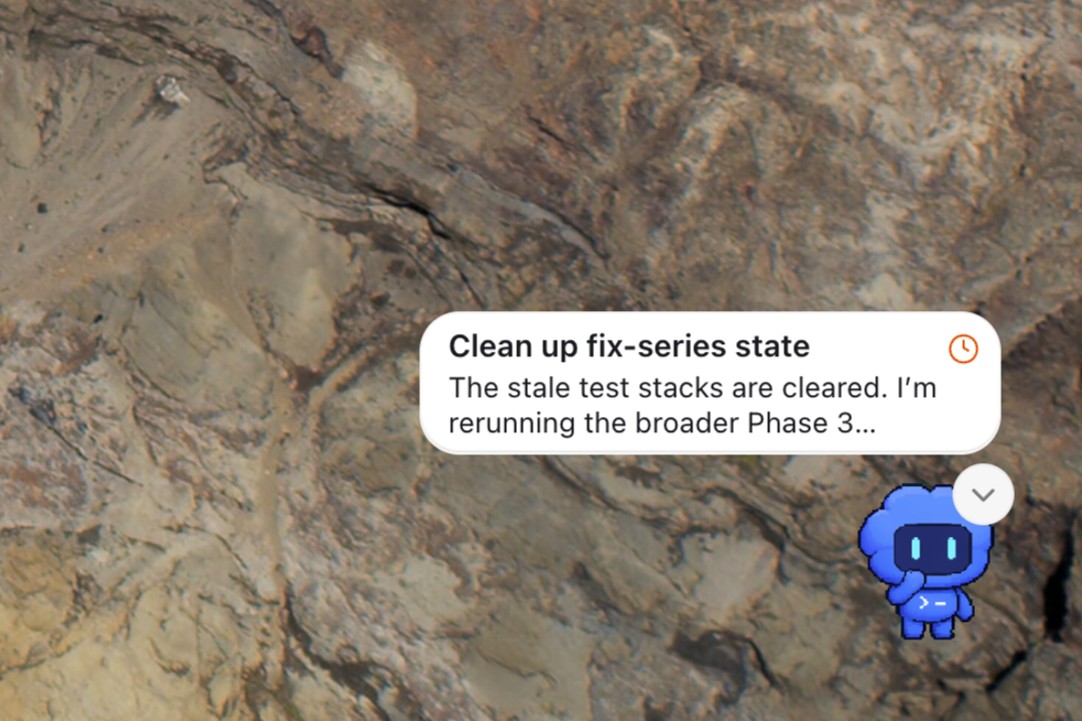
The little red clock tells you that your agent is waiting for your approval.
Ben Patterson/Foundry
Your Codex pet stays on top of other desktop windows and you can drag it wherever you want; I kept mine in the lower right corner of the screen.
And yes, those Codex pets are cute, and you can choose from eight premade versions, from the default blue “Codex” and the duck-shaped “Dewey” to “Rocky” (perfect for Hail Mary Project fans) and even the dreaded “BSOD.”
You can spawn a pet in the Codex by entering the “/pet” command, and you can choose another pet from the Appearance menu. To create your own pet, simply install the “hatch pet” skill (“$skill-installer Hatch-pet”) then invoke the skill to create your own Codex buddy (“$hatch-pet creates a new pet inspired by my recent projects”).
No, there’s nothing monumental or revolutionary about Codex pets (the terminal version of Claude Code features “buddies”, for example), but they are surprisingly useful. I feel much more aware of what my AI agents are doing in the background, and now I wish more agentic AI desktop apps were available to similar friends.